
Guide
The Ultimate Guide to Golf Launch Monitors (2026): TrackMan, Uneekor, SkyTrak and More
Swinglix may earn a commission when you buy through links on this page, at no extra cost to you. Learn more
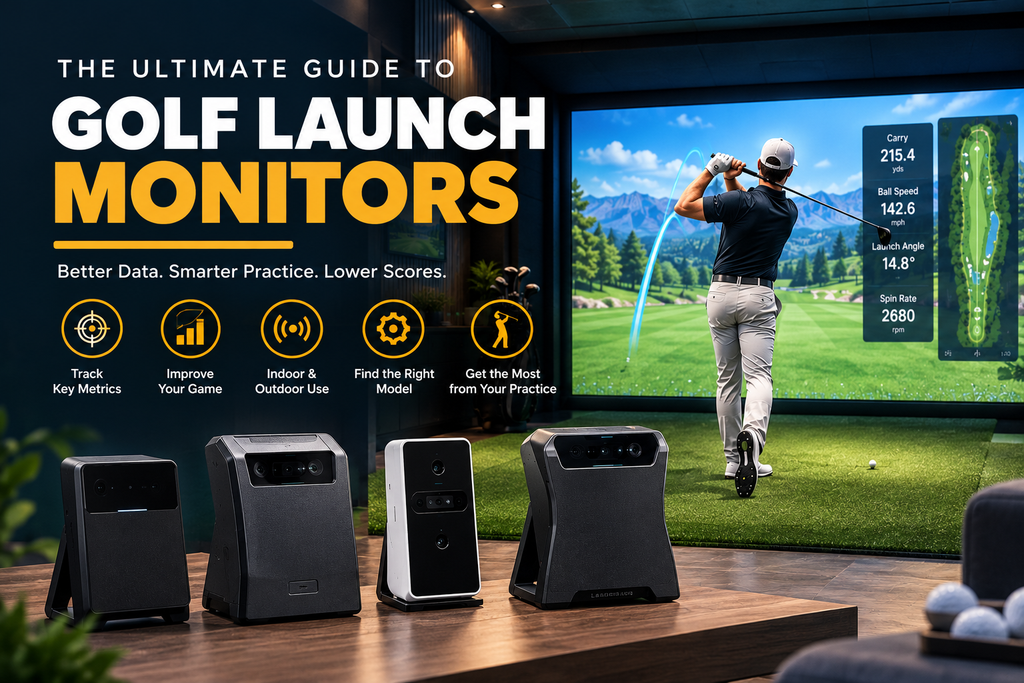
The best golf simulator launch monitor depends on your budget, your room and what you want to measure. For most home simulators, a camera-based launch monitor in the $1,000–$7,000 range, such as SkyTrak, Bushnell Launch Pro, Uneekor EYE MINI or Foresight GC3, gives the best mix of indoor accuracy and value. Budget units from about $500 are great for practice, and premium systems from TrackMan, Foresight and Uneekor at $10,000–$25,000+ deliver tour-level ball and club data.
This guide explains how launch monitors work, the main technologies, what they measure, how much space each type needs, what they cost (including yearly memberships), and how to choose. Each brand has its own detailed guide, linked below.
Prices are US list or current sale prices from the makers’ own websites, checked in 2026. Launch monitor prices change often and sales are common.
Key Takeaways
- A launch monitor measures your shot; a golf simulator adds software, a screen and an enclosure to turn those numbers into virtual golf.
- Three main technologies: camera units beside the ball, radar units behind you, and overhead (ceiling) cameras. Some combine radar and cameras.
- Camera units suit most indoor rooms; radar units need more depth but excel outdoors; overhead units keep the floor clear.
- Prices: about $500–$1,500 budget, $1,500–$7,000 mid-range, $10,000–$25,000+ premium.
- Check the running costs: some units need no subscription; others need $100–$600 a year for full features.
Best Golf Simulator Launch Monitors at a Glance
| Launch monitor | Technology | Price (2026) | Best for |
|---|---|---|---|
| Garmin Approach R10 | Radar | $499.99 | Budget all-rounder, range and home |
| Rapsodo MLM2PRO | Dual cameras + radar | $599.99 | Budget practice with swing video |
| Square Golf | Camera | About $700 (Omni about $1,600) | Budget camera unit, no subscription |
| FlightScope Mevo Gen2 | Radar + optics | $1,299 | Indoor/outdoor, no subscription |
| SkyTrak ST MAX | Camera | $2,995 list (often on sale) | Value home simulator |
| Bushnell Launch Pro | Camera | $1,999.99 (indoor) / $2,999.99 | Foresight-grade data for less |
| Uneekor EYE MINI | Camera | From $1,249 (CORE) to $2,999 | Compact ball and club data |
| Full Swing KIT | Radar + camera | $4,999 | Range and home, Tour heritage |
| Garmin Approach R50 | Three cameras, built-in screen | $4,999.99 | All-in-one simulator |
| Foresight GC3 | Three cameras | $6,999 | Ball and club data, indoors and out |
| Uneekor EYE XO2 | Overhead cameras | $10,999 (sale) | Premium overhead |
| Foresight GCQuad | Four cameras | From $15,999 | Fitters, coaches, serious players |
| TrackMan iO / TrackMan 4 | Optically enhanced radar | From $13,995 (iO) | Tour and coaching standard |
Best launch monitor by need
- Best budget: Garmin Approach R10 or Rapsodo MLM2PRO. See Garmin R10 and R50 and Rapsodo MLM2PRO.
- Best no-subscription: FlightScope Mevo Gen2 or Square Golf. See FlightScope Mevo.
- Best value home simulator: SkyTrak or Bushnell Launch Pro. See SkyTrak and Foresight and Bushnell.
- Best all-in-one: Garmin Approach R50.
- Best overhead: Uneekor EYE XO2, or Nvisage N1 on a budget. See Uneekor and other launch monitors.
- Best premium: Foresight GCQuad or TrackMan. See TrackMan.
- Best for complete commercial-style systems: Full Swing, Golfzon, aboutGolf, TruGolf and others. See overhead and commercial systems.
- Cheapest way to start: see entry-level golf simulators.
Side-by-side comparisons: best launch monitors for golf simulators compared, and how home systems stack up against TrackMan in golf simulator vs TrackMan.
Launch Monitor vs Golf Simulator: What Is the Difference?
A launch monitor is the device that measures your shot: ball speed, launch angle, spin and direction, and on better models, club data such as club path and face angle. A golf simulator is the complete setup that uses those numbers to show your shot on a virtual course: launch monitor, software, a screen or display, an enclosure or net, and a hitting mat.
Many launch monitors include basic simulator software, so the line is blurry. But you can own a launch monitor without a simulator (for example on the range), and you can’t have a realistic simulator without a launch monitor. For the full picture of how the parts work together, see golf simulator basics and how they work.
Completing the simulator: screen, projector and PC
A launch monitor measures the shot; the rest of the setup turns it into a simulator. Most home setups add:
- A net or an enclosure with an impact screen. See impact screens and enclosures.
- A display: a short-throw projector for a full-size picture, or a TV or tablet with a net. See the best projector for a golf simulator.
- A computer or tablet to run the software. Many launch monitors run on phones and tablets, but PC programs such as GSPro need a Windows gaming PC. See golf simulator PC requirements.
- A hitting mat that protects your joints. See hitting mats.
Plan the whole setup before choosing a launch monitor, because its space requirements decide where the mat, screen and projector go.
Where launch monitors are used
- Home simulators: the biggest growth area, from net setups to dedicated rooms.
- Driving ranges: portable radar units and personal camera units for practice.
- Club fitting: premium camera and radar units measure exactly how each club performs for you.
- Coaching: coaches use club and ball data to show what is causing a shot shape.
- Indoor golf venues: most bays run a launch monitor from TrackMan, Foresight, Uneekor, Golfzon, Full Swing or similar.
Launch monitors for coaches and businesses
Coaches, club fitters and indoor golf venues have different priorities from home users: accuracy that serious golfers trust, club data for fitting and teaching, durability for heavy use, left- and right-handed play without moving the unit, and commercial software licensing. That’s why venues often choose premium overhead or camera systems such as TrackMan, Foresight, Uneekor or Full Swing. If you’re planning a business, see how to start a golf simulator business and commercial golf simulators.
How Golf Launch Monitors Work
Radar (Doppler)
Radar units sit behind the golfer and track the ball in flight using the Doppler effect. They are excellent outdoors, where they can watch the whole flight. Indoors, they need enough room behind you and in front of the ball to read the shot. Examples: Garmin Approach R10, FlightScope Mevo+ and Mevo Gen2.
Camera (photometric), beside the ball
Camera units sit beside the ball and take high-speed images at impact, measuring launch, spin and (on better models) the club. They need little room depth, which makes them popular in garages and spare rooms. Examples: SkyTrak, Bushnell Launch Pro, Foresight GC3 and GCQuad, Uneekor EYE MINI, Square Golf.
Overhead cameras
Overhead units mount on the ceiling above the hitting area. Nothing sits on the floor, and left- and right-handed golfers can play without moving anything, but you need enough ceiling height to mount them. Examples: Uneekor EYE XO2 and EYE XO, Foresight Falcon, Nvisage N1, ProTee VX, Golfin IDRA II.
Hybrid systems
Some units combine technologies. TrackMan uses “optically enhanced radar tracking”, FlightScope’s Mevo Gen2 uses “Fusion Tracking” (radar plus high-speed optics), Rapsodo’s MLM2PRO combines cameras and radar, and Full Swing KIT pairs radar with a built-in camera.
Swing pads and no-ball trainers
At the very low end, devices such as OptiShot 2 (infrared sensors in a swing pad) and Golf Daddy (a mat plus a phone app) measure the club or estimate the shot rather than measuring the ball. They are fun and cheap, but not true launch monitors. See entry-level golf simulators.
Want the head-to-head on the two main technologies? Read golf simulator camera vs radar.
Measured vs calculated data: why it matters
Every launch monitor measures some numbers and calculates others from them. Budget radar units often measure ball speed and launch directly but estimate spin indoors, because they only see a short part of the ball’s flight. Camera units photograph the ball at impact and can measure spin directly, which is why some need marked balls or stickers. Premium units measure the most, most consistently. When comparing specifications, look for which metrics are measured, not just how many are listed.
What makes a launch monitor accurate?
- Measuring rather than estimating spin and club data.
- Enough space for the technology: radar needs depth, overhead units need height.
- Correct setup: the right distance and alignment to the ball and target.
- Good conditions: camera units need steady light; radar needs room to see the ball.
- The right balls: some units need clean premium balls, marked balls or metallic stickers.
Indoor vs outdoor use
- Radar units (Garmin R10, FlightScope Mevo) are strongest outdoors, where they can track the ball’s flight.
- Portable camera units (Foresight GC3 and GCQuad, Bushnell Launch Pro, Uneekor EYE MINI, Square Golf) work indoors and out.
- Overhead units (Uneekor EYE XO2, TrackMan iO, Foresight Falcon, Nvisage N1) are indoor-only by design.
- Indoor-only versions such as the Bushnell Launch Pro Indoor cost less if you never need the range.
What Launch Monitors Measure, and Which Numbers Matter
| Ball data | Club data (better models) |
|---|---|
| Ball speed | Club head speed |
| Launch angle and direction | Club path |
| Back spin and side spin (spin axis) | Face angle and face-to-path |
| Carry, roll and total distance | Angle of attack |
| Apex height and descent angle | Impact location on the face |
Some numbers are measured directly; others are calculated from what was measured. Better launch monitors measure more directly, especially spin, which is why some budget units need marked balls or stickers to measure spin accurately indoors.
Which numbers matter for you?
- Casual play and fun: ball speed, carry and direction are enough.
- Improving ball striking: add smash factor, angle of attack and spin.
- Fixing a slice or hook: club path and face angle are the key numbers, which need a launch monitor with club data.
- Gapping your clubs: consistent carry distances and spin, which mid-range camera units handle well.
- Club fitting and coaching: the full club and ball data of premium units.
Launch monitor metrics glossary
| Metric | What it means |
|---|---|
| Ball speed | How fast the ball leaves the clubface |
| Club speed | How fast the clubhead is moving just before impact |
| Smash factor | Ball speed divided by club speed; a measure of strike quality |
| Launch angle | The vertical angle the ball leaves at |
| Launch direction | Left or right of the target line at launch |
| Back spin | Spin that keeps the ball in the air and controls stopping |
| Spin axis / side spin | Tilt of the spin that makes the ball curve |
| Angle of attack | Whether the club is moving down or up at impact |
| Club path | The direction the club is travelling at impact |
| Face angle / face-to-path | Where the face points at impact, and relative to the path; key to curve |
| Carry / total | Distance in the air / including roll |
| Apex / descent angle | Peak height and landing angle |
How Much Space Does Each Type Need?
| Type | Typical indoor requirement |
|---|---|
| Camera beside the ball | Least depth; ball typically 8–12 ft from the screen |
| Radar behind the ball | About 8 ft from unit to ball, plus about 8 ft or more of ball flight (FlightScope’s published figures); 16+ ft total depth |
| Radar + camera (Full Swing KIT) | 8–10 ft behind the ball and 8–10 ft of ball flight (Full Swing’s figures) |
| Overhead | Enough ceiling height to mount above the hitting area; check the maker’s range |
Full room guidance: how much space you need for a golf simulator.
What a Launch Monitor Really Costs
| Tier | Price range | Examples |
|---|---|---|
| No-ball trainers | About $100–$500 | Golf Daddy, OptiShot 2 |
| Budget | About $500–$1,500 | Garmin R10, Rapsodo MLM2PRO, Square Golf, Mevo Gen2, Uneekor EYE MINI CORE |
| Mid-range | About $1,500–$7,000 | SkyTrak, Bushnell Launch Pro, Uneekor EYE MINI, Garmin R50, Full Swing KIT, Nvisage, Foresight GC3, Uneekor EYE XR and EYE XO |
| Premium | About $10,000–$25,000+ | Uneekor EYE XO2, TrackMan iO and TrackMan 4, Foresight GCQuad, Falcon and QuadMAX |
For the cost of a full setup around the launch monitor, see how much a golf simulator costs.
Subscriptions and memberships
Running costs vary more than many buyers expect:
| Brand | Subscription model (2026) |
|---|---|
| SkyTrak | Yearly plans: Essential $99.99, Foresight course pack $299.99, TrackMan course pack $349.99, Elite $599.99 |
| Rapsodo | Premium membership for full features (45-day trial included) |
| Garmin | Garmin Golf membership for virtual rounds |
| FlightScope Mevo Gen2 / Mevo+ | No recurring fees; E6 Connect courses included |
| Square Golf | No subscription fee; pay-as-you-go credits for some play |
| Foresight / Bushnell | Foresight+ memberships; Bushnell Launch Pro is powered by Foresight+ plans |
| Uneekor | Software packages and memberships by tier |
| ProTee VX | Software included with a perpetual licence (per retailers) |
| TrackMan | Software subscription for full simulator features |
Third-party software such as GSPro, E6 Connect and Awesome Golf has its own costs; many launch monitors work with one or more of them.
Golf balls: what each launch monitor needs
Some launch monitors need special balls or stickers to measure spin accurately indoors. This is easy to overlook and adds a small running cost.
| Launch monitor | Ball requirement for best indoor spin (per maker) |
|---|---|
| Rapsodo MLM2PRO | RPT balls (Titleist or Callaway) for measured spin |
| FlightScope Mevo Gen2 | Aluminium stickers or Titleist RCT balls |
| FlightScope Mevo+ | Aluminium stickers |
| Uneekor EYE MINI range | No marked balls (Dimple Optix); club stickers recommended for club data |
| GolfIn IDRA II | No marked balls or club stickers |
| Garmin R50 | Optional club tracking stickers for club data |
| Camera units generally | Clean, undamaged premium balls give the most consistent readings |
Launch monitor accessories worth having
- A protective case for carrying the unit to the range.
- Marked balls or club stickers where your launch monitor needs them for full spin or club data.
- A stand or mount where the maker offers one, for a consistent position.
- A power bank or spare charger for long outdoor sessions with battery units.
- Alignment aids to line the unit up with your target.
More ideas in our golf simulator accessories guide.
New, certified pre-owned or used?
Several makers, including SkyTrak, sell certified pre-owned launch monitors with warranties at well below new prices. Private used sales can be cheaper still, but check that the unit is removed from the previous owner’s account, whether software and memberships transfer, and the warranty position. With frequent sales on new units, compare a used price with the current sale price, not the list price.
Simulator Software That Works With Launch Monitors
| Software | What it is | Examples of compatible launch monitors (per makers) |
|---|---|---|
| Maker’s own apps | Practice, data and often course play, sometimes with membership | Every brand |
| GSPro | Popular PC simulator with community-built courses | Rapsodo MLM2PRO, Square Golf, many others |
| E6 Connect | TruGolf’s simulator software on PC and iOS | FlightScope Mevo (courses included), Rapsodo, Square Golf and more |
| Awesome Golf | Family-friendly simulator and games | Rapsodo MLM2PRO, Square Golf and more |
| Foresight FSX / Premier | Foresight’s simulation software | Foresight and Bushnell units |
| TrackMan software | TrackMan’s range, courses and performance tools | TrackMan |
Always confirm compatibility for your exact model before buying software.
Upgrading your launch monitor later
Many golfers start with a budget unit and upgrade. To keep options open, build an enclosure deep and tall enough for any type, choose software that works with many launch monitors (such as GSPro or E6 Connect), and keep the box and accessories for resale. Launch monitors from well-known brands tend to hold their value best.
Short Game and Putting on a Launch Monitor
Chipping and putting are where launch monitors differ most. Short, slow shots give radar less to track, and putts barely leave the ground, so many budget units handle the short game less realistically than full swings. Ways makers deal with this:
- Dedicated putting modes, such as FlightScope’s Mevo+ putting setup (7 feet from sensor to tee, unit tilted 12 degrees).
- Putting add-ons for some premium camera units, such as Foresight’s putting analysis.
- Putting mats with their own sensors, such as the mat in Golfzon’s WAVE system.
- Overhead cameras, which can see the ball on the green area of the mat; GolfIn says its IDRA II is designed for putting as well as the long game.
- Moving floors such as the Zen Green Stage, which create real breaks and slopes.
If short game matters to you, look for these features and test chipping and putting before buying.
How to Choose a Launch Monitor
- Measure your room. Depth decides the type: camera units beside the ball and overhead units suit shorter rooms; radar units behind the ball need the most depth (often 17 feet or more, depending on the model). Ceiling height decides whether overhead units can be mounted. See space requirements.
- Decide indoor, outdoor or both. Radar and portable camera units go to the range; overhead units stay in the room.
- Decide what data you need. Ball data (speed, launch, spin, direction) is enough for most golfers. Club data (path, face angle, impact) matters for fixing a slice or hook, coaching and fitting.
- Check left- and right-handed use. Side-mounted camera units must be moved and re-aligned for the other hand; overhead units and radar behind the ball don’t need moving.
- Add up five years of costs, including memberships for course play, club data or software.
- Check software compatibility with the programs you want to use, such as GSPro or E6 Connect.
- Shortlist two or three, read long-term owner reviews, and try them at a venue or fitter if you can.
| Your situation | Start your shortlist with |
|---|---|
| Short room, under $1,000 | Square Golf |
| Range and home, under $1,000 | Garmin R10, Rapsodo MLM2PRO |
| No subscription wanted | FlightScope Mevo Gen2, Square Golf |
| Garage or spare room, $2,000–$4,000 | SkyTrak, Bushnell Launch Pro, Uneekor EYE MINI |
| No computer | Garmin R50 |
| Dedicated room, both hands, high ceiling | Uneekor EYE XO2, TrackMan iO |
| Tour-level data | Foresight GCQuad, TrackMan |
For the full step-by-step decision with worked examples, see best launch monitors for golf simulators compared.
Launch monitor buying guide by golfer type
| Golfer | What matters | Good fits |
|---|---|---|
| Beginner or casual golfer | Low price, easy setup, fun software | Garmin R10, Square Golf, Rapsodo MLM2PRO |
| Mid-handicapper building a home sim | Accurate indoor ball data, good course software, room fit | SkyTrak, Bushnell Launch Pro, Uneekor EYE MINI |
| Low handicapper working on mechanics | Club path, face angle, consistent spin | Foresight GC3, Garmin R50, Uneekor EYE XO |
| Range-first practiser | Outdoor tracking, portability | FlightScope Mevo Gen2, Garmin R10, Full Swing KIT |
| Coach or club fitter | Full, consistent data and industry-standard software | TrackMan, Foresight GCQuad, QuadMAX |
| Luxury simulator room | Overhead mounting, polished experience | Uneekor EYE XO2, TrackMan iO, Foresight Falcon, Full Swing systems |
Common launch monitor buying mistakes
- Buying radar for a short room. Radar units need space behind and in front of the ball.
- Ignoring the subscription. Over five years, a membership can cost more than the device.
- Paying for club data you won’t use. Unless you are working on swing mechanics or fitting, ball data may be enough.
- Forgetting balls or stickers needed for accurate indoor spin.
- Assuming software compatibility. Check the exact model with the software you want.
- Not checking ceiling height for overhead units.
Trying before you buy
The best way to choose is to hit balls on the launch monitors you’re considering. Many indoor golf venues, fitting studios, club fitters and coaches use the popular brands, and some golf retailers have demo bays.
- Find venues or fitters that use the units on your shortlist: find a golf simulator venue near you.
- Bring your own clubs and balls so the numbers reflect your game.
- Hit the same test on each: 10 shots with a 7-iron and 10 with a driver, noting carry, spin and how quickly each shot appears.
- Try chipping and putting if the short game matters to you.
- Check the software: menus, courses and whether you’d enjoy using it every week.
When you are ready to build, see our home golf simulator setup guide.
FAQ
What is the best launch monitor for a golf simulator?
For most home simulators, a camera-based unit in the $1,000–$7,000 range such as SkyTrak, Bushnell Launch Pro, Uneekor EYE MINI or Foresight GC3. Budget buyers should look at Garmin R10 or Rapsodo MLM2PRO; premium buyers at Foresight GCQuad or TrackMan.
What is the difference between a launch monitor and a golf simulator?
A launch monitor measures the shot. A golf simulator adds software, a display, an enclosure and a mat to turn that data into virtual golf.
Is radar or camera better for a golf simulator?
Camera units usually suit indoor rooms better because they need less depth. Radar units excel outdoors and need more space indoors. Hybrid systems combine both.
Do launch monitors need a subscription?
Some do and some don’t. FlightScope Mevo Gen2 and Square Golf advertise no recurring fees; SkyTrak, Rapsodo, Garmin and others offer memberships for full features or course play.
How much does a good launch monitor cost?
About $500–$1,500 for budget units, $1,500–$7,000 for mid-range camera units, and $10,000–$25,000+ for premium systems.
Can I use a launch monitor without a simulator?
Yes. Many golfers use portable launch monitors on the range or with a net at home, viewing data on a phone or tablet.