
Guide
FlightScope Mevo Gen2 and Mevo+: Setup, Space Needs and Accuracy
Swinglix may earn a commission when you buy through links on this page, at no extra cost to you. Learn more
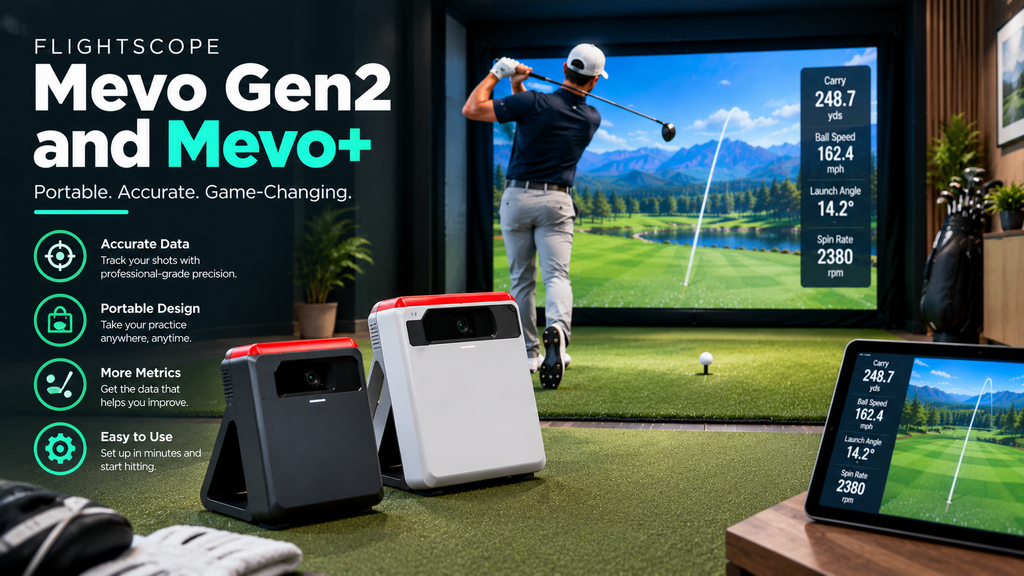
The FlightScope Mevo launch monitors are known for good accuracy at a fair price and, unusually, no recurring subscription fees. In 2026 the new Mevo Gen2 costs $1,299 and uses FlightScope’s “Fusion Tracking”, which combines Doppler radar with high-speed optics. The long-running Mevo+ is in its final sales phase at $1,099 (previously $2,299), so it won’t be sold new for much longer. Both include E6 Connect simulator courses and work indoors and outdoors.
This guide covers how the Mevo works and what it measures, indoor space needs, step-by-step setup (including connecting to a PC), accuracy, what a Mevo simulator costs, and how it compares with rivals. It’s part of our best golf simulator launch monitor guide.
Prices and specifications are from FlightScope’s website in 2026.
Key Takeaways
- Mevo Gen2: $1,299, Fusion Tracking (radar + optics), 20 measured parameters, 8 E6 Connect courses included, no recurring fees, 1.1 lb.
- Mevo+: $1,099 in its final sales phase, 20+ parameters, 12 E6 Connect courses included, no subscription fees.
- Indoors, both need about 8 feet from the unit to the tee plus at least 8 feet of ball flight.
- For accurate indoor spin, FlightScope requires aluminium stickers on the ball (or Titleist RCT balls for Gen2).
- Strong choice if you want one device for the range and home with no ongoing fees.
FlightScope Mevo Gen2 vs Mevo+
| Mevo Gen2 | Mevo+ | |
|---|---|---|
| Price (2026) | $1,299 | $1,099 (final sales phase) |
| Technology | Fusion Tracking: Doppler radar + high-speed optics | Radar |
| Data | 20 measured club and ball parameters | 20+ parameters including speed, spin, launch and angle of attack |
| Included software | E6 Connect 8-course bundle (iOS and PC) | E6 Connect 12-course licence (iOS and PC) |
| Subscription | No recurring fees | No subscription fees for included courses |
| Weight | 1.1 lb | 16 oz |
| Indoor setup | 8 ft unit to tee, 8 ft ball flight; stickers or Titleist RCT balls for spin | 8 ft sensor to tee, 8–13 ft ball flight; aluminium stickers required |
See the Mevo Gen2 or the Mevo+ while stocks last. Which should you buy? The Gen2 is the current model with radar plus optics and ongoing support; the Mevo+ is good value at its final price if you accept that it’s being phased out.
How the FlightScope Mevo Works and What It Measures
The Mevo sits behind the ball, facing the target. Radar tracks the ball (and, on the Gen2, the club) as it leaves the clubface, and the Gen2 adds high-speed optics to its measurements. The data goes to FlightScope’s app on your phone or tablet, or to simulator software on a PC. Outdoors, the radar can follow the full flight; indoors, it reads the first part of the flight before the ball reaches the net or screen, which is why indoor mode and ball preparation matter.
| Ball | Club (Gen2 and Mevo+) |
|---|---|
| Ball speed, launch angle, launch direction | Club speed |
| Spin rate and spin axis | Angle of attack |
| Carry, roll and total distance | Club path and face data (model dependent) |
| Apex, flight time, descent | Smash factor |
FlightScope stresses that the Gen2 measures its 20 parameters rather than estimating them. Check FlightScope’s spec sheet for the full list for each model.
FlightScope Mevo Indoor Space Requirements
FlightScope publishes clear space guidance:
- Indoor full swings (limited flight): about 8 feet from the unit to the tee, plus 8 feet (Gen2) or 8–13 feet (Mevo+) of ball flight to the net or screen.
- Outdoor full swing: 8 feet from unit to tee with unrestricted ball flight.
- Putting (Mevo+): 7 feet from sensor to tee, with the unit tilted 12 degrees.
| Zone | Distance |
|---|---|
| Screen to back wall | Several inches to a foot |
| Tee to screen | 8 ft (Gen2) or 8–13 ft (Mevo+) |
| Mevo to tee | About 8 ft |
| Total depth | About 17–22 ft |
That’s more depth than camera units beside the ball need. Check your room against it before buying; see space requirements.
How to Set Up a FlightScope Mevo
Time: about 20 minutes. You’ll need: the Mevo, your phone or tablet with FlightScope’s app, a tape measure, and metallic stickers (or Titleist RCT balls with the Gen2) for indoor spin.
- Charge it and update it. Install FlightScope’s app, sign in, connect the Mevo and install any firmware update. FlightScope recommends checking for updates regularly.
- Mark the tee position 8 feet from the screen or net for the Gen2, or 8–13 feet for the Mevo+.
- Place the Mevo about 8 feet behind the tee, facing the target, on a stable surface.
- Level and align it with the target line, using the app’s alignment view; a line from the unit through the ball should point at the screen centre.
- Choose the right mode in the app: indoor (limited flight), outdoor, chipping or putting. Indoor mode is designed for the short ball flight to a net or screen.
- Prepare the balls for spin. Indoors, apply FlightScope’s metallic stickers to the ball as its guide shows, or use Titleist RCT balls with the Gen2. Without them, spin is less reliable over such a short flight.
- Test: hit 10 shots at the screen centre and check each one registers and the numbers look sensible.
Putting with the Mevo+: place the sensor 7 feet from the ball and tilt it 12 degrees, as FlightScope specifies, and select putting mode.
If shots go missing: check the distances, the mode and the sticker placement, and see our golf simulator troubleshooting guide.
How to connect the Mevo+ or Gen2 to a PC
The included E6 Connect course bundle runs on PC and iOS. Install E6 Connect on your PC, connect the Mevo following FlightScope’s connection guide, and select it as your launch monitor in the software. Many owners also use other PC programs such as GSPro; check current compatibility and any connection requirements with FlightScope and the software maker. See our golf simulator software guide.
Turning off, resetting and updating firmware
FlightScope’s app and support pages give the exact steps for each model, including turning the unit off, resetting it and updating firmware. As a general rule, keep the app and firmware up to date, and update on a day you’re not playing, so you have time to fix anything that changes.
How Accurate Is the FlightScope Mevo?
The Mevo+ built its reputation on accuracy for the price, and FlightScope positions the Mevo Gen2 as delivering tour-level accuracy in tight indoor spaces. For most golfers, it’s accurate enough for serious practice and realistic simulator play.
Indoors, accuracy depends on three things more than anything else: the distances (unit to tee, and ball flight to the screen), alignment, and using stickers or RCT balls so spin can be measured over the short flight. If numbers look wrong, check those first. Outdoors, where the radar can follow more of the flight, these limits matter less.
FlightScope Mevo Review: Cost, Pros, Cons and Owner Experience
How much is a FlightScope Mevo golf simulator?
| Setup | Rough total |
|---|---|
| Mevo Gen2 + net + mat, tablet display | About $1,700–$2,500 |
| Mevo Gen2 + enclosure + projector + PC | About $5,000–$8,000 |
With no recurring fees for the included courses, five-year costs are lower than for many rivals. See golf simulator packages.
Pros and cons
| Pros | Cons |
|---|---|
| No recurring fees; E6 Connect courses included | Needs about 16–20 feet of room depth indoors |
| Works indoors and on the range | Stickers or RCT balls needed for accurate indoor spin |
| Gen2 measures 20 parameters with radar plus optics | Mevo+ is being phased out |
| Light and portable | Extra courses or software cost extra |
What owners report
In FlightScope’s own reviews, owners mention easy setup, use on the range and at home, and compatibility with E6 and GSPro; a few report occasional connection issues with E6, which updates usually address. Across owner discussions, the most common advice is to respect the indoor distances, use stickers or RCT balls for spin, and keep the app and firmware updated.
Is the FlightScope Mevo Worth It? How It Compares
- Yes, if you want one launch monitor for the range and home, with no subscription, and your room has the depth.
- Consider alternatives if your room is short: camera units beside the ball, such as SkyTrak or Bushnell Launch Pro, need less depth.
- Buying a Mevo+? It’s good value at its final price, but as it’s being phased out, check long-term support and software updates.
| Comparison | The difference |
|---|---|
| Mevo Gen2 vs Garmin R10 | The Mevo costs more but measures more and has no subscription; the R10 is cheaper and simpler |
| Mevo Gen2 vs Rapsodo MLM2PRO | Both combine radar and optics; Rapsodo adds video and a large course library with membership, Mevo has no recurring fees |
| Mevo vs SkyTrak | SkyTrak sits beside the ball and needs less depth; Mevo is better outdoors |
FlightScope also makes professional radar launch monitors costing five figures, used by coaches and fitters. Compare all options in best launch monitors compared.
FAQ
How much is a FlightScope Mevo?
The Mevo Gen2 costs $1,299 and the Mevo+ $1,099 in its final sales phase (2026 prices from FlightScope).
Does the FlightScope Mevo need a subscription?
No. FlightScope advertises no recurring fees, and both models include E6 Connect courses (8 with Gen2, 12 with Mevo+).
How much space does a Mevo need indoors?
About 8 feet from the unit to the tee plus at least 8 feet of ball flight, so roughly 16–20 feet of total room depth.
What does the FlightScope Mevo measure?
Ball data such as speed, launch, spin, carry and apex, and club data such as club speed and angle of attack. The Gen2 measures 20 parameters.
Is the Mevo+ discontinued?
FlightScope says the Mevo+ is in its final sales phase and will sell out permanently. The Mevo Gen2 is the current model.