
Guide
Garmin Golf Simulators: Approach R10 vs R50 Features, Price and Setup
Swinglix may earn a commission when you buy through links on this page, at no extra cost to you. Learn more
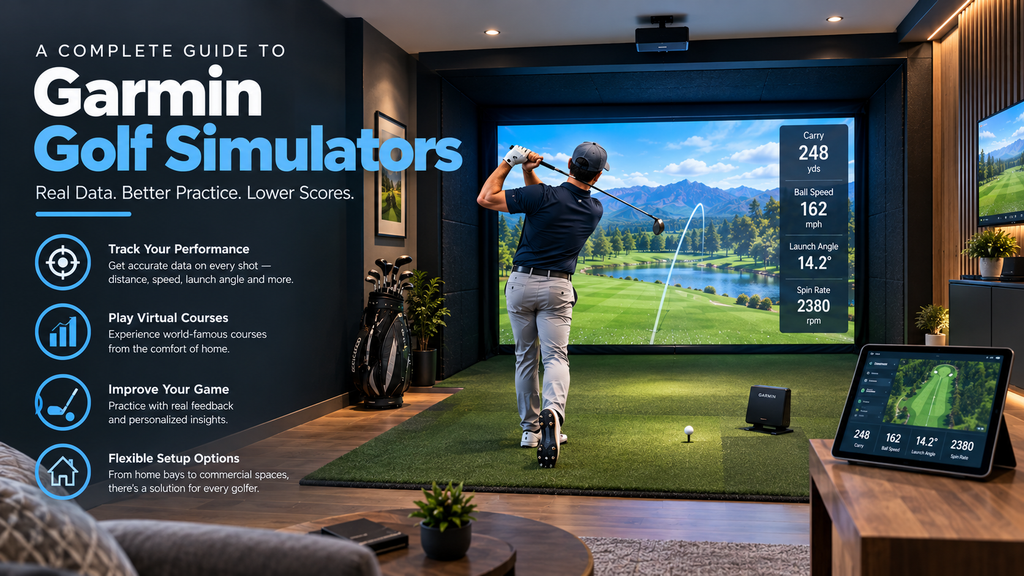
Choosing a Garmin golf simulator means choosing between two very different models. The Approach R10 ($499.99) is a small, portable radar launch monitor that has become one of the most popular budget options. The Approach R50 ($4,999.99) is a premium camera-based unit with a built-in 10-inch touchscreen and simulator software, designed as an all-in-one home simulator. Both use Garmin’s Golf app, and virtual rounds need a Garmin Golf membership.
This guide compares the two, then covers each in depth: how it works, setup, apps and subscriptions, pros and cons, what owners say, and how it compares with rivals, plus tips on buying. It’s part of our best golf simulator launch monitor guide.
Prices are from Garmin’s US website in 2026.
Key Takeaways
- Approach R10: $499.99, portable radar, indoor and outdoor, pairs with a phone or tablet.
- Approach R50: $4,999.99, three cameras measuring club and ball, built-in 10-inch touchscreen.
- Virtual rounds on Garmin’s software need a Garmin Golf membership.
- The R10 also works with third-party simulator programs; check Garmin’s current compatibility list.
- The R10 suits budget and range use; the R50 suits a dedicated home simulator.
Garmin Approach R10 vs R50: Which Should You Buy?
| Approach R10 | Approach R50 | |
|---|---|---|
| Price (2026) | $499.99 | $4,999.99 |
| Technology | Radar | Three cameras |
| Data | Ball data; some numbers estimated | Club and ball data |
| Screen | Uses your phone or tablet | Built-in 10-inch touchscreen |
| Placement | 6–8 ft behind the ball | Beside the ball |
| Room depth | Roughly 15–17 ft indoors | Less; suits shorter rooms |
| Best for | Budget practice, range and home | All-in-one home simulator |
- Choose the R10 if you want an affordable, portable unit for the range and a simple home net setup, and your room has the depth for a radar unit.
- Choose the R50 if you want a premium, all-in-one home simulator with club data, no separate computer, and fewer extra parts.
- Look elsewhere if you want no subscription at all (see FlightScope Mevo) or the lowest-cost camera unit for a short room (see Square Golf and other entry-level options).
Garmin Approach R10
The Approach R10 is a palm-sized radar unit that sits behind the ball and sends data to the Garmin Golf app on your phone or tablet. It reports ball speed, launch angle, direction and more, and estimates some numbers (such as spin) that premium units measure directly. It’s popular because it does a lot for the money and works both on the range and at home.
R10 golf simulator setup
Garmin’s placement advice for the R10 is to put it between 6 and 8 feet behind the ball, with the ball at least 8 feet from the impact screen or net. Add space for the gap behind the screen and you need roughly 15–17 feet of room depth.
Time: about 15 minutes. You’ll need: the R10, your phone or tablet with the Garmin Golf app, and a tape measure.
- Charge it and pair it with the Garmin Golf app, then install any software update the app offers.
- Measure the ball position at least 8 feet from the screen or net, and mark it on the mat.
- Place the R10 6–8 feet behind the ball, on the ground or on its mount as the manual shows, facing the target.
- Align it using the red line on top of the R10: it should point from the unit, through the ball, to your target.
- Keep your phone and bag in a safe position out of the swing and ball path.
- Choose the app or simulator you’ll use: the Garmin Golf app for practice and Home Tee Hero rounds, or a compatible PC or tablet simulator program for a projected setup.
- Test: hit 10 shots at the target and check each one registers and starts in the direction you’d expect.
If shots go missing: check the distance behind the ball and the ball flight to the screen, re-align with the red line, and see our golf simulator troubleshooting guide. As a radar unit, the R10 needs more room depth than camera units beside the ball; check space requirements before building around it.
R10 setup ideas
- Net and tablet: the simplest setup; data and virtual rounds on your phone or tablet.
- TV display: mirror the app to a TV placed safely to the side and behind.
- Full simulator: a deep room, enclosure, impact screen, projector and PC software.
- Studio package: Garmin offers R10 studio packages through PlayBetter with enclosure, screen, projector and mats.
Best golf simulator apps for the Garmin R10
With a Garmin Golf membership, the R10 plays virtual rounds in Garmin’s own Home Tee Hero mode. It also works with several third-party simulator programs; popular choices among R10 owners include E6 Connect, Awesome Golf and GSPro. Garmin publishes the current list of compatible apps, so check it before buying software.
Garmin R10 pros and cons
| Pros | Cons |
|---|---|
| Low price ($499.99) for real ball data | Some numbers, such as spin, are estimated rather than measured |
| Small, portable; works on the range and at home | Radar needs more room depth indoors |
| Works with third-party simulator software | Virtual rounds in Garmin’s software need a membership |
| Integrates with Garmin watches and the Garmin Golf app | Limited club data |
Rapsodo MLM2PRO vs Garmin R10
| Garmin Approach R10 | Rapsodo MLM2PRO | |
|---|---|---|
| Price | $499.99 | $599.99 |
| Technology | Radar | Dual cameras + radar |
| Spin | Largely estimated | Measured with Rapsodo’s RPT balls |
| Swing video | Through your phone | Built-in impact and swing video |
| Membership | Garmin Golf for virtual rounds | Premium membership for full features |
Both are excellent budget units. The MLM2PRO’s measured spin (with its special balls) and video appeal to practice-focused golfers; the R10’s simplicity and Garmin ecosystem appeal to Garmin watch owners. See our Rapsodo MLM2PRO review.
Garmin Approach R50
The Approach R50 is Garmin’s premium launch monitor and simulator, first released in 2024 according to Garmin’s owner’s manual. It uses three cameras to measure club and ball data from beside the ball, and has a built-in 10-inch colour touchscreen with Garmin’s simulator software, so it can run virtual rounds without a separate computer. It can also be connected to a larger display for a full simulator setup.
R50 specs and features
- Three-camera system for club and ball measurement
- Built-in 10-inch colour touchscreen
- Virtual rounds with a Garmin Golf membership
- Optional club tracking stickers from Garmin for club data
- Designed for indoor simulators, and also usable outdoors
Garmin’s owner’s manual covers setup, space and accuracy tips in detail, including a support article on improving R50 accuracy. Because it sits beside the ball, it moves to the other side for left-handed golfers.
Garmin R50 price and subscription cost
The R50 costs $4,999.99 from Garmin. Virtual rounds through Garmin’s software need a Garmin Golf membership; check Garmin’s current membership pricing and include it in your five-year cost.
Garmin R50 pros, cons and what owners report
| Pros | Cons |
|---|---|
| All-in-one: built-in 10-inch touchscreen and software | $4,999.99 is a big step up from the R10 |
| Three cameras measure club and ball | Membership needed for virtual rounds |
| Camera unit beside the ball suits short rooms | Must move sides for left-handed golfers |
Owners tend to praise the R50’s convenience: setting up and playing without a separate computer, and having club data alongside ball data. Garmin’s support guidance on improving R50 accuracy covers the setup details that matter most, such as placement, lighting and alignment, and owners stress following it closely.
Garmin R50 vs SkyTrak and Bushnell Launch Pro
| Garmin R50 | SkyTrak ST MAX | Bushnell Launch Pro | |
|---|---|---|---|
| Price (2026) | $4,999.99 | $2,995 list (often on sale) | $1,999.99 (indoor) / $2,999.99 |
| Technology | Three cameras | Camera | Camera (Foresight technology) |
| Built-in screen and software | Yes | No | No |
| Club data | Yes | Check model and plan | Yes (club + ball models) |
| Running costs | Garmin Golf membership | Yearly plans $99.99–$599.99 | Foresight+ plans |
The R50 costs more but includes the screen and software; SkyTrak and Bushnell need a PC or tablet. See SkyTrak and Foresight and Bushnell.
Buying a Garmin Launch Monitor: Deals, Packages and Used Units
- Deals: if you shop for deals on the Approach R50 or R10, watch Garmin and authorised retailers around Black Friday and the holidays.
- Packages: Garmin offers R10 studio packages through PlayBetter, with enclosure, screen, projector and mats. For other bundles, see golf simulator packages.
- Used units: make sure the previous owner removes the device from their Garmin account, check the warranty, and remember the Garmin Golf membership is separate. Compare the used price with current sale prices, and see our guide to buying used.
For the rest of the setup, see how to build a home golf simulator.
FAQ
Is the Garmin R10 a good golf simulator?
Yes, for the price. It gives useful ball data for practice and casual virtual golf, works indoors and outdoors, and costs $499.99. Spin is less precise than on premium camera units.
How much space does the Garmin R10 need?
Garmin says to place it 6–8 feet behind the ball, with the ball at least 8 feet from the screen or net, so plan on roughly 15–17 feet of room depth.
How much is the Garmin Approach R50?
$4,999.99 from Garmin in 2026. Virtual rounds need a Garmin Golf membership.
Does the Garmin R10 need a subscription?
Basic data works through the Garmin Golf app; virtual rounds in Garmin’s Home Tee Hero mode need a Garmin Golf membership. Third-party simulator software has its own costs.
What software works with the Garmin R10?
Garmin’s Home Tee Hero, plus third-party programs such as E6 Connect, Awesome Golf and GSPro. Check Garmin’s current compatibility list.
Is the Garmin R50 new?
It’s Garmin’s newest launch monitor; Garmin’s owner’s manual for it dates from 2024. Check Garmin’s site for the latest software updates and features.