
Guide
Best Projector for a Golf Simulator: The Complete Guide to Golf Simulator Displays
Swinglix may earn a commission when you buy through links on this page, at no extra cost to you. Learn more
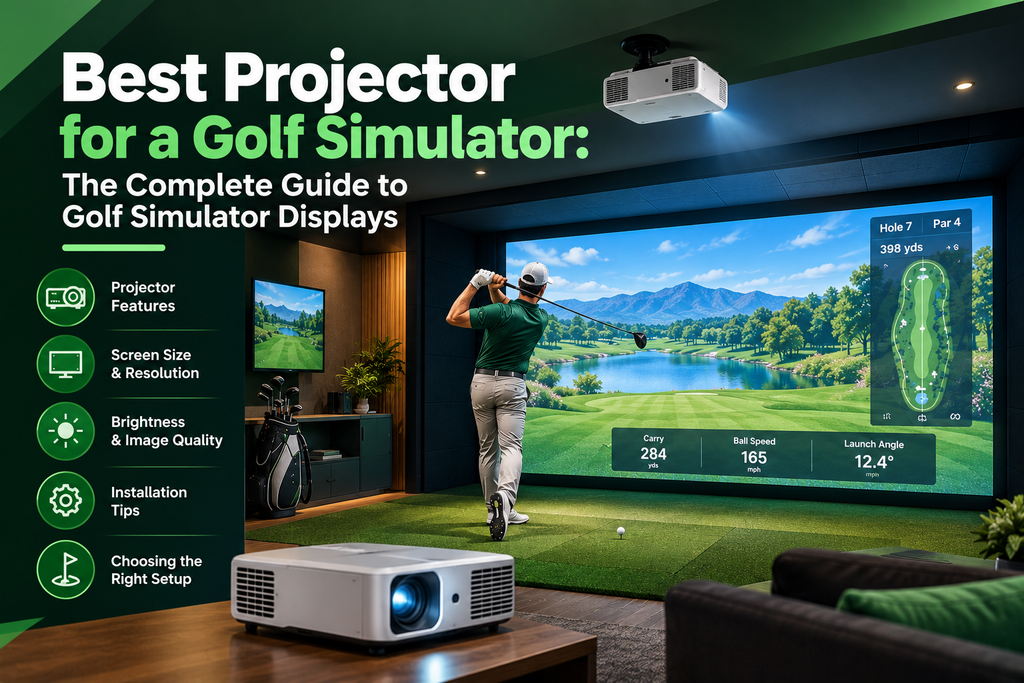
The best projector for a golf simulator is usually a short-throw projector with at least roughly 3,000–4,000 lumens, a resolution of 1080p or 4K, and an aspect ratio that matches your impact screen. Short-throw models fill a big screen from a few feet away, so they can be mounted where you won’t cast a shadow or hit them with your club. Laser models cost more but need no bulb changes and keep their brightness for years.
This guide is the complete guide to golf simulator displays: how to choose a projector (throw ratio, brightness, resolution, laser or lamp), well-known golf projectors from BenQ, Optoma and Epson, budget options, using a TV instead, the impact screen, the computer, and lighting. Detailed guides cover each part.
Projector models and specifications are from the makers’ websites in 2026. Prices change often, so check current prices.
Key Takeaways
- Short throw is the key spec: it lets a projector fill a 10–12 foot screen from only a few feet away.
- Brightness: roughly 3,000 lumens or more for most rooms; more if your room has daylight or lights on.
- Resolution: 1080p looks good; 4K is sharper, especially on big screens, but costs more and needs a stronger PC.
- Laser vs lamp: laser lasts longer and starts instantly; lamp projectors cost less up front.
- Golf-specific features such as BenQ’s Auto Screen Fit make setup much easier.
- No projector? A TV or tablet works for net setups.
What Is a Golf Simulator Projector?
A golf simulator projector displays the virtual course on your impact screen. It is a normal projector chosen for the job: able to fill a large screen from a short distance, bright enough for a room with some light, and mounted where you won’t block it or hit it. Some makers now sell projectors designed specifically for golf, with features such as golf picture modes and automatic screen fitting.
Recommended projector specs for a golf simulator
If you want a quick answer, this is the recommended projector spec for most home golf simulators:
| Spec | Minimum | Recommended |
|---|---|---|
| Throw ratio | Short enough for your room (see the calculation above) | Roughly 0.5–0.7 for typical rooms |
| Brightness | 3,000 lumens in a dark room | 4,000+ lumens |
| Resolution | 1080p | 4K for screens wider than about 10 ft |
| Light source | Lamp or LED | Laser |
| Aspect ratio | Matches your screen | Adjustable screen fit |
How to Choose a Projector for a Golf Simulator
1. Throw ratio (the most important spec)
Throw ratio is the distance from the projector to the screen divided by the width of the picture. A 0.5 throw ratio fills a 10-foot-wide screen from 5 feet away; a typical 1.5 throw ratio needs 15 feet for the same picture. Golf simulators usually need a short-throw projector (roughly 0.4–1.0), so it can sit above or just in front of the hitting area without being in the swing path or casting your shadow on the screen.
| Throw ratio | Distance for a 10 ft wide picture | Suits |
|---|---|---|
| 0.5 (short throw) | About 5 ft | Most home simulators |
| 0.8 | About 8 ft | Deeper rooms |
| 1.5 (standard throw) | About 15 ft | Rarely suitable; mount behind the golfer in very deep rooms |
To work out the throw ratio you need, measure the width of your screen and the distance from the screen to where the projector can safely hang, then divide the distance by the width. If you have 6 feet available and a 10-foot-wide screen, you need a throw ratio of 0.6 or lower (or a zoom lens that reaches it).
| Screen width | Distance at 0.5 ratio | Distance at 0.7 ratio | Distance at 1.0 ratio |
|---|---|---|---|
| 8 ft (96 in) | 4 ft | 5.6 ft | 8 ft |
| 10 ft (120 in) | 5 ft | 7 ft | 10 ft |
| 12 ft (144 in) | 6 ft | 8.4 ft | 12 ft |
| 14 ft (168 in) | 7 ft | 9.8 ft | 14 ft |
Distances are measured from the projector lens to the screen. Every model is a little different, so confirm with the maker’s throw calculator before you drill holes. More on placement in our golf simulator projector setup guide.
What about ultra-short-throw projectors?
Ultra-short-throw (UST) projectors, with throw ratios around 0.25 or lower, sit just in front of the screen and project steeply upward. They are designed for living rooms, not golf: in a simulator the projector would sit on the floor right where your shots land. A few owners use them inside a strong protective box below the screen, but for most people a ceiling-mounted short-throw projector is safer, simpler and gives a more even picture across a tall impact screen.
2. Brightness (lumens)
A brighter projector looks better in rooms with windows or lights on. As a guide, aim for roughly 3,000 lumens or more; rooms you can’t darken, and very large screens, need 4,000–5,000+. BenQ’s golf range, for example, spans 3,000–6,000 lumens.
3. Resolution: 1080p or 4K?
1080p looks good on most home screens and is easier on your PC. 4K is noticeably sharper on large screens and when you stand close, but costs more and needs a powerful graphics card to run simulator software at 4K.
The maths explains why. A 1080p picture is 1,920 pixels wide; stretched across a 10-foot (120-inch) screen, that’s 16 pixels per inch. A 4K picture is 3,840 pixels wide, or 32 pixels per inch on the same screen. You stand only 8–10 feet from the screen in a simulator, closer than most people sit to a TV, so on screens wider than about 10 feet the extra detail in 4K is easy to see in fairways, trees and text. On an 8-foot screen in a dark room, a good 1080p projector is often all you need.
Two more things matter. First, the software has to render at 4K, which is the hard work for your PC; a 4K projector fed a 1080p signal looks little better than a 1080p projector. Second, some “4K” projectors use pixel-shifting to put a 4K image on screen from a lower-resolution chip. That’s normal in this price range and still looks sharper than 1080p, but compare models on how they look, not just the label. See our detailed comparison: golf simulator 1080p vs 4K. our detailed comparison: golf simulator 1080p vs 4K.
4. Aspect ratio
Match the projector to your screen’s shape: 16:9 and 16:10 are wide, 4:3 is taller and squarer. Some golf projectors can adjust the picture to fit different screen shapes. See aspect ratios, TVs and lighting.
5. Laser or lamp?
| Laser | Lamp | |
|---|---|---|
| Lifespan | Very long; no bulbs to replace | Bulbs need replacing periodically |
| Start-up | Instant on | Warm-up time |
| Brightness over time | Stays more consistent | Dims as the bulb ages |
| Price | Higher | Lower |
6. Setup features
Lens shift, zoom, keystone correction, and golf-specific features such as automatic screen fitting make getting a perfect picture far easier. BenQ, for example, says its Auto Screen Fit can fit 16:9, 16:10, 4:3 and even 1:1 screens.
- Lens shift moves the picture without distorting it, so it’s the best way to line up an off-centre projector. It’s less common on short-throw models.
- Optical zoom lets you fine-tune picture size without moving the projector. Short-throw lenses usually have little or no zoom, so measure carefully.
- Keystone correction squares up a tilted picture digitally, but it softens the image. Use it for small fixes only.
7. Other specs worth checking
| Spec | What it means for golf |
|---|---|
| Contrast | Higher contrast gives deeper skies and more depth, but brightness matters more in rooms with light. |
| DLP vs 3LCD | Most golf projectors (including BenQ and Optoma) use DLP, which is sharp and compact. Epson uses 3LCD, which gives strong colour brightness. Both work well; a few people notice a “rainbow effect” with some single-chip DLP projectors. |
| Input lag | Less critical than for gaming, because the ball flight starts after you hit; anything a gaming-friendly projector offers is plenty. |
| HDR and colour | Helps with films and sport; a small bonus for golf. |
| Fan noise | Matters in quiet rooms and when the projector is mounted just above your head. |
| Inputs | At least one HDMI input; HDMI 2.0 or newer for 4K. Check that the PC’s output matches. |
| Operating temperature | Important in unheated garages and sheds; check the maker’s range. |
Projectors for Different Rooms
Small room or spare bedroom
Small rooms leave little space between the hitting area and the screen, so a very short throw ratio (about 0.5 or lower) is essential. A 1080p projector is often enough for an 8-foot screen. Low ceilings make mounting harder, so check ceiling height first.
Garage
Garages tend to be bright (windows, door gaps, white walls) and vary in temperature. Go for 4,000 lumens or more, check the projector’s operating temperature range, and keep it dust-free. A laser projector avoids warm-up delays on cold days. See golf simulators in garages and basements.
Basement
Basements are usually dark, so brightness is less critical and you can put money into resolution instead. Watch for low ceilings, beams and ducts when planning the mount. See basement setup tips.
Large or dedicated room
Big screens (12 feet wide or more) and rooms used for groups benefit from 4K and 5,000+ lumens. Some very wide setups use two projectors, but blending them needs software support and careful alignment, so most homes stick to one bright projector.
Well-Known Golf Simulator Projectors
BenQ golf projectors
BenQ sells a dedicated golf simulator range. According to BenQ’s website (2026), it includes:
| Model | Resolution | Brightness | Notes |
|---|---|---|---|
| AH30ST | 1080p | 3,000 lumens | LED |
| AH500ST | 1080p | 4,000 lumens | Laser; 0.5 short throw |
| AH700ST | 1080p | 4,000 lumens | Laser; Auto Screen Fit |
| LH860ST | 1080p | 5,000 lumens | Laser |
| AK700ST | 4K | 4,000 lumens | Laser; Auto Screen Fit for 16:9, 16:10, 4:3 and 1:1 |
| LK830ST | 4K | 4,000 lumens | Laser |
| AK800ST | 4K | 5,000 lumens | Laser |
| LK936ST | 4K | 5,100 lumens | Laser; also designed for home theatre |
| AK900ST | 4K | 6,000 lumens | Laser; for large spaces |
See BenQ golf simulator projectors.
Optoma
Optoma’s GT2160HDR is a popular 4K short-throw projector for simulators; retailers list it at 4,000 lumens with a very short 0.496 throw ratio, enough for a large picture from close range. Optoma also sells other short-throw models that simulator retailers offer for golf, such as the ZW350ST; check current specifications for each. See Optoma short-throw projectors.
Epson
Epson’s short-throw and laser projectors are also used in golf simulators, especially where high brightness is needed. Check throw ratio and lumens against your room. See Epson projectors.
Golf Simulator Projector Prices
| Type | Typical price | Good for |
|---|---|---|
| Budget long-throw or basic short-throw | Under $800 | Starter setups, dark rooms, smaller screens |
| 1080p short-throw (lamp, LED or laser) | About $800–$2,000 | Most home simulators |
| 4K short-throw laser | About $2,000–$5,000+ | Large screens, bright rooms, premium builds |
Best budget projector for a golf simulator (even under $500)
You can find projectors under $500, but most are long-throw, dimmer or lower resolution. They can work in a dark room with a smaller screen and a projector mounted behind the golfer (if your room is deep enough) or in a protective box in front. For most people, saving for a short-throw model is worth it; otherwise, start with a TV or tablet and add a projector later. See cheap golf simulators.
Projectors in golf simulator packages
Many golf simulator packages include a projector, or offer one as an option, along with the screen, enclosure and mat. This is convenient because the retailer has matched the projector to the screen size. Before you buy a package, check which projector model is included, its throw ratio and lumens, and whether it suits your room. Upgrading the projector in a package is often worth it if you play in a bright garage or want 4K. See golf simulator packages.
Projector vs TV for a Golf Simulator
| Projector and impact screen | TV | |
|---|---|---|
| Picture size | Life-size, often 10 feet wide or more | Limited by TV size |
| Hit at the picture? | Yes, through the impact screen | No; the TV must be out of the line of fire |
| Works with lights on | Needs a bright projector and controlled light | Yes, easily |
| Cost | Projector plus screen and enclosure | Often uses a TV you already own |
| Immersion | High | Lower |
A TV is a sensible way to start, especially with a net. A projector and impact screen give the real simulator experience, where the ball flies into the picture. Many owners use both: the projector for the course and a TV or tablet for stats.
Golf simulator without a projector
A projector isn’t required. With a net setup, many golfers view shots on a TV, tablet or phone. Some all-in-one launch monitors, such as the Garmin Approach R50, have a built-in screen. A projector becomes worthwhile when you want the full picture on an impact screen. See using a TV or iPad.
How to Connect a Golf Simulator to a Projector
In most setups the signal runs launch monitor → PC (or tablet) → projector:
- The launch monitor sends shot data to the simulator software over Bluetooth, Wi-Fi, Ethernet or USB.
- The PC’s graphics card sends the picture to the projector over HDMI.
- For ceiling runs over roughly 25–30 feet, use an active or fibre-optic HDMI cable or an HDMI-over-Ethernet extender.
- Set Windows and the simulator software to the projector’s native resolution and your screen’s aspect ratio.
Tablet and phone apps can be mirrored with an HDMI adapter or wireless casting, though casting can add lag. Full instructions: golf simulator projector setup.
How to Read Golf Simulator Projector Reviews
Golf simulator projector reviews and “best golf simulator projector 2025” or 2026 lists are useful, but compare them carefully:
- Check the room. A projector that looks great in a dark basement may look washed out in a bright garage.
- Check the screen size and throw distance the reviewer used against your own.
- Look for photos or video taken on an impact screen, not a smooth cinema screen.
- Note how the picture was aligned: heavy keystone correction softens any projector.
- Watch for affiliate bias. Many review sites, including this one, earn commissions; the specs and your room measurements should drive the decision.
- Read owner comments on forums and retailer pages for long-term reliability, fan noise and dust problems.
New models arrive every year, but the fundamentals in this guide (throw ratio, brightness, resolution and aspect ratio) don’t change.
Projector Lifespan, Maintenance and Common Mistakes
- Light source life: laser and LED light sources are typically rated for many thousands of hours; lamps need replacing more often and dim as they age. Check the maker’s rating for each model.
- Dust: simulator rooms can be dusty (hitting mats, turf and garage doors). Clean filters and vents as the manual suggests.
- Heat: keep vents clear and leave space around a projector in an enclosure.
- Protection: a cage or housing protects the projector from stray shots in tight rooms.
- Warranty: check the warranty and whether it covers commercial use if you plan to rent out your simulator.
Common golf simulator projector mistakes
- Buying a standard-throw projector for a room that’s too short for it.
- Choosing too few lumens for a bright garage.
- Buying 4K without a PC that can run the software at 4K.
- Mismatching the projector’s aspect ratio and the screen.
- Mounting where the golfer casts a shadow or could hit the projector.
- Forgetting power and HDMI runs to the ceiling.
Completing the Setup: Screen, Computer and Lighting
A projector only looks as good as what surrounds it. Three other parts decide how sharp and bright the picture really is.
The impact screen
The projector is only as good as the screen it shines on. A smooth, bright impact screen gives a sharper image, and the screen’s size and shape should match the projector’s aspect ratio. See golf simulator impact screens.
The computer
Most simulator software runs on a Windows gaming PC, and 4K projection needs a powerful graphics card to keep the picture smooth. See golf simulator PC requirements.
Lighting
Light the golfer, not the screen. Stray light on the screen washes out the picture, while camera launch monitors need steady, even light on the hitting area. Dark walls around the screen help contrast. See golf simulator lighting.
How to Pick Your Projector: Step by Step
- Measure your screen width (or planned screen width) in feet.
- Measure the distance available from the screen to where the projector can safely hang: clear of your backswing, follow-through and skied shots, and far enough forward that you won’t cast a shadow.
- Work out the throw ratio you need: available distance ÷ screen width. A projector with that throw ratio or lower (or a zoom range that includes it) will fill the screen.
- Choose brightness for your room: roughly 3,000 lumens for a dark room, 4,000 or more for most garages and rooms with some light, and 5,000 or more for bright rooms or very large screens.
- Choose the resolution: 1080p for screens up to about 10 feet in a typical room; 4K for bigger screens, if your PC can run the software at 4K.
- Match the shape to your screen (16:9, 16:10 or 4:3), or choose a model that can fit different shapes.
- Choose laser or lamp: laser for regular use and instant start; lamp for lower up-front cost.
- Check the practical details: lens shift, zoom or automatic screen fit; an HDMI input that supports your resolution; and a safe mounting position.
Three worked examples
| Dark basement | Garage with windows | Small spare room | |
|---|---|---|---|
| Screen width | 10 ft | 12 ft | 8 ft |
| Distance available | 5.5 ft | 7 ft | 4.5 ft |
| Throw ratio needed | 0.55 or lower | 0.58 or lower | 0.56 or lower |
| Brightness | 3,000–4,000 lumens | 5,000+ lumens | 3,000+ lumens |
| Resolution | 1080p is enough | 4K for the 12-ft screen | 1080p |
| Type to look for | A 1080p short-throw laser, such as BenQ’s AH500ST (0.5 throw ratio, 4,000 lumens) | A bright 4K short-throw laser, such as BenQ’s AK800ST class (5,000 lumens) | A 3,000-lumen short-throw, such as BenQ’s AH30ST class |
Before buying any model, confirm its throw ratio and offset in the maker’s throw calculator against your exact measurements. See projector setup for mounting and fitting the picture.
Best Projector for Golf Simulator by Need
- Best overall for most homes: a 4,000-lumen short-throw laser projector in 1080p or 4K, such as BenQ’s AH700ST or AK700ST.
- Best 4K: 4K short-throw laser models such as BenQ AK700ST/AK800ST or Optoma’s 4K short-throw options.
- Best for big or bright rooms: 5,000+ lumen models such as BenQ AK800ST, LK936ST or AK900ST.
- Best value short throw: 1080p short-throw models such as BenQ AH500ST.
- Best for simulator plus home cinema: a projector designed for both, such as BenQ LK936ST.
Building the whole setup? See our home golf simulator guide, or find an installer to mount and align the projector for you.
FAQ
What is the best projector for a golf simulator?
A short-throw projector with roughly 4,000 lumens, in 1080p or 4K, matched to your screen’s aspect ratio. Golf-specific models such as BenQ’s AH700ST and AK700ST are popular because they’re easy to set up.
Do I need a short-throw projector for a golf simulator?
Usually yes. Short throw lets the projector fill a big screen from a few feet away, so it can be mounted out of your swing path without casting a shadow.
How many lumens do I need for a golf simulator?
About 3,000 lumens or more for most rooms; 4,000–5,000+ for rooms with daylight or lights on, or very large screens.
Is 4K worth it for a golf simulator?
4K is sharper on large screens but costs more and needs a powerful PC. 1080p looks good for most home setups.
Can you use a golf simulator without a projector?
Yes. Many net setups use a TV, tablet or phone, and some launch monitors have built-in screens.
How far should a projector be from a golf simulator screen?
Multiply the throw ratio by the screen width. A 0.5 throw ratio fills a 10-foot-wide screen from 5 feet; a 1.0 ratio needs 10 feet.
Is a laser projector worth it for a golf simulator?
For regular use, usually yes. Laser projectors start instantly, keep their brightness and need no bulb changes. Lamp projectors cost less up front and suit occasional use.
Can a golf simulator projector be used for movies?
Yes. Any golf simulator projector can show films, sport and games from a connected device. Impact screens are slightly less smooth than cinema screens, and a soundbar or speakers will improve the experience. Some projectors, such as BenQ’s LK936ST, are designed for both golf and home theater.
Where should I mount a golf simulator projector?
Usually on the ceiling, above or slightly in front of the hitting area, clear of your swing and positioned so your body doesn’t cast a shadow on the screen.
Can I use an ultra-short-throw projector for a golf simulator?
It’s rarely a good idea. UST projectors sit on the floor in front of the screen, where shots land. A ceiling-mounted short-throw projector is safer.