
Guide
Golf Simulator PC Requirements: Best Computer, Graphics Card and Laptop Options
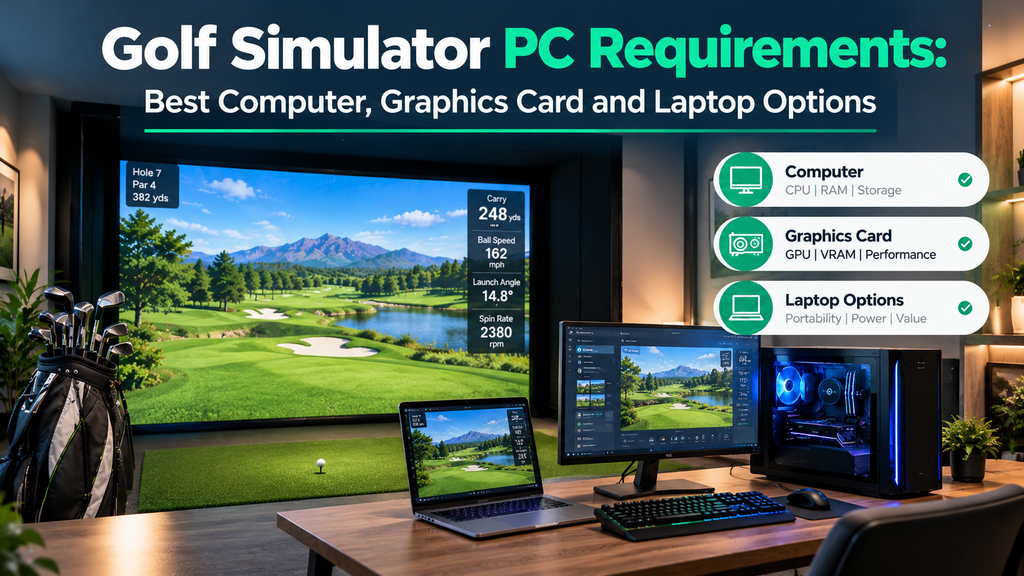
What PC do you need for a golf simulator? Most course-play software needs a Windows 10 or 11 gaming PC with a dedicated graphics card. As a reference, TruGolf lists E6 Connect’s minimum as an Intel i5, 8 GB of RAM, an Nvidia GTX 1070-class graphics card and 25 GB of free space. For smooth play in modern software such as GSPro, especially at high settings or in 4K, you’ll want a newer, more powerful graphics card. Some setups need no PC at all: phone and tablet apps, and all-in-one units like the Garmin R50.
This guide covers golf simulator PC requirements, choosing a desktop or laptop, graphics cards for 1080p and 4K, simulators without a computer, and where to put the PC. It is part of our guide to golf simulator displays and projectors.
Requirements are from the software makers’ published information in 2026; always check the latest requirements for your software.
Key Takeaways
- Windows is required for most PC simulator software, including GSPro and E6 Connect on PC.
- The graphics card matters most; 4K projection needs a powerful one.
- Plan for plenty of storage: course libraries take many gigabytes.
- A gaming laptop works if it has a dedicated graphics card and HDMI output.
- No PC? Use iPad or phone apps, or an all-in-one launch monitor with built-in software.
Golf Simulator PC Requirements by Software
| Software | Published requirements (2026) |
|---|---|
| E6 Connect (PC) | Minimum: Intel i5, 8 GB RAM, Nvidia GTX 1070 or better (dedicated GPU with DirectX 11), 25 GB space, Windows 10 or 11 64-bit, internet connection |
| GSPro | Windows 10 or 11 PC, 10–20 GB free space plus room for courses, Ethernet or Bluetooth depending on launch monitor; GSPro publishes recommended graphics specs in its knowledge base |
| Uneekor software | Uneekor publishes recommended PC specs and says they are mandatory for data-intensive features such as its AI Trainer |
| Launch monitor makers’ apps | Many run on phones and tablets; PC versions vary |
Minimum specs let the software run; recommended specs let it run smoothly at good graphics settings. For a projector, aim above the minimum.
Golf simulator PC tiers
| Tier | Good for | Typical parts | Rough cost |
|---|---|---|---|
| Entry | 1080p at moderate settings | Mid-range CPU, 16 GB RAM, mid-range GPU, 1 TB SSD | About $800–$1,200 |
| Recommended | 1080p at high settings, smooth play | Current mid-to-upper GPU, 16–32 GB RAM | About $1,200–$1,800 |
| 4K | 4K projectors at high settings | High-end GPU, 32 GB RAM, fast SSD | About $1,800–$2,500+ |
Prices vary with component prices and sales. See golf simulator costs.
What Matters Most in a Golf Simulator PC
Graphics card (GPU)
The graphics card draws the course, so it matters most for smooth, detailed play. A mid-range current gaming card handles 1080p well; 4K at high settings needs a high-end card. Guides to GSPro commonly cite an Nvidia RTX 3060 Ti-class card as a good target for its recommended settings; check GSPro’s own knowledge base for current advice.
Processor (CPU)
A modern mid-range processor (Intel Core i5 or AMD Ryzen 5 class or better) is usually enough; simulator software leans more on the graphics card.
Memory (RAM)
8 GB is a minimum for some software; 16 GB is a comfortable target for smooth play and multitasking.
Storage
Use a fast SSD with plenty of space: E6 Connect needs 25 GB, and course libraries in GSPro and other programs grow quickly. 1 TB is a sensible size.
Connections
Check the PC has every connection your setup needs before you buy:
- Video out on the graphics card: HDMI (or DisplayPort with an adapter) that supports your projector’s resolution, such as 4K at 60 Hz.
- Bluetooth for launch monitors that connect wirelessly; a USB Bluetooth adapter can add it to a desktop.
- An Ethernet port for launch monitors that connect by cable (some overhead units must plug straight into it, not a USB adapter) and for reliable internet.
- Spare USB ports for a keyboard, mouse, controller or launch monitor cable.
Desktop, Laptop, Mac or No Computer?
| Gaming desktop | Gaming laptop | |
|---|---|---|
| Performance per dollar | Better | Lower; laptop graphics are usually slower than desktop versions with the same name |
| Upgrades | Easy | Limited |
| Portability | No | Yes; useful if you also use it elsewhere |
| Cooling and noise | Better | Can get hot and loud during long sessions |
A laptop is fine if it has a dedicated graphics card, enough storage and an HDMI output that supports your projector’s resolution. A desktop is the better long-term choice for a permanent simulator.
Can you use a Mac?
Most PC simulator software, including GSPro, requires Windows. Mac owners usually use iPad or iPhone apps (such as E6 Connect on iOS or launch monitor makers’ apps), or a separate Windows PC for the simulator.
Golf simulator without a computer
- Phone and tablet apps: Rapsodo, Garmin’s R10 app, E6 Connect on iPad and others.
- All-in-one launch monitors: the Garmin Approach R50 has a built-in touchscreen and simulator software.
- Complete commercial systems include their own computer and software.
See golf simulator apps.
Where to put the computer
- Behind the hitting area, out of the line of fire.
- In a ventilated cabinet: a closed cupboard without airflow will overheat a gaming PC.
- Close to the projector to keep cable runs short, or use an active HDMI cable or extender.
- With a wireless keyboard and mouse, or a tablet, so you can control it from the hitting area.
A golf simulator computer cabinet can look smart and keep the PC protected; make sure it has vents or fans. See room design ideas.
How to Check If Your Current PC Is Good Enough
Before buying anything, check what you already have. It takes five minutes.
- Open Task Manager (press Ctrl + Shift + Esc) and click the Performance tab.
- Click CPU and note the processor name (for example “Intel Core i5-…” or “AMD Ryzen 5 …”).
- Click Memory and note the total RAM (for example 16 GB).
- Click GPU and note the graphics card name. If you only see “Intel UHD” or similar integrated graphics, the PC has no dedicated graphics card and won’t run most course software well.
- Open File Explorer → This PC and note free space on the main drive.
- Compare each item with your software’s published minimum and recommended requirements (see the table above).
Result: if everything meets the recommended specs, you’re ready. If only the graphics card or RAM falls short, an upgrade may be cheaper than a new PC (see below).
Setting Up the PC for Your Simulator: Step by Step
Time: about an hour, plus download time. Do this before your first session, not while friends are waiting.
- Update Windows (Settings → Windows Update) and restart until no more updates are offered.
- Update the graphics driver from the graphics card maker’s website or app (Nvidia, AMD or Intel). Windows Update doesn’t always install the latest version, and simulator software is sensitive to driver versions.
- Install the launch monitor’s app first, sign in, and update its firmware if the app offers it.
- Install the simulator software (such as GSPro or E6 Connect) and any connector it needs for your launch monitor. If Windows Firewall asks whether to allow the program on your network, allow it on private networks, or the launch monitor may not connect.
- Connect the launch monitor using the method in its manual: Bluetooth (Settings → Bluetooth & devices), Wi-Fi, Ethernet or USB. Confirm the app shows it as connected before opening the simulator.
- Connect the projector to the graphics card’s HDMI or DisplayPort output, and set Windows to the projector’s native resolution (Settings → System → Display).
- Stop the PC sleeping mid-round: Settings → System → Power (Power & battery on laptops) → set screen and sleep to “Never” when plugged in.
- Silence pop-ups: turn on Do Not Disturb (or Focus) so notifications don’t appear over the course.
- On laptops, force the dedicated graphics card: Settings → System → Display → Graphics → choose the simulator program → High performance. Plug the laptop in; on battery it may slow down.
- Test: start the simulator, hit 10 shots, and check each appears on screen within a second or two with believable numbers.
Fixing Lag, Stutter and Slow Shots
If the ball flight stutters or shots take a long time to appear, work through these in order:
- Find out where the delay is. If the launch monitor’s own app shows the numbers quickly but the simulator is slow, the problem is the PC or software. If the app itself is slow, it’s the launch monitor connection.
- Lower graphics settings before resolution: shadows, grass detail, reflections and anti-aliasing use the most power. Drop resolution (for example from 4K to 1080p) only if that isn’t enough.
- Close background apps, overlays and browser tabs, and pause cloud backups and downloads while you play.
- Check the cable goes into the graphics card, not the motherboard’s video port.
- Use a wired connection for the network, and keep Bluetooth devices close to the PC with few obstacles between them.
- Check temperatures: a PC in a closed cabinet or hot garage slows itself down to cool off. Improve airflow and clean the dust filters.
- Update the graphics driver, or roll back if problems started after an update.
Still slow? Your PC may be below the software’s recommended specs; see the tiers above. For launch monitor connection problems, see how to use a golf simulator.
Keeping the PC Running Smoothly, and Upgrading It
| How often | What to do |
|---|---|
| Weekly | Let Windows and your software install updates on a day you’re not playing, then test with a few shots |
| Monthly | Check free disk space (course libraries grow); remove courses you don’t play |
| Every few months | Clean dust from the case, fans and filters, especially in garages; check cables are still secure |
| Before an important round | Don’t install updates; start the PC early and hit a few test shots |
| Always | Back up settings, profiles and course lists, so you can recover quickly after a reinstall |
Upgrading an existing PC
If you already have a desktop PC, upgrading can make it simulator-ready for less than a new machine.
- Find the weak spot using the Task Manager check above. The graphics card is usually the part that falls short.
- Upgrade in this order: graphics card first, then RAM to 16 GB or more, then an SSD if the PC still has a hard drive.
- Check the power supply: its wattage (on a label on the side of the unit) must meet the new graphics card’s recommendation, and it needs the right power connectors.
- Check the case: measure the space for the card’s length and thickness.
- Check the processor: a very old processor can hold back a new card. If it’s well below the software’s minimum, a new PC may be better value.
- After fitting, install the latest driver for the new card and re-test the simulator.
Not comfortable opening a PC? A local computer shop can fit a graphics card and RAM for a small fee.
Buying a Golf Simulator PC
If your current computer isn’t up to it, these tips help you buy the right one without overspending.
Best computer for a golf simulator: buying tips
- Check your software’s recommended specs, not just the minimum.
- Spend most on the graphics card.
- Get at least 16 GB of RAM and a 1 TB SSD.
- Choose a quiet, well-cooled case if the PC is in the room.
- Match the HDMI output to your projector (for example, 4K at the right refresh rate).
Buying a pre-built PC or building your own
A pre-built gaming PC is the easiest option, with one warranty and no assembly. Building your own can save money and lets you choose quieter parts, but takes time and some knowledge. Some simulator retailers sell PCs configured for golf software, which removes guesswork at a price. Whichever you choose, check the graphics card model and RAM rather than relying on a “gaming” label.
FAQ
What PC do I need for a golf simulator?
A Windows 10 or 11 gaming PC with a dedicated graphics card, 16 GB RAM and a large SSD suits most software. E6 Connect’s minimum is an Intel i5, 8 GB RAM, a GTX 1070-class card and 25 GB of space.
Can I use a laptop for a golf simulator?
Yes, if it has a dedicated graphics card, enough storage and an HDMI output that supports your projector. A desktop gives better performance for the money.
Can you run a golf simulator without a computer?
Yes. Use phone or tablet apps, or an all-in-one launch monitor with built-in software such as the Garmin Approach R50.
What graphics card do I need for 4K golf simulation?
A high-end current graphics card for smooth 4K at high settings. Check your software’s recommended specs, as requirements differ between programs.