
Guide
SkyTrak Golf Simulator Guide: ST MAX, Prices, Membership Plans and Accuracy
Swinglix may earn a commission when you buy through links on this page, at no extra cost to you. Learn more
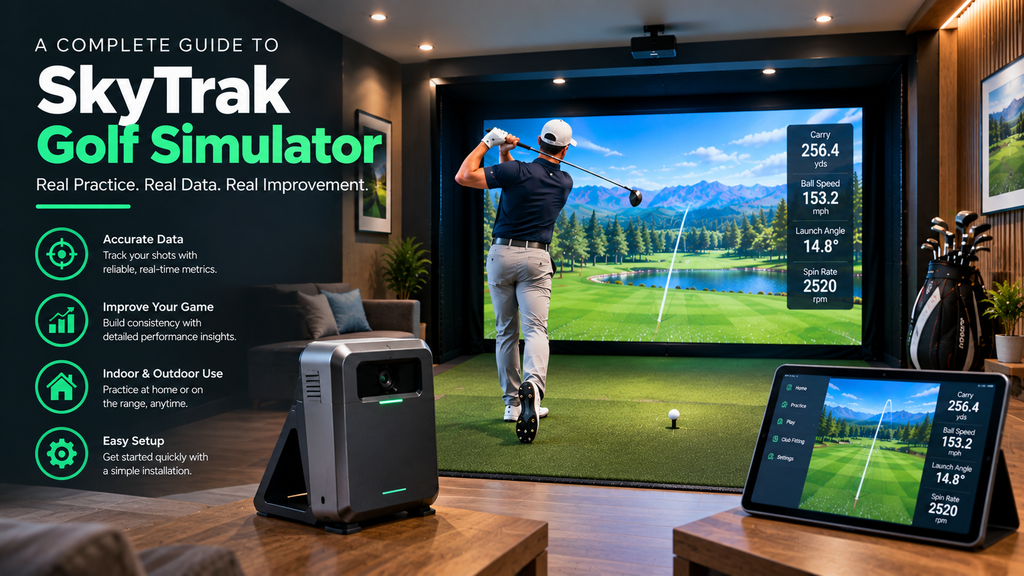
A SkyTrak golf simulator is one of the most popular ways to play golf at home. Its camera-based units sit beside the ball, so they suit garages and spare rooms, and they connect to SkyTrak’s own software or third-party programs. In 2026 the SkyTrak ST MAX lists at $2,995 and the standard SkyTrak at $1,995, both frequently on sale, and course play uses a yearly membership from $99.99 to $599.99.
This guide covers how SkyTrak works, the current models, prices and membership plans, accuracy, setup, software options, and whether SkyTrak is worth it. It is part of our best golf simulator launch monitor guide.
Prices and plans are from SkyTrak’s website in 2026. SkyTrak runs frequent sales, so check current prices.
Key Takeaways
- SkyTrak makes camera-based launch monitors that sit beside the ball.
- Models in 2026 include the flagship ST MAX ($2,995 list) and the standard SkyTrak ($1,995 list), plus certified pre-owned units.
- Membership plans per year: Essential $99.99, Foresight course pack $299.99, TrackMan course pack $349.99, Elite $599.99.
- Course play is through SkyTrak’s own software and course packs; GSPro doesn’t currently list SkyTrak as officially supported.
- A strong value choice for a first full home simulator.
What Is SkyTrak, and How Does It Work?
SkyTrak is a launch monitor brand focused on home golf simulators. It’s owned by GOLFTEC, the golf instruction company, which is why SkyTrak memberships include GOLFTEC perks.
The launch monitor sits on the floor beside the ball. When you hit, its high-speed camera system photographs the ball at impact, measures how it’s launched and spinning, and the software calculates and draws the ball flight on your screen. Because the measurement happens at impact, SkyTrak doesn’t need to watch the ball fly, which is why it works well in rooms with limited depth: SkyTrak’s own guidance suggests about 17 feet of depth is comfortable, compared with radar units that sit several feet behind the ball.
A complete SkyTrak golf simulator adds an enclosure and impact screen, a hitting mat, a projector or TV, and a PC or tablet running the software. Because the unit sits beside the ball, left-handed golfers place it on the other side.
SkyTrak Models and Prices (2026)
| Model | List price | Notes |
|---|---|---|
| SkyTrak ST MAX | $2,995 | Flagship; game-improvement tools such as skills assessments, bag mapping and a wedge matrix; dual USB ports |
| SkyTrak (standard) | $1,995 | Entry point to the range |
| Certified pre-owned units | Well below new | Sold by SkyTrak, including ST MAX and ST+ units |
SkyTrak regularly discounts heavily; at the time of writing the ST MAX was on sale for $1,695 and the standard unit for $695. Prices change, so compare before buying.
How much is a complete SkyTrak golf simulator?
| Setup | Rough total |
|---|---|
| SkyTrak + net + mat, tablet display | About $1,500–$3,500 |
| SkyTrak + enclosure + projector + PC | About $5,000–$9,000 |
| Premium SkyTrak room with installation | About $10,000+ |
Add the yearly membership. Many simulator retailers sell SkyTrak packages; see golf simulator packages.
SkyTrak Membership, Subscription and Total Cost
Does SkyTrak require a subscription? Basic use is possible, but course play and most features use a membership:
| Plan (per year) | Price | Highlights |
|---|---|---|
| Essential | $99.99 | Sim Club membership, practice range and game evaluation library, discount on a GOLFTEC game evaluation |
| Foresight | $299.99 | Course play with a Foresight course pack (about 50 courses), new courses added monthly |
| TrackMan | $349.99 | Course play with a TrackMan course pack (about 52 courses), including Pebble Beach and Bethpage Black access |
| Elite | $599.99 | Both course packs and the most perks |
Plan contents change, so check SkyTrak’s membership page for current details.
Total cost of a SkyTrak over five years
| Scenario | Up front | 5 years of membership | Total |
|---|---|---|---|
| ST MAX on sale + Essential | $1,695 | $500 (5 × $99.99) | About $2,195 |
| ST MAX at list + TrackMan pack | $2,995 | $1,750 (5 × $349.99) | About $4,745 |
How to choose a plan: start with Essential if you mainly practise; add a course pack if you’ll play rounds, choosing Foresight or TrackMan by which courses you want; go Elite only if you’ll use both packs. You can usually change plan at renewal.
Does SkyTrak Work With GSPro?
Not officially, at the time of writing. GSPro’s website lists the launch monitors it officially supports, and SkyTrak isn’t among them; GSPro asks SkyTrak owners to let SkyTrak know they want GSPro support. Some owners use unofficial connection tools, which can stop working after updates. If GSPro is important to you, check the current situation with both companies, or consider a launch monitor GSPro supports officially, such as Uneekor, Foresight/Bushnell, Garmin, Rapsodo, FlightScope or Square Golf. SkyTrak’s own course packs, which include Foresight and TrackMan courses, are the official way to play courses on a SkyTrak.
How Accurate Is SkyTrak?
SkyTrak’s camera-based measurement gives accurate ball data indoors and is trusted by many home simulator owners and some coaches. It isn’t designed to match premium units such as Foresight GCQuad or TrackMan for club data and complete consistency, but for most amateur golfers it’s accurate enough for realistic practice and course play.
In practice, how accurate your SkyTrak is depends mostly on setup. The most common causes of odd readings are a unit that isn’t level, a ball in the wrong place relative to the laser dot, poor alignment, bright light shining into the lens, and dirty balls.
Keeping your SkyTrak accurate
- Re-level after any move: open Device Level and zero tilt and roll again; a slight tilt affects readings.
- Use your tape marks to put the unit back in exactly the same place, then check with a few straight shots.
- Keep light out of the lens: no direct sun or bright lamps shining into the unit; even lighting on the hitting area.
- Use clean balls with the logo or a line facing the unit.
- Keep it charged, or powered during long sessions, and keep the app and firmware updated.
- Protect it: the protective case also guards against the occasional shank.
For problems such as missed shots or odd numbers, see our golf simulator troubleshooting guide.
How to Set Up a SkyTrak Launch Monitor
SkyTrak sits beside the ball, so it needs less depth than radar units behind you. SkyTrak’s own guidance suggests a ceiling of about 10 feet (many golfers find 9 feet enough), a room about 12 feet wide (1–2 feet more if left- and right-handed golfers share it) and about 17 feet of depth for a comfortable setup.
Time: about 30 minutes the first time. You’ll need: the SkyTrak in its protective case, a hitting mat, a tape measure, and a string and small weight (such as a washer) if you’re hitting into a net.
- Charge it and install the app. Install the SkyTrak app on your PC, tablet or phone, sign in, connect to the unit and install any firmware update before your first session.
- Set the height. Adjust the unit so the bottom of the SkyTrak is level with the top of your hitting surface. If the mat is raised, raise the unit to match.
- Level it. In the app, open Device and then Device Level, and use the adjustable feet on the protective case to zero out both tilt and roll.
- Square it to the target. Place the unit parallel to your target line, beside the hitting area. For left-handed golfers, it goes on the other side of the ball.
- Set the centre line. Open the practice range; you’ll see a dotted white line in the centre of the screen. If you hit from off-centre to your screen, adjust the line (Settings → Adjust Camera) so it lines up with SkyTrak’s red laser dot.
- Check the alignment. Use a tape measure or a straight line to check that a line from the red dot to the screen’s centre line runs parallel to the unit. With a net, hang a weighted string from the top of the net in line with the red dot.
- Place the ball on the red dot. Put the ball, or the base of the tee, on the red laser dot. SkyTrak says the ball is read even if it isn’t exactly on the dot; for the driver and woods, 1–2 inches behind the dot can read better, and for wedges, 1–2 inches in front.
- Turn the ball. Use a clean, white ball with the logo or a marked line facing the unit for better spin readings.
- Test. Hit 10 shots at the centre line. Straight shots should start straight; if they don’t, re-check the alignment.
- Mark the position with tape on the floor, so you can put the unit back without re-aligning next time.
If shots aren’t reading: try moving the ball slightly around the laser dot (see step 7), keep direct sunlight and bright light out of the lens, and keep the hitting area clean. More in our golf simulator troubleshooting guide.
SkyTrak Golf Simulator Review: Pros, Cons and Owner Experience
| Pros | Cons |
|---|---|
| Accurate indoor ball data for the price | Course play needs a yearly membership |
| Needs little room depth | Must move sides for left-handed golfers |
| Frequent large discounts and certified pre-owned units | Premium club data is the domain of pricier units |
| Course packs from Foresight and TrackMan | Not officially supported by GSPro |
| Game-improvement tools such as bag mapping and wedge matrix (ST MAX) | Third-party software adds its own cost |
SkyTrak has one of the largest user communities of any home launch monitor, so there’s plenty of owner advice. Common themes in owner discussions: good value, especially on sale; accuracy that’s more than enough for home practice and course play; and the importance of correct placement and alignment. The most frequent caution is to factor the membership into the total cost.
Is SkyTrak Worth It?
Yes, for most home golfers building a first full simulator. It’s accurate indoors, needs little room depth, has a large user community, and sale prices make it strong value. Consider alternatives if:
- You want no subscription: see FlightScope Mevo Gen2 or Square Golf.
- You want GSPro with official support: see launch monitors compared.
- You want an all-in-one unit with its own screen: see the Garmin R50.
- You want Foresight-grade data: see Bushnell Launch Pro and Foresight GC3.
- You want overhead mounting: see Uneekor.
Garmin R50 vs SkyTrak
The Garmin R50 ($4,999.99) costs more but includes a built-in screen, software and club data; SkyTrak costs less and runs on your own device. Compare in our Garmin guide.
Can you rent a SkyTrak?
Some golf equipment rental companies and simulator retailers offer short-term rentals of launch monitors including SkyTrak; availability varies by area. Many indoor golf venues also use SkyTrak and similar units in their bays, which is an easy way to try one. Find a golf simulator venue near you.
FAQ
How much does a SkyTrak cost?
SkyTrak’s 2026 list prices are $2,995 for the ST MAX and $1,995 for the standard model, with frequent sales. Certified pre-owned units cost less.
Does SkyTrak require a subscription?
Course play and most features use a yearly membership: Essential $99.99, Foresight $299.99, TrackMan $349.99 or Elite $599.99.
Is SkyTrak accurate?
Yes, for most home golfers. Its camera system gives accurate indoor ball data when set up correctly, though premium units offer more complete club data.
Who owns SkyTrak?
SkyTrak was acquired by GOLFTEC, the golf instruction company, which is the US subsidiary of Japan’s Golf Digest Online (GDO). That is why SkyTrak memberships include GOLFTEC perks.
Does SkyTrak work with GSPro?
Not officially at the time of writing: SkyTrak isn’t on GSPro’s list of officially supported launch monitors. SkyTrak’s own course packs are the official way to play courses. Check both companies for the latest.
How much does a SkyTrak weigh?
SkyTrak units are compact and portable, light enough to carry to the range. Check SkyTrak’s spec sheet for the exact weight of each model.