
Guide
Golf Simulator Packages: Best Complete Bundles Under $1,000, $5,000 and $10,000
Swinglix may earn a commission when you buy through links on this page, at no extra cost to you. Learn more
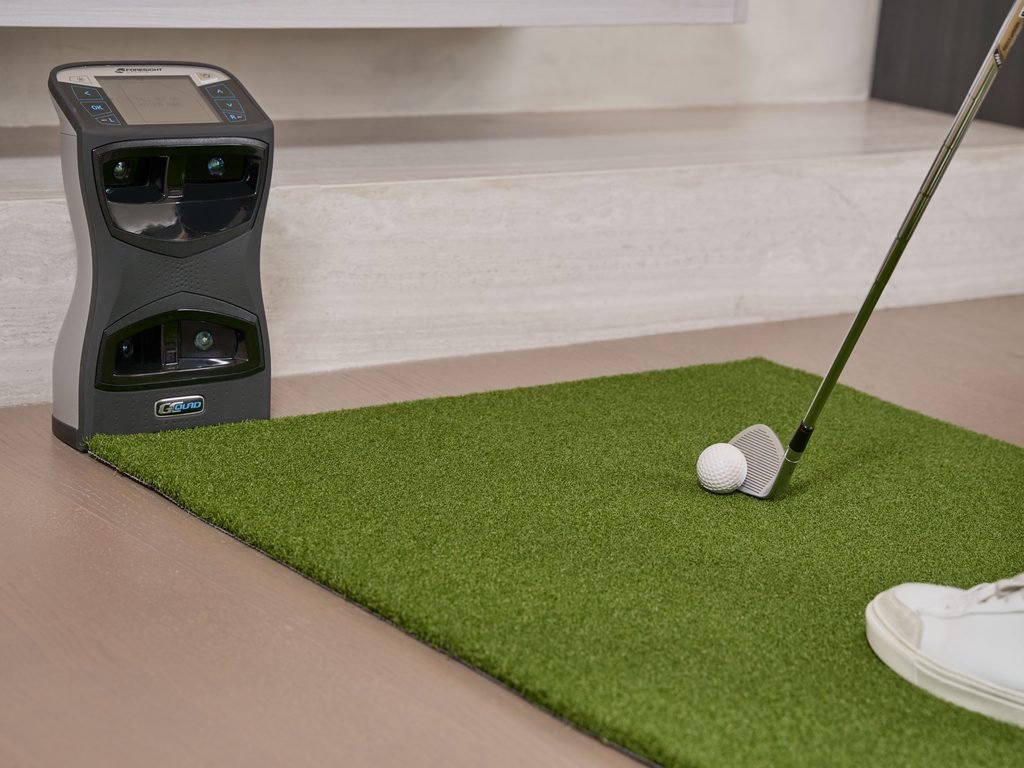
Golf simulator packages are the easiest way to set up a home simulator. A package bundles the parts you need (launch monitor, enclosure or net, impact screen, hitting mat, and sometimes a projector and software) into one purchase. Packages range from under $500 for a “golf in a box” kit to $10,000 and more for a complete home simulator built around a premium launch monitor.
This guide explains what is in each type of package, what you can expect under $500, $1,000, $2,000, $5,000 and $10,000, and how to tell a good bundle from a poor one. For the bigger picture on prices, see our golf simulator cost for home guide.
Package contents and prices change often and sales are frequent. Use the ranges below as a guide and check the retailer’s current listing.
Key Takeaways
- Under $500: “golf in a box” kits with a swing pad or entry launch monitor, net and mat.
- Under $1,000–$2,000: a budget launch monitor with a net and mat; shots on your phone, tablet or TV.
- Under $5,000: the first complete simulators with an enclosure, impact screen and projector.
- Under $10,000: mid-range and upper mid-range launch monitors with better enclosures, mats and projectors.
- Check exactly what is included: projector, computer, software and installation are often extra.
What Is Included in a Golf Simulator Package?
| Part | Usually included? | Notes |
|---|---|---|
| Launch monitor | Yes | The part that most affects realism and price |
| Net or enclosure | Yes | Budget kits include a net; full packages include a framed enclosure |
| Impact screen | In full packages | Needed for a projected picture |
| Hitting mat | Usually | Quality varies a lot between packages |
| Projector | Sometimes | Often an optional add-on |
| Computer | Rarely | Needed for most course-play software |
| Software | Sometimes | May be a trial or one year, then a subscription |
| Installation | Rarely | Usually DIY or paid extra |
Package or build your own?
| Package | Build your own | |
|---|---|---|
| Price | Usually a little higher | Usually lower |
| Compatibility | Parts known to work together | You check sizes, mounts and software yourself |
| Support | One place to call | Each maker separately |
| Upgrades | Possible, but bundles push you to buy all at once | Easy to upgrade one part at a time |
| Time | Less research and setup | More research and setup |
If you choose to build, our cheap golf simulator guide has money-saving tips, and a local golf simulator installer can help with the parts that need care, such as projector mounting.
Types of Golf Simulator Packages
“Golf in a box” kits
The simplest bundles include an entry-level device, a net and a mat in one box. OptiShot 2 is the best-known example: an infrared swing pad that reads the club rather than the ball. Fun for families and swing practice, but not built for accurate ball flight.
Launch monitor bundles
Many retailers bundle a budget or mid-range launch monitor with a net, a mat and sometimes a software subscription. A good choice if you want accurate ball data but will show shots on a tablet or TV for now.
Complete home simulator packages
These include a launch monitor, an enclosure with impact screen, a mat and usually a projector option. Simulator specialists such as Carl’s Place, Rain or Shine Golf, Shop Indoor Golf and PlayBetter sell packages built around most popular launch monitors, and some manufacturers sell their own.
Enclosure kits (bring your own launch monitor)
If you already own a launch monitor, an enclosure kit with screen, frame and netting completes the setup for far less than a full package.
Golf Simulator Packages by Budget
Golf simulator under $500
At this price you are looking at “golf in a box” kits or a budget launch monitor on its own, plus a cheap net. Expect fun and basic feedback rather than accurate ball flight. Good for kids, beginners and family games.
Golf simulator under $1,000
The best value here is a budget launch monitor such as the Garmin Approach R10 (about $500) or Rapsodo MLM2PRO (about $600–$700), with a practice net and a mat. You will see real ball data on your phone or tablet. See our best budget golf simulators under $1,000.
Golf simulator under $2,000
Spend the extra on a better mat (your joints will thank you) and a sturdier net, or step up to a launch monitor with more reliable spin data, such as the FlightScope Mevo Gen2 or a sale-priced mid-range unit. Some budget launch monitors can be paired with an entry enclosure and impact screen at this level if you already own a projector.
Golf simulator under $5,000
This is where complete home simulators start. A typical package pairs a mid-range launch monitor such as a SkyTrak, FlightScope Mevo+ or Bushnell Launch Pro with an enclosure, impact screen and mat, with a short-throw projector either included or added. You may need a gaming PC on top for course-play software. See the best mid-range golf simulators under $5,000.
Golf simulator under $10,000
Up to $10,000 buys an upper mid-range launch monitor with better club data, such as the Uneekor EYE MINI, Garmin Approach R50 or Foresight GC3, plus a premium enclosure, a better projector and a high-quality mat. Above this, packages move to premium launch monitors; see the best premium golf simulators.
Example Golf Simulator Packages at a Glance
These example builds show what a package typically contains at each budget. Exact contents vary by retailer.
| Budget | Launch monitor | Hitting area | Display | Good for |
|---|---|---|---|---|
| Under $500 | Swing pad or entry device | Net and basic mat | Laptop or tablet | Kids, families, casual fun |
| Under $1,000 | Budget launch monitor | Practice net and mat | Phone, tablet or TV | Practice with real ball data |
| Under $2,000 | Budget or sale-priced mid-range unit | Sturdier net or entry enclosure, better mat | TV or your own projector | Regular practice, better feel |
| Under $5,000 | Mid-range camera or radar unit | Enclosure with impact screen, good mat | Short-throw projector (sometimes extra) | A complete home simulator |
| Under $10,000 | Upper mid-range unit with club data | Premium enclosure, padding, premium mat | Brighter or 4K projector | Serious practice and realistic play |
Where to buy golf simulator packages
Specialist simulator retailers usually offer the widest choice, advice on room fit and bundle discounts. Manufacturers sell their own packages too, and big-box stores carry some bundles; see golf simulators at Costco, Dick’s and Amazon. Compare a few retailers for the same launch monitor, as bundle contents vary more than headline prices.
Still deciding which launch monitor to build around? See the best golf simulators for every budget.
How to Choose a Golf Simulator Package: Step by Step
- Measure your room first. Note ceiling height at the lowest point, width and depth. Every enclosure listing gives its dimensions; you need clearance above and beside it, plus room behind the hitting area for your launch monitor. See space requirements.
- Pick the package type that matches how you’ll play:
- Just want to try it, or for kids: a “golf in a box” kit.
- Real ball data on a tablet or TV: a launch monitor bundle with net and mat.
- A full projected simulator: a complete home simulator package.
- Already own a launch monitor: an enclosure kit.
- Set your total budget, including what the package leaves out: projector, computer, software after year one, shipping and installation.
- Choose the launch monitor first, then the package. The launch monitor decides realism and must suit your room depth. Compare the same launch monitor’s packages across two or three retailers.
- Compare packages line by line using the checklist below. Bundle contents vary more than headline prices.
- Ask the retailer anything the listing doesn’t answer (see the questions below).
- Check delivery and assembly: large packages often arrive by freight, need someone home, and take two people a day to assemble.
- Buy with a return window long enough to set it up and test it.
Package comparison checklist
| Check | What to look for |
|---|---|
| Launch monitor | Exact model, plus any membership needed for course play or club data, and its yearly cost |
| Enclosure | Outside dimensions against your room; side netting and top canopy included? |
| Impact screen | Size and shape (16:9, 4:3), material and layers, how it attaches |
| Hitting mat | Brand and model, size, replaceable hitting strip; often the weakest part of a package |
| Projector | Included or optional? Model, throw ratio and brightness; mount included? |
| Computer | Included or not; if not, will your PC run the software? |
| Software | Which program, how long it’s included, and the cost after that |
| Extras | Cables, padding, turf, ball tray |
| Shipping and assembly | Freight cost, delivery window, assembly service |
| Warranty and returns | Who handles each part’s warranty; return shipping cost for large items |
Questions to ask the retailer
- Will this enclosure fit a room of my exact measurements, and where should the launch monitor go?
- Which projector do you recommend for this screen size, and where does it mount?
- Can I swap the mat or screen for a better one, and what’s the price difference?
- What happens to the software after the included period?
- Who do I contact if a part arrives damaged or fails?
Common package mistakes to avoid
- Buying before measuring. An enclosure that is too tall for the ceiling or too deep for the room is a costly return. Measure first.
- Assuming a projector is included. Many listings show one in the photos but sell it separately.
- Forgetting the computer. Course-play software usually needs a Windows gaming PC.
- Ignoring the mat. A cheap mat makes every session less comfortable and wears out fast.
- Not checking software after year one. A “free” first year can become a yearly fee.
- Overbuying. If you will mostly practise, a mid-range package beats a premium one with features you won’t use.
FAQ
What is the best golf simulator package?
The best package is the one built around the right launch monitor for your room and budget. For most homes, that is a mid-range camera unit with an enclosure, impact screen and short-throw projector, at roughly $3,000–$10,000.
Can you get a golf simulator under $1,000?
Yes. A budget launch monitor such as the Garmin Approach R10 or Rapsodo MLM2PRO with a net and mat comes in under $1,000. You will see shots on a phone, tablet or TV rather than a projected picture.
Which golf simulator should I buy for under $5,000?
Look at a complete package built around a mid-range launch monitor such as SkyTrak, FlightScope Mevo+ or Bushnell Launch Pro, with an enclosure, impact screen and mat. Check whether a projector and computer are included.
What is “golf in a box”?
A low-cost kit that includes an entry-level device, a net and a mat in one box, such as OptiShot 2. Good for fun and basic practice, not for accurate ball flight.
Can you get a golf simulator under $2,000?
Yes. Under $2,000 you can pair a budget or sale-priced mid-range launch monitor with a sturdier net or entry enclosure and a better mat. A full projected setup usually needs a bit more, unless you already own a projector.
Do golf simulator packages include a projector?
Sometimes. Many packages list the projector as an optional add-on, so check the listing carefully.