
Guide
Golf Simulator Aspect Ratio, TVs, iPads, Lighting and Home Theater Setups
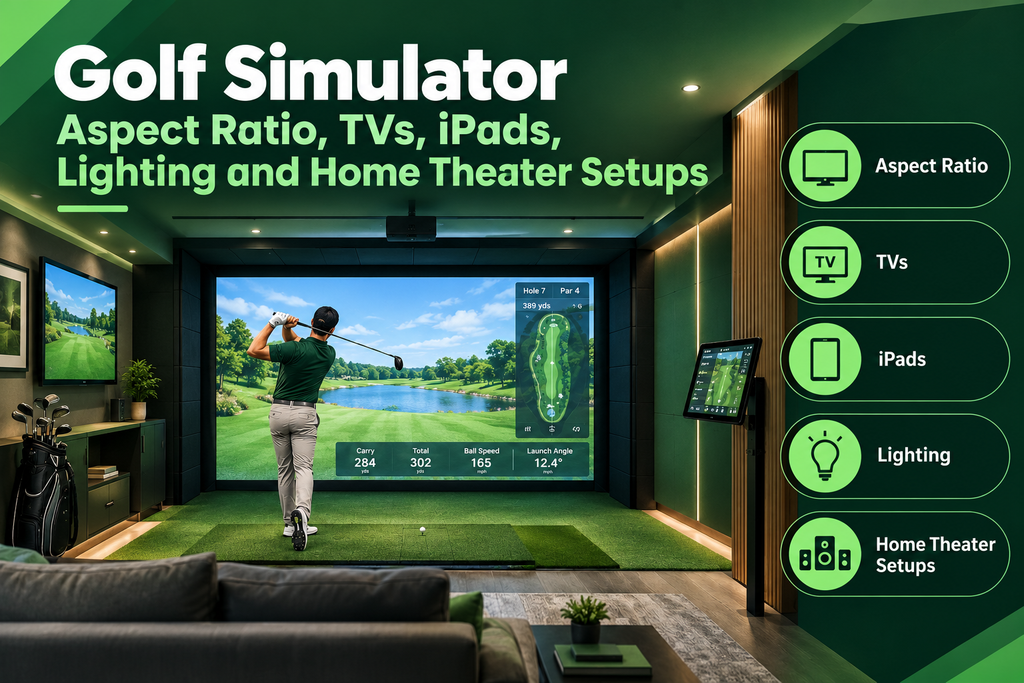
Not every golf simulator needs a projector, and the ones that do need the right screen shape, lighting and power. The best aspect ratio for a golf simulator is the one that matches your impact screen and projector: 16:9 or 16:10 for wide screens and most modern projectors, 4:3 for taller screens that show more sky. Many golfers also use a TV, iPad or touchscreen monitor instead of, or alongside, a projector, and a simulator can double as a home theater.
This guide shows you how to choose the right aspect ratio for your room, set up a simulator with a TV, iPad or touchscreen, combine golf with a home theater, plan the lighting, and get power, heating and ventilation right. It’s part of our guide to golf simulator displays and projectors.
Key Takeaways
- Match aspect ratio across screen, projector and software: 16:9/16:10 wide, 4:3 tall.
- TVs and tablets work well for net setups and as second screens for stats.
- A simulator screen can show movies and sport, though impact screens aren’t as smooth as cinema screens.
- Light the golfer, not the screen; camera launch monitors need steady light.
- Plan outlets, circuit capacity and heating before the screen goes up; use a licensed electrician for new circuits.
Best Aspect Ratio for a Golf Simulator
| Aspect ratio | Shape | Pros | Cons |
|---|---|---|---|
| 16:9 | Wide | Matches most projectors, TVs and software; panoramic views | Less sky visible on high shots |
| 16:10 | Slightly taller than 16:9 | A good compromise; common on some projectors | Check software support |
| 4:3 | Taller, squarer | Shows more sky; fits narrower rooms | Many projectors are natively wide, wasting pixels |
Picture height depends on both width and ratio. For the same width, a 4:3 picture is about a third taller than 16:9:
| Screen width | 16:9 height | 16:10 height | 4:3 height |
|---|---|---|---|
| 8 ft | 4.5 ft | 5 ft | 6 ft |
| 10 ft | 5.6 ft | 6.25 ft | 7.5 ft |
| 12 ft | 6.75 ft | 7.5 ft | 9 ft |
How to choose your aspect ratio in three steps
- Measure the space for the screen: the maximum width between the side walls (minus room for the frame and side netting), and the maximum height (ceiling minus the frame and any top netting).
- Find the biggest screen that fits using the table above. In rooms with low ceilings, 16:9 usually fits best, because it’s wide but not tall; in narrow, tall rooms, 4:3 uses the space well.
- Match the projector and software. Choose a projector that natively matches the screen shape, or one that can adjust (for example, BenQ says its Auto Screen Fit can fit 16:9, 16:10, 4:3 and even 1:1 screens), and set the same ratio in your simulator software.
See impact screen sizes and projector setup.
Golf Simulator With a TV, iPad or Touchscreen
A projector isn’t the only way to see your shots. Here’s how the options compare:
| Display | Works best for | Pros | Cons |
|---|---|---|---|
| Phone or iPad | Net setups, practice | No extra cost; many launch monitor apps and E6 Connect run on iOS | Small picture |
| TV | Net setups; second screen for stats | Bright, works with lights on | Must be kept out of the line of fire |
| Built-in screen | No-PC setups | All in one; the Garmin Approach R50 has a touchscreen and software built in | Small screen unless you add a larger display |
| Projector and impact screen | The full simulator experience | Life-size picture you hit into | More cost, space and setup |
How to set up a net and TV simulator
- Place the TV outside the danger zone: to the side and slightly behind the hitting position, or behind the golfer. Never in front, beside the net, where a shank or ricochet could reach it.
- Connect the device: a laptop by HDMI, or an iPad with an HDMI adapter or wireless casting (casting can add a little lag).
- Check you can see it from address without turning your head far, and that glare from windows or lights doesn’t wash it out.
- Add a stand or wall mount for an iPad near the hitting area, angled so you can tap it between shots.
Using a TV or monitor as a second screen
With a projector, a TV or monitor beside the seating area can show stats, scorecards or swing video while the course fills the impact screen. A touchscreen or tablet near the hitting area lets you change club, choose a course or review data without walking back to the PC. Keep any screen well out of the line of fire.
Can a golf simulator also be a TV?
Yes, in the sense that a projector and impact screen can show TV and streaming from any connected device. Many owners watch sport on the big screen between rounds. The best golf simulators to use with an iPad are those whose software runs natively on iOS; see golf simulator apps.
Golf Simulator and Home Theater Combo
Can a golf simulator double as a movie theater? Yes. Your projector and impact screen can show films, sport and games:
- Picture: impact screens have a textured weave, so the picture is slightly less smooth than a dedicated cinema screen; premium screens are better.
- Sound: add a soundbar or surround system.
- Projector: some projectors are designed for both; BenQ says its LK936ST suits golf simulation and home theater.
- Seating: comfortable seating behind the hitting area doubles as a cinema row.
- Retractable screen: some owners add a separate pull-down cinema screen in front of the impact screen for movie nights.
Switching between golf and movies
- Connect a streaming stick or media player to a second HDMI input on the projector, or use the PC.
- Switch the projector’s input and choose its movie or cinema picture mode.
- Dim the lights and close blackout blinds.
- Switch back to the golf input and picture mode before you play.
See room design ideas.
Golf Simulator Lighting
Good lighting matters for both the picture and the launch monitor. Plan it in three zones:
| Zone | What it needs |
|---|---|
| Hitting area | Steady, even light on the ball and golfer, especially for camera launch monitors |
| Screen | As dark as possible; any light on the screen washes out the picture |
| Seating and walkways | Dimmable light, so guests can see without spoiling the picture |
How to light a golf simulator room
- Light the hitting area from above or slightly behind the golfer, so the light falls on the ball, not the screen.
- Use flicker-free fittings. Camera launch monitors can misread shots in poor or flickering light. A phone’s slow-motion video pointed at the light can show flicker as moving bands.
- Keep bright light out of camera units: no lamps or windows shining into the lens.
- Protect fittings above the hitting area with flush or recessed lights, cages or netting, safe from skied shots.
- Put the seating area on a dimmer for play and films.
- Black out windows with blinds or curtains if daylight reaches the screen.
- Test: with the projector on, check the picture is rich, and hit 10 shots to make sure every one registers.
Check your launch monitor maker’s lighting advice, especially for overhead and side camera units; TrackMan, for example, publishes lighting requirements for its optical tracking.
Power, Heating and Ventilation
Golf simulator electrical requirements
A typical home simulator needs power for the projector, PC, launch monitor charger, lights and perhaps a heater or air conditioning. Plan before the screen goes up:
- List every device that will be plugged in, including any heater or air conditioner.
- Plan an outlet near the projector, often on the ceiling, and outlets behind the hitting area for the PC and chargers.
- Check the circuit: heaters and air conditioners draw a lot of power, so sharing a circuit with them can trip the breaker. A dedicated circuit may be wise.
- Add surge protection for the PC, projector and launch monitor.
- Use a licensed electrician for new outlets and circuits; permits are usually needed. See our permit guide.
Heating, cooling and ventilation
Projectors and gaming PCs give off heat, and simulator rooms are often garages or basements that get cold in winter and stuffy in summer. A small heater or air conditioner makes the space usable all year, but check that the circuit can handle it alongside the projector and PC. Keep PC and projector vents clear, and avoid sealing equipment in closed cabinets. In damp basements, a dehumidifier helps protect the screen, electronics and mat. See garage and basement setup.
The Control Box and Hardware Checklist
“Control box” usually means the hub that runs the system: the PC or console running the software, plus the connections to the launch monitor, projector and network. Commercial simulators often house it in a cabinet or kiosk. At home, it’s usually a gaming PC in a ventilated cabinet, with a wireless keyboard, tablet or touchscreen to control it. See golf simulator PC requirements.
| Item | Purpose |
|---|---|
| Launch monitor | Measures the shot |
| PC, tablet or built-in software | Runs the simulator |
| Projector or TV | Shows the course |
| Impact screen or net | Stops the ball |
| Controls | Keyboard, tablet or touchscreen near the hitting area |
| Cables and power | HDMI, extenders, outlets, surge protection |
| Lighting | Even light for the golfer and camera units |
| Sound | Soundbar or speakers |
FAQ
What is the best aspect ratio for a golf simulator?
The one that matches your screen and projector. 16:9 or 16:10 suits wide screens, low ceilings and most projectors; 4:3 shows more sky on taller screens.
Can you use a TV for a golf simulator?
Yes. A TV works well with a net setup or as a second screen for stats. Place it to the side and slightly behind the hitting position, well out of the line of fire.
Can a golf simulator play movies?
Yes. A projector and impact screen can show films and sport from any connected device, though impact screens are slightly less smooth than cinema screens.
What lighting is best for a golf simulator?
Steady, even, flicker-free light on the hitting area, with no light falling on the screen and nothing shining into camera launch monitors. Put seating lights on a dimmer.
What electrical work does a golf simulator need?
Outlets near the projector and PC, enough circuit capacity for heaters or AC, and surge protection. Use a licensed electrician for new circuits.