
Guide
Can a Golf Simulator Improve Your Game? How Indoor Practice Really Helps
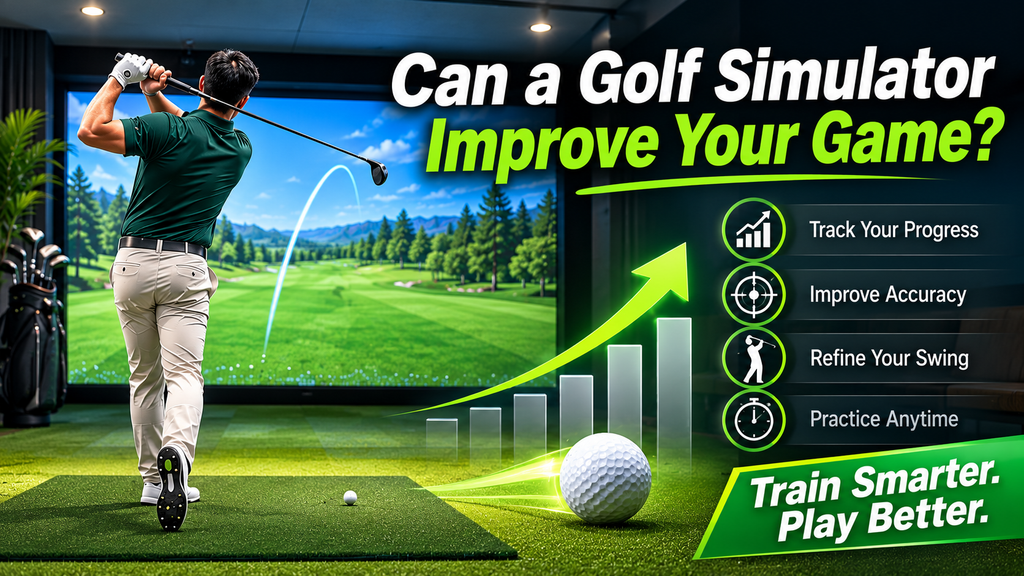
Can a golf simulator improve your game? Yes, if you use it to practise with a purpose. A simulator gives instant, accurate feedback on every shot: ball speed, launch, spin, direction and, on better systems, club path and face angle. That lets you see what is really happening, fix it, and repeat good swings far more often than most golfers can manage at the range or on the course. Used only for casual rounds, it will be fun, but it won’t do much for your handicap.
This guide explains how golf simulators help, where they fall short, what the data means, how accurate they are, and how to set up and practise so that improvement carries over to the course. Each topic links to a detailed guide.
Key Takeaways
- Simulators help most with ball striking, distance control, club gapping and fixing ball flight, thanks to instant data.
- They help less with uneven lies, the short game around the green, putting feel and course management in wind and weather.
- Improvement comes from structured practice, not just playing virtual rounds.
- Accuracy depends on the launch monitor and setup; mid-range camera units are accurate enough for most golfers.
- Combine simulator practice with time on real courses and, ideally, a coach.
How a Golf Simulator Can Make You Better
- Instant, honest feedback. At the range you see the ball fly but not why. A simulator shows the numbers behind every shot. When a drive slices, you can see whether the club path, the face angle or both caused it. That turns guesswork into a clear target.
- More good repetitions. Practice is about quality repetitions. At home you can hit a few focused shots most days, rather than one long session a week, which is how most skills improve fastest.
- Distance control and club gapping. Knowing how far you really carry each club is one of the quickest ways to lower scores. A simulator measures carry distance consistently, so you can build an accurate yardage chart for your bag.
- Year-round practice. Rain, snow, heat and darkness stop range sessions. A simulator keeps your swing in shape all year, so you don’t start every season from scratch.
- Pressure and course practice. Playing virtual rounds and skills challenges adds a consequence to every shot, which is closer to the course than hitting balls aimlessly at the range.
The science of indoor practice: why feedback works
Coaches and sports scientists who study how people learn movement skills (motor learning) have established a few principles that apply directly to simulator practice:
- Feedback speeds learning. Knowing the result of each attempt, and ideally why it happened, helps you adjust. A simulator gives that after every shot.
- Too much feedback can backfire. If you check every number after every shot, you can become dependent on it. Many coaches suggest looking at the data after small groups of shots, or hiding it for some shots and guessing first.
- Varied practice transfers better. Hitting the same club at the same target (“blocked” practice) feels good, but changing club and target every shot (“random” practice) usually transfers better to the course.
- Spacing matters. Several short sessions spread across a week tend to work better than one long session.
- Clear goals focus attention. Working on one specific outcome beats trying to fix everything at once.
A home simulator makes all of these easy: short sessions, instant feedback when you want it, and quick changes of club and target.
What Simulators Teach Well, and Where They Fall Short
| Skill | How well a simulator helps | Why |
|---|---|---|
| Driving | Very well | Launch, spin and curve data show how to add distance and find the fairway |
| Iron play | Very well | Contact, carry and dispersion are measured precisely |
| Wedges (full and partial) | Well | Distance control and spin from flat lies |
| Chipping and pitching | Partly | Mats and short-shot tracking differ from real turf |
| Bunker play | Poorly | No sand in most simulators |
| Putting | Partly | Stroke data helps; green reading and feel are hard to recreate |
| Course management | Partly | Virtual rounds help with decisions, but not real wind, lies and nerves |
Where golf simulators fall short
- Lies and slopes: most setups hit off a flat mat. Real courses have uphill, downhill, sidehill and rough lies. (Moving floors exist but are rare and expensive.)
- Short game around the green: chips and pitches off a mat feel different from real turf, and many launch monitors are less precise with short, slow shots.
- Putting: green reading and feel are hard to recreate on a mat.
- Weather and course management: wind, firm ground and real hazards affect decisions on the course.
- Mat forgiveness: some mats let a slightly heavy shot slide through, hiding fat contact that real turf would punish.
None of these mean simulators don’t help; they mean you should know what to practise at home and what to practise on the course. Some golfers find simulator golf harder or easier than real golf for these reasons; see whether simulator golf is harder than real golf.
Do golf simulators hurt your game?
They can, if used badly. Here is how to avoid each trap:
| Trap | Why it hurts | Fix |
|---|---|---|
| Chasing numbers | Obsessing over one figure, such as ball speed, can distort your swing | Track averages and one or two numbers tied to your goal |
| A forgiving mat | Builds bad habits with fat contact | Choose a mat that gives honest feedback |
| Cramped rooms | A low ceiling or narrow space can make you shorten or change your swing without noticing | Check ceiling height and swing freely |
| Only playing rounds | Fun, but less useful than focused practice | Practise first, play a round as the reward |
Avoid these and the simulator becomes one of the most effective practice tools you can own.
What the Numbers Mean, and How Accurate They Are
| Number | Why it matters | What to work on |
|---|---|---|
| Carry distance | Club selection and gapping | Build a yardage chart; check gaps between clubs |
| Smash factor | Quality of strike (ball speed ÷ club speed) | Centred contact |
| Launch angle and spin | Height, distance and stopping power | Driver launch and spin; wedge spin |
| Spin axis / side spin | How much the ball curves | Reducing a slice or hook |
| Club path and face angle | The cause of curve | Fixing the root of a slice or hook |
| Angle of attack | Strike quality with irons and driver | Hitting down with irons, up with driver |
| Dispersion | Consistency left-right and long-short | Tighter groups, not perfect single shots |
Worked example: using the numbers to fix a slice
- Hit 10 drives with your normal swing and note the average face angle, club path and spin axis.
- Read the pattern: a face open to the path curves the ball right (for a right-hander). If the path is also well left of target, you have an out-to-in “pull slice”; if the path is near zero, the face is the main problem.
- Pick one number to change: usually face-to-path first, because it controls curve.
- Make one change (grip, alignment or a drill from your coach) and hit groups of five, checking the number after each group, not each shot.
- Confirm on the course: once the average curve drops in the simulator, test it on the range or the first tee.
How accurate are golf simulators?
Accuracy depends mostly on the launch monitor. Premium systems (such as TrackMan and Foresight GCQuad) and good mid-range camera units measure ball data very closely. Budget units are accurate enough for practice but often estimate spin indoors. Setup matters too: correct placement, alignment, lighting and the right balls. Compare launch monitors in our launch monitor guide, and for a step-by-step accuracy test and a deeper explanation of the numbers, see golf simulator accuracy and realism.
Tracking your progress
Improvement shows up in averages and consistency, not single shots. Every few weeks:
- Pick a test you can repeat: the same clubs, course, settings and targets each time.
- Record dispersion: how tightly your shots group left-right and long-short with a given club.
- Record carry consistency: the spread of carry distances with each club.
- Record your smash factor average, a sign of better contact, and how often the ball starts and curves as intended.
- Note virtual round stats: fairways and greens hit in regulation on a consistent course and setting.
- Compare with real course scores, the measure that ultimately matters.
Many simulator programs save sessions and show trends over time, so you can see whether changes are working.
How to Set Up Your Simulator for Practice
- Give yourself room: a cramped bay changes your swing; see space requirements.
- Use an honest, cushioned mat: one that doesn’t hide fat shots, and doesn’t jar wrists, elbows and shoulders on heavy shots. See hitting mats.
- Match the settings to your course: altitude, temperature and firmness, so carries are realistic.
- Turn off wind for technique work, and on for rounds.
- Mark your setup: alignment lines or sticks on the mat so you always aim the same way.
- Add video: a phone on a tripod, or the launch monitor’s own camera, alongside the numbers.
- Use the right balls and tees for your launch monitor; see golf balls, tees and clubs for simulators.
For settings, practice modes, keeping it accurate and common mistakes, see how to use a golf simulator.
Warm up and protect your body
Indoor practice is easy to start without warming up, and mats are firmer than grass. To stay healthy:
- Warm up for five minutes: gentle stretches, then half swings with a wedge before full swings.
- Limit marathon sessions: several short sessions are better for your body and your learning.
- Stop if something hurts: repeated mishits off a hard surface can aggravate joint problems.
A Simple Practice Plan That Works
| Session | Time | Focus |
|---|---|---|
| Warm-up | 5 min | Wedges and short irons, easy swings |
| Technique block | 15 min | One swing change, using one key number (for example club path) |
| Random practice | 10 min | Change club and target every shot, with a full pre-shot routine |
| Game or challenge | 10 min | Closest-to-the-pin, a few holes, or a skills test |
Our golf simulator practice routines and drills guide has full plans and drills for different goals.
Building a weekly simulator practice habit
Improvement comes from consistency more than long sessions. A realistic plan for a busy golfer:
- Book two or three short sessions a week (30–45 minutes) rather than one long one.
- Set one goal per session, such as wedge distances, driver face control or a swing change, and focus on one or two numbers.
- Use your full pre-shot routine and real targets, not just the middle of the screen.
- End with a quick test: ten shots to a target, scored, so you can compare week to week.
- Play a fun round or game once a week to practise under pressure and keep it enjoyable.
- Review your stats monthly and adjust your goals.
Having a simulator at home makes short sessions easy, because there’s no travel or waiting for a bay. If you don’t own one, a regular slot at a simulator venue works too.
Practice games to play on a simulator
- Fairway finder: hit ten drives; score a point for each one that would find the fairway.
- Nine-shot challenge: try to hit low, medium and high shots that curve left, straight and right with one club.
- Wedge ladder: carry targets every 10 yards, moving up only when you land within a set distance.
- Greens in regulation: play nine holes and count greens hit; try to beat your record each week.
- Closest to the pin: the classic group game, great for wedges under pressure.
Common simulator practice mistakes
- Playing rounds instead of practising. Courses are fun, but planned practice with goals improves you faster.
- Chasing perfect numbers on every shot instead of tracking averages and patterns.
- Hitting driver for an hour. Spread practice across clubs, especially wedges.
- Ignoring strike quality. Impact tape or foot spray shows where you hit the face; your launch monitor shows the result.
- Never changing the target. Switch clubs and targets often, as you would on the course.
- Skipping the warm-up on a cold garage morning.
Simulator Practice by Golfer Level
| Golfer | Focus on | How |
|---|---|---|
| Beginners | Solid contact, a consistent setup and getting the ball airborne | Range mode, simple targets, short sessions, and a few lessons so you practise the right things. See simulators for beginners. |
| Mid-handicappers | Reducing big misses (the slice or hook) and knowing your yardages | Club path, face angle and carry data; build a gapping chart |
| Low handicappers | Launch and spin, especially with the driver and wedges; shaping shots | Pressure games and virtual rounds to sharpen decision-making |
Juniors and seniors
Juniors learn fastest when practice feels like a game. Short sessions, simple targets, skills contests and par-3 courses keep them engaged; the instant feedback helps them understand cause and effect. Use junior clubs and keep sessions supervised.
Seniors benefit from practising in comfort all year, and from data that helps them keep or regain distance: speed training, choosing the right shafts and lofts, and smart club gapping. A good mat and a warm-up routine protect joints. An auto-tee saves bending down between shots; see simulator accessories.
A Year-Round Plan: Simulator, Range and Course
Simulators work best as part of a mix. A good balance for many golfers: most full-swing practice on the simulator, short game and putting on real grass when possible, and regular rounds on the course to test changes.
| Season | Simulator focus | Outdoors |
|---|---|---|
| Winter (off-season) | Swing changes, contact, gapping your clubs, building strength in the swing | Little or none |
| Spring (pre-season) | Random practice, virtual rounds, pressure games | Short game and putting on grass; first rounds |
| Summer (playing season) | Short tune-ups: fix what went wrong in your last round | Most rounds and short game |
| Autumn | Review the season’s data; plan off-season changes | Rounds while weather allows |
Winter is where a simulator gives golfers in cold climates the biggest advantage: making swing changes when there’s no pressure to score, so they are ready by spring.
Moving from the simulator to the course in spring
After a winter indoors, these steps help your game transfer outside:
- Check your distances outdoors. Hit your main clubs on a range or with an outdoor launch monitor, and compare with your indoor numbers; conditions, balls and turf differ.
- Practise from real lies. Mats are flat and forgiving. Spend time hitting from grass, slopes and rough.
- Re-learn the short game on grass. Chipping and bunker play are where simulators fall shortest.
- Putt on real greens to recalibrate speed.
- Keep using the simulator for focused technical work and gapping during the season.
How long until you see improvement?
That depends on how often you practise, how focused it is, and what you are changing. Small changes in contact and start line can show up within a few weeks of regular sessions; bigger swing changes take longer and often feel worse before they feel better. Tracking your numbers helps you stay patient and see real progress.
Coaching, Lessons and Leagues
Simulator data is most powerful when someone helps you interpret it. A coach can tell you which number matters for your swing, give you one or two drills, and check progress at the next lesson. Many coaches teach on simulators and launch monitors, because the data shows exactly what is happening, and many can review your simulator data or video between lessons. A lesson on a simulator plus practice at home is a powerful combination. See whether golf lessons on a simulator are worth it. Finding a coach who teaches on simulators is often easiest through indoor golf venues: find a simulator venue near you that offers coaching.
Leagues and competition as practice
Practice under pressure is hard to create on your own. Simulator leagues and tournaments help: a weekly league gives every shot a consequence, and contests such as closest-to-the-pin teach you to commit to one shot rather than hitting another ball. Many venues run winter leagues with handicaps, so golfers of all levels can compete. If you have a home simulator, invite friends for a weekly match or join online tournaments through your software. See golf simulator leagues, tournaments and events.
Is a Golf Simulator Worth It for Improvement?
If you will practise regularly with a plan, a simulator is one of the best investments you can make in your game. If you mainly want fun with friends, it is still great value, but don’t expect it to lower your handicap on its own. For the full pros and cons, see is a golf simulator worth it?, and for new golfers, are golf simulators worth it for beginners? Not ready to buy? Practise at a local venue first: see what it costs to play a golf simulator.
Five myths about simulators and improvement
| Myth | Reality |
|---|---|
| “Just playing rounds will make me better.” | Rounds are great fun and test your game, but improvement comes mostly from focused practice on specific skills. |
| “I need a premium launch monitor to improve.” | Not necessarily. Mid-range and even budget units give enough feedback to improve contact, direction and distance control. Premium units add detail that matters most to advanced players and coaches. |
| “Simulator numbers are always exactly right.” | They are very good on quality systems, but setup, balls and lighting matter. Look at averages, not single shots. |
| “Simulator golf won’t transfer to the course.” | Skills the simulator measures well, such as contact, start line and distance, do transfer, especially when you practise with a routine and varied targets. |
| “More balls means faster improvement.” | Quality beats quantity. Thirty focused shots with a clear goal usually beat a hundred rushed ones. |
The bottom line
A golf simulator won’t fix your game on its own, but used with a plan, it gives you more quality practice, honest feedback and year-round access than most golfers ever get. Pair it with time on real grass, and ideally a coach, and the improvement is real and measurable.
FAQ
Can a golf simulator improve your game?
Yes. With structured practice, simulators improve ball striking, distance control and ball flight through instant feedback. They help less with uneven lies, the short game and course management.
Do golf simulators make you better at golf?
They can, if you practise with a purpose rather than just playing rounds. Many golfers see the biggest gains in contact, consistency and knowing their distances.
Can a golf simulator hurt your game?
It can if you chase single numbers, use a very forgiving mat, swing in a cramped room, or only play virtual rounds. Avoid those and it is a very effective tool.
Can you learn golf on a simulator?
Yes. Simulators are a good place to learn the basics of the full swing with feedback and without pressure. Add lessons, and practise short game and putting on real grass too.
Is a golf simulator better than the driving range?
For feedback and convenience, often yes: you see the numbers behind every shot and can practise any time. A range shows real ball flight. Many golfers use both.
How often should I practise on a golf simulator?
Short, focused sessions of 30–40 minutes, three or four times a week, usually work better than one long session.
Are golf simulators accurate enough to practise on?
Yes. Mid-range and premium launch monitors are accurate enough for serious practice when set up correctly. Budget units are fine for contact and direction but less precise for spin.