
Guide
How Accurate Are Golf Simulators? Accuracy, Realism and Simulator vs Real Golf
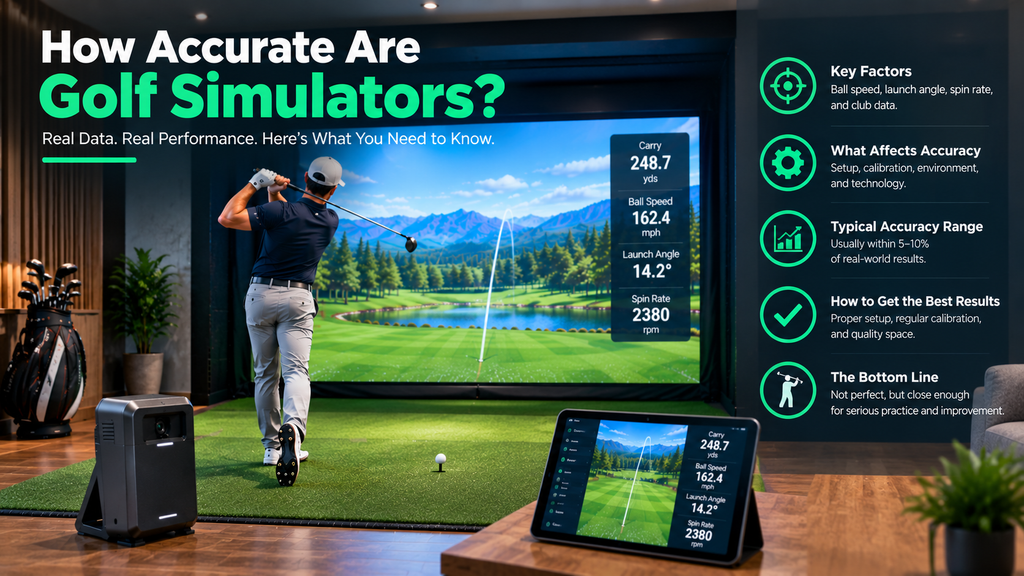
How accurate are golf simulators? Good ones are very accurate for full shots. Premium and mid-range launch monitors measure ball speed, launch and spin closely enough that carry distances usually match the course well. Budget units are accurate for contact and direction but often estimate spin indoors, so distances and curve can be less reliable. Realism is a separate question: even with perfect data, a mat, a screen and a flat floor don’t feel exactly like a fairway.
This guide explains how simulators measure the ball, which are most accurate, why a simulator can read wrongly and how to test and fix yours, how to read the numbers, and how simulator golf compares with the range and the real course. It’s part of our guide to whether a golf simulator can improve your game.
Key Takeaways
- Accuracy depends mainly on the launch monitor, then on setup, balls and room conditions.
- Premium systems (TrackMan, Foresight GCQuad) and good mid-range camera units are accurate enough for serious practice.
- Budget units are reliable for contact and direction; spin and curve are less precise indoors.
- Simulators can be inaccurate when set up wrongly, used with the wrong balls or in poor light.
- Simulator golf differs from real golf mainly in lies, short game, putting and conditions.
Are Golf Simulators Actually Accurate?
For full shots on a quality system set up correctly, yes: launch monitors used for simulators are the same kind of technology that fitters and coaches rely on. Where people find simulators “inaccurate”, the cause is usually setup, balls, lighting, software settings or the limits of a budget unit, rather than the technology itself.
In terms of accuracy, simulators are best known for measuring full-swing ball data well: ball speed, launch angle, launch direction and, on better systems, spin. They’re less consistent with very short shots and putts, and the result on screen also depends on how well the software models the ground, wind and roll.
Which golf simulator is the most accurate?
| Level | Examples | Accuracy |
|---|---|---|
| Premium | TrackMan, Foresight GCQuad | Widely regarded as the most accurate; used by tour players, coaches and fitters |
| Mid-range | Foresight GC3, Uneekor, Garmin R50, Bushnell Launch Pro, SkyTrak | Very good indoor ball data at lower prices |
| Budget | Garmin R10, Rapsodo MLM2PRO | Accurate enough for practice; Rapsodo measures spin with its marked balls |
Compare them in launch monitors compared.
How Golf Simulators Measure the Ball and Spin
- Camera (photometric) units photograph the ball at impact and measure how its markings or dimples rotate between images. Some read the ball’s dimples directly; others need marked balls or stickers.
- Radar units track the ball in flight. Outdoors they can measure spin well over the full flight; indoors they see only a short flight and may need metallic stickers or special balls, or they estimate spin.
- Hybrid units combine radar and cameras to measure more directly.
Spin is the number that most affects carry, height and curve, so how a launch monitor measures it is a big part of accuracy. See our launch monitor guide for each brand’s approach.
Indoor vs outdoor readings
Many portable launch monitors work indoors and out, but readings can differ. Outdoors, radar units see the whole flight and measure spin directly; indoors they see only a few feet of flight, so they may need stickers or special balls, or estimate some numbers. Camera units measure at impact, so they behave similarly in both places, but bright sunlight or poor indoor lighting can affect them. If you compare indoor and outdoor numbers, use the same balls and similar conditions.
Why a Simulator Can Be Inaccurate, and How to Fix It
| Cause | What happens | Fix |
|---|---|---|
| Wrong placement or distance | Misread shots, wrong direction | Follow the maker’s setup distances exactly |
| Poor alignment | Every shot reads left or right | Re-run the alignment routine |
| Not enough space (radar) | Missed or estimated shots | Give radar units the depth they need |
| Wrong or dirty balls | Spin errors | Use clean premium balls, or the marked balls/stickers required |
| Bad lighting | Camera units miss or misread shots | Steady lighting; avoid bright light into the cameras |
| Unlevel unit or mat | Skewed launch readings | Level both |
| Wrong software settings | Distances too long or short | Check altitude, temperature and firmness |
| Outdated software | Bugs and errors | Keep firmware and apps updated |
How to test your simulator’s accuracy
- Set up by the book: place, level and align the launch monitor exactly as its maker specifies, with steady lighting and the right balls.
- Set realistic conditions: altitude and temperature to match where you play, wind off, normal firmness.
- Pick a reference club, such as a 7-iron, whose outdoor carry you know well (ideally from a fitting or an outdoor launch monitor session).
- Hit 10 normal shots and note the average carry, ignoring obvious mishits.
- Compare with your outdoor carry. If it’s close, your setup is good. If it’s well off, work through the causes in the table above, one at a time.
- Check direction: aim 10 wedges at the screen centre. If the balls hit the screen near the centre but the simulator shows them going left or right, re-align.
- Repeat the test after moving or updating anything.
Still not right? See our step-by-step golf simulator troubleshooting guide.
Are Golf Simulators Accurate for Distance?
For full shots with a good launch monitor, carry distances are usually close to what you’d see on the course in similar conditions. Differences come from:
- Spin accuracy: small spin errors change carry noticeably.
- Software settings: altitude, temperature, wind and fairway firmness change distance and roll. Check them, especially altitude if you live high up.
- The mat: a forgiving mat can make slightly fat shots fly further than they would off grass.
- Total vs carry: roll depends on the software’s firmness settings, so compare carry, not total, with your outdoor numbers.
How to Read Golf Simulator Numbers
| Number | Good to know |
|---|---|
| Ball speed | The biggest driver of distance |
| Club speed | How fast you swing; compare with ball speed |
| Smash factor | Strike quality; close to 1.5 is excellent with a driver |
| Launch angle | Height at launch; driver usually needs more than irons |
| Back spin | Too much costs distance with a driver; wedges need plenty to stop |
| Spin axis / side spin | Positive or negative values show the curve direction |
| Club path and face angle | Tell you why the ball curved |
| Carry, total, offline | Where the ball landed and finished relative to the target |
Look at averages and dispersion over several shots, not one perfect strike. For a step-by-step way to read a shot, see how to use a golf simulator.
Golf Simulator vs Reality: The Range and the Real Course
How realistic are golf simulators?
Realism has improved a lot: modern software has detailed courses, ball physics and graphics. What still differs:
- Lies: you usually hit from a flat mat, not uphill, downhill or rough lies.
- Turf interaction: a mat doesn’t take a divot the way grass does, and feels firmer.
- Short game and putting: chips off a mat and putts on a flat surface feel different from real greens.
- Depth perception: you see the ball for only a few yards before it hits the screen; your eyes don’t track a real flight.
- Conditions: wind, rain, cold and firm ground are simulated, not felt.
Most golfers adapt within a few sessions, and the data is often more revealing than watching a real ball fly. For a full discussion of difficulty, see is simulator golf harder than real golf?
Golf simulator vs driving range
| Simulator | Driving range | |
|---|---|---|
| Feedback | Numbers on every shot | Ball flight only (unless the range has ball tracking) |
| Ball flight | Simulated on screen | Real, full flight |
| Lies and turf | Mat | Mats or grass, depending on range |
| Availability | Any time, any weather (at home) | Opening hours and weather |
| Course play | Virtual rounds | No |
Many ranges now have ball-tracking screens in the bays, which combine real flight with data.
Golf simulator vs real golf
Simulators are excellent for full-swing practice and fun rounds, but real golf adds uneven lies, chipping and putting on grass, weather and the mental side of playing a real course. Use the simulator for what it measures best, and the course for the rest. For how to practise so it transfers, see our practice routines and drills.
FAQ
Are golf simulators accurate?
Good ones are very accurate for full shots when set up correctly. Budget units are reliable for contact and direction but less precise for spin indoors.
Which golf simulator is the most accurate?
Premium systems such as TrackMan and Foresight GCQuad are widely regarded as the most accurate. Good mid-range camera units such as Foresight GC3, Uneekor and Bushnell Launch Pro are also very accurate indoors.
Are golf simulators accurate for distance?
Usually yes for full shots with a good launch monitor. Check software settings for altitude, temperature and fairway firmness, use the balls your launch monitor needs, and compare carry rather than total distance.
How do I check if my golf simulator is accurate?
Set it up exactly as the maker specifies, match the software conditions to where you play, hit 10 shots with a club whose outdoor carry you know, and compare the average. Then check direction with 10 wedges at the screen centre.
Is a golf simulator better than a driving range?
For feedback and convenience, often yes. A range shows real ball flight and, on grass, real turf. Many golfers use both.