
Guide
Golf Balls, Tees and Clubs for Golf Simulators: Real vs Foam Balls and What to Bring
Swinglix may earn a commission when you buy through links on this page, at no extra cost to you. Learn more
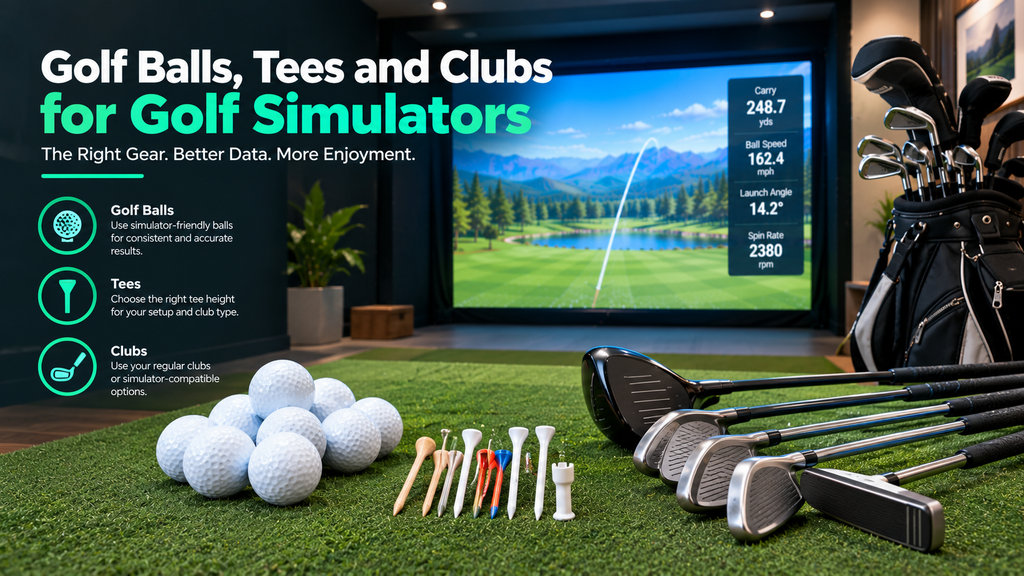
Choosing golf simulator balls is simpler than it sounds. Do golf simulators use real balls? Yes, most do. Launch monitors are designed to measure real golf balls, and many give their best readings with clean, premium balls. Some need marked balls or metallic stickers to measure spin indoors. Foam and practice balls only work with certain systems. On mats, you’ll usually use rubber simulator tees in a few heights. At home you use your own clubs; at most venues you can bring your own or use clubs provided.
This guide covers which balls to use with each type of simulator, foam balls, the best tees for simulator mats and how to set their heights, clubs at home and at venues, and how to look after your balls. It is part of our guide to improving your game with a golf simulator.
Key Takeaways
- Use clean, undamaged real golf balls; premium balls give the most consistent spin readings.
- Some launch monitors need special balls or stickers for indoor spin (for example Rapsodo RPT balls, FlightScope stickers or Titleist RCT balls).
- Foam balls work with some no-ball and club-reading systems, but most launch monitors need real balls.
- Rubber simulator tees in several heights are the usual choice on mats.
- Many venues provide clubs; check before you go if you are left-handed.
Which Golf Balls Work With Simulators?
Start with what your launch monitor’s maker recommends:
| Launch monitor | Recommended balls (per maker) |
|---|---|
| Rapsodo MLM2PRO | Rapsodo RPT balls (Titleist or Callaway) for measured spin; regular balls for other data |
| FlightScope Mevo Gen2 | Aluminium stickers or Titleist RCT balls for accurate indoor spin |
| FlightScope Mevo+ | Aluminium stickers for indoor spin |
| Uneekor EYE MINI range | No marked balls needed (Dimple Optix reads the dimples) |
| GolfIn IDRA II | No marked balls needed |
| Square Golf Omni | Retailers say it works with any golf ball |
| Camera units generally | Clean, undamaged premium balls for the most consistent readings |
Always check your launch monitor’s own guidance; see our launch monitor guide for each brand.
Premium, distance and range balls
| Ball type | On a simulator |
|---|---|
| Premium (urethane cover) balls | Behave most like what better players use on the course; consistent spin readings |
| Distance or two-piece balls | Fine for fun and practice; spin is lower, so wedge numbers differ from premium balls |
| Range balls | Often scuffed and designed to fly shorter; can give inconsistent readings |
| Marked or special balls | Required by some launch monitors for measured spin |
How to choose your simulator balls, step by step
- Check whether your launch monitor needs marked balls or stickers for spin (table above). If it does, buy those first; regular balls will still give speed and launch data but spin may be estimated.
- If it reads any ball, use the same model you play on the course, so your simulator yardages match your real ones.
- Buy at least a dozen and keep them only for the simulator.
- Avoid range balls and old, scuffed balls, which give inconsistent readings on camera units.
- Test: hit 10 shots with a club you know, check that spin and carry look sensible, and compare with our accuracy test.
What golf balls work with the Square Golf launch monitor?
Square Golf’s launch monitors are camera units designed to read real golf balls, and retailers describe the Square Golf Omni as working with any golf ball. Use clean balls in good condition for the most consistent results, and check Square Golf’s guidance for your model.
Club stickers and marked balls
Some launch monitors use stickers on the clubface to measure club data, or markings on the ball to measure spin. They are cheap, but you need to replace them as they wear. Systems that read the ball’s dimples or use stereoscopic cameras avoid this; see how to use a golf simulator for tips.
Do Golf Simulators Work With Foam Balls?
- Club-reading systems such as OptiShot 2 read the club rather than the ball, so foam practice balls work (OptiShot includes foam balls in its kit).
- No-ball trainers such as Golf Daddy don’t use a ball at all.
- Most launch monitors measure the ball itself, so foam balls give unreliable data or aren’t read at all. Some offer limited support; check your maker’s guidance.
Foam balls are useful for children and very small spaces, where a real ball would be unsafe; see entry-level simulators.
Best Tees for Golf Simulators, and How to Set Tee Height
On a hitting mat you can’t push a wooden tee into the turf easily, so most simulator owners use:
- Rubber simulator tees in several fixed heights (low for irons and hybrids, taller for drivers). Buy a set so you can match heights to clubs. See rubber tees for mats.
- Adjustable tees that screw or slide to different heights.
- Real tees on mats designed to accept them; some premium mats let you use wooden tees.
| Club | Typical tee height |
|---|---|
| Driver | Tall tee; about half the ball above the top of the driver face at address |
| Fairway woods and hybrids | Low tee |
| Irons | Very low tee or none, depending on the mat |
How to set up your tees
- Buy rubber tees in 3–4 heights that fit your mat’s tee hole, or an adjustable tee.
- Set your driver height: address the ball and check that about half of it sits above the top of the clubface.
- Go a little lower than outdoors. Mats raise the ball slightly compared with grass.
- Check the launch monitor’s view. The tee mustn’t block the cameras of an overhead or side unit; take a test shot and make sure it reads.
- Keep the ball where the unit expects it (for example, a marked hitting spot) when you change tee heights.
Are golf simulator tees legal?
Simulator tees are for practice on mats, so golf’s rules don’t apply to them at home or at a venue. On a real course, the Rules of Golf limit tee length (a tee must not be longer than 4 inches) and require a conforming tee. Use regular tees when you play on the course.
Do Golf Simulators Provide Clubs and Balls?
- At home: you use your own clubs, which is best for practice because the data reflects your real equipment.
- At venues: many indoor golf venues provide clubs, often free (for example, Topgolf offers complimentary clubs), and most let you bring your own. Left-handed clubs may be limited, so ask when booking.
- Balls at venues: venues usually provide balls chosen to work with their launch monitors, so you don’t normally need to bring your own. Ask first if you’d like to use your own.
- Without clubs: you can’t play a real simulator without clubs, but venues with house clubs make it easy to try simulator golf before buying any.
If you want your venue data to match your own game, bring your clubs. Find venues and check what they provide in our golf simulator directory, or see what to expect at a simulator venue.
Ball Care: How Long Golf Balls Last on a Simulator
Balls generally last longer on a simulator than on a course, because they’re not lost and don’t hit cart paths or trees. They do wear, though: scuffs from the mat, marks from the screen and dirt can affect readings, especially for camera launch monitors that read the ball’s surface.
- Keep a dedicated set of clean balls for the simulator only.
- Wipe them after each session; dirt and mat fibres affect readings.
- Check them weekly and retire any ball with a cut or heavy scuff.
- Replace marked balls or stickers when the markings wear.
- If readings suddenly get erratic, try fresh balls before changing anything else; then see our troubleshooting guide.
Shopping list
| Item | Why |
|---|---|
| Dozen premium balls (or your launch monitor’s special balls) | Consistent readings |
| Rubber tees in 3–4 heights | Match tee height to club |
| Spare club or ball stickers (if needed) | Club data and spin |
| Ball tray or bucket | Keep balls within reach and clean |
More ideas in golf simulator accessories.
FAQ
Do golf simulators use real balls?
Yes, most do. Launch monitors measure real golf balls, and some need marked balls or stickers for spin indoors.
Will a golf simulator work with foam balls?
Only some systems. Club-reading systems like OptiShot work with foam balls; most launch monitors need real balls for accurate data.
What tees should I use on a golf simulator mat?
Rubber simulator tees in several heights, or adjustable tees. Some premium mats accept real wooden tees.
Do golf simulator venues provide clubs?
Many do, often free, and most let you bring your own. Ask about left-handed clubs when you book.