
Guide
Best Golf Simulator Hitting Mats and Turf: How to Choose
Swinglix may earn a commission when you buy through links on this page, at no extra cost to you. Learn more
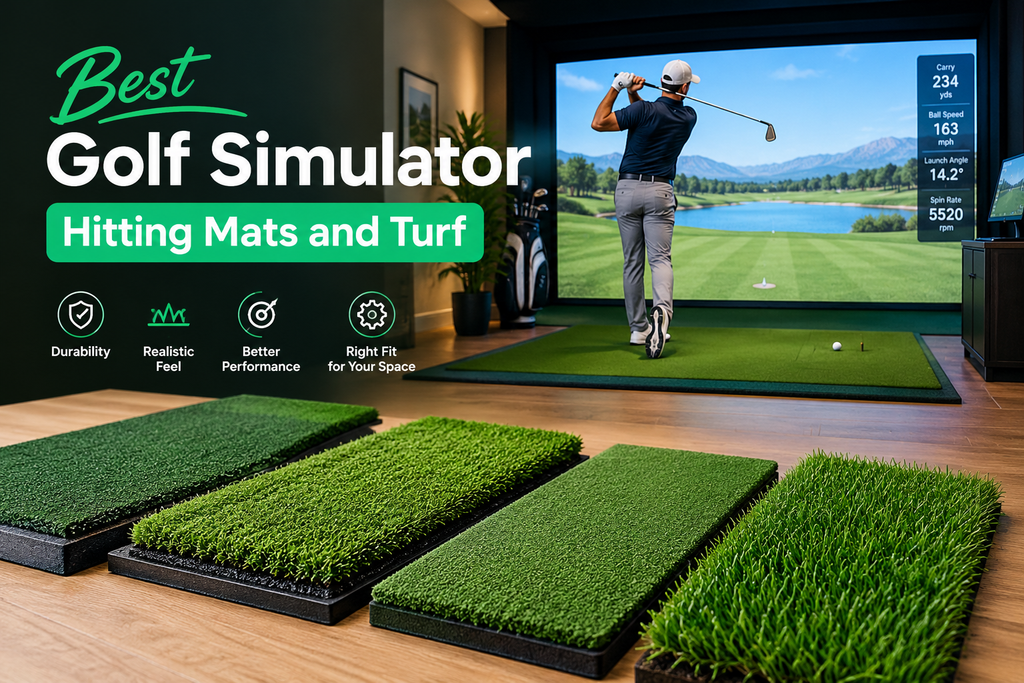
The best golf simulator hitting mat lets the club glide through impact like a good fairway, cushions your wrists, elbows and shoulders on heavy shots, and holds up to thousands of balls. Budget mats cost about $100–$400; premium mats with replaceable hitting strips cost about $500–$1,500. Because you hit every shot off it, the mat is one of the best places to spend a little more.
This guide shows you how to choose a mat step by step, set it up so it doesn’t slide or bounce, lay simulator turf around it, look after it so it lasts, and deal with the most common complaints: sore joints, a mat that hides fat shots, noise, and worn hitting areas. It’s part of our at home golf simulator setup guide.
Key Takeaways
- A good mat protects your joints and gives realistic feedback on fat and thin shots.
- Look for a cushioned underlay, realistic turf and a replaceable hitting strip.
- A stance mat keeps your feet level with the ball; turf covers the floor to the screen.
- Set the mat on a firm, level, non-slip base at the right distance from the screen.
- Move your ball position around and replace hitting strips to make the mat last.
Types of Golf Simulator Mats
| Type | What it is | Typical cost |
|---|---|---|
| Hitting mat | The mat you hit from; usually a turf surface over a cushioned base | $100–$1,500 |
| Hitting strip | A replaceable turf insert in the hitting area of some mats | Varies by brand |
| Stance mat | A mat you stand on, level with the hitting surface | $50–$400 |
| Combined hitting and stance mat | One large mat for both feet and ball, often for left- and right-handed golfers | $300–$1,500+ |
| Simulator turf / flooring | Artificial grass covering the floor between mat and screen | Priced by area |
Budget vs premium mats
| Budget ($100–$400) | Premium ($500–$1,500) | |
|---|---|---|
| Comfort | Firmer; can jar joints on heavy shots | Cushioned; easier on joints |
| Feedback | Often forgiving of fat shots | More honest feedback |
| Lifespan | Shorter; turf flattens | Longer; replaceable strips |
| Best for | Occasional use, beginners | Regular practice, simulators used most days |
On a budget? See cheap golf simulator options, but consider making the mat the one place you don’t cut corners.
Golf simulators with moving floors
Some commercial and premium simulators use moving hitting platforms that tilt to create uphill, downhill and sidehill lies, matching the virtual course. They’re mostly found at venues and in luxury home installations because of their cost and size. You can try one at an indoor golf venue near you.
How to Choose a Golf Simulator Hitting Mat
- Decide how often you’ll hit. A few sessions a month suits a mid-priced mat. Several sessions a week calls for premium cushioning and a replaceable hitting strip, because the hitting area wears first.
- Think about your joints. If you have sore elbows, wrists or shoulders, or you’re an older golfer, put cushioning at the top of the list. Hard, thin mats don’t let the club “give” at impact, and the shock goes into your arms.
- Decide how honest you want it to be. Some mats let the club bounce into the ball on a slightly fat shot, so it looks fine on screen. If you’re working on ball striking, choose a mat known for giving honest feedback.
- Check who’ll use it. Left- and right-handed golfers need a central hitting area or a reversible design, plus stance room on both sides.
- Check the size and height. Big enough to stand on, or add a stance mat at the same height. If your ceiling is tight, a lower-profile mat saves an inch or so.
- Check tee options. Can you push in real tees, or do you need rubber tees? See simulator balls and tees.
- Check launch monitor compatibility. Some camera units need a clear view of the ball and a reasonably flat surface; check the maker’s guidance.
- Read long-term reviews. The most useful mention fat-shot feel, joint pain, tee holding and how long the hitting area lasted. Be wary of reviews written after only a few sessions.
| Your use | What to prioritise |
|---|---|
| Occasional fun with family | A durable mid-priced mat; a separate stance mat if the hitting mat is small |
| Regular practice, several times a week | Premium cushioning and replaceable hitting strips |
| Sore joints or older golfers | The most forgiving, cushioned mat you can afford |
| Left- and right-handed golfers | A large combined mat with a central hitting area, or reversible design |
| Low ceiling | A thinner, low-profile mat to save headroom |
| Working on ball striking | A mat that gives honest feedback on fat shots |
Best Golf Simulator Mats: Well-Known Options
These brands are widely used in home simulators. Prices and models change, so compare current versions:
- Fiberbuilt: known for modular mats with replaceable hitting strips and a turf feel some golfers find close to a fairway.
- TrueStrike: known for a design that lets the club move down into the mat at impact, aimed at reducing joint stress.
- Country Club Elite (Real Feel Golf Mats): a popular mid-priced choice with a thick turf surface.
- SIGPRO from Shop Indoor Golf: mats sold alone and in simulator packages.
- Carl’s Place: hitting mats and turf sold alongside their enclosures.
Browse more golf hitting mats, and read several owner reviews before buying, as feel is personal.
How to Set Up Your Hitting Mat
Time: about 30 minutes. You’ll need: tape measure, spirit level, an alignment stick, and rubber underlay or carpet tape if the floor is smooth.
- Prepare a firm, level base. What’s under the mat matters as much as the mat. Concrete, tile or wood is best. On carpet, put a firm board or rubber underlay under the mat so it doesn’t feel spongy or shift. Check the base with a spirit level; garage floors often slope towards the door.
- Set the distance from the screen. Measure from the screen to where the ball will sit. Use your launch monitor’s recommended distance, typically within 8–12 feet.
- Centre it. Measure from the hitting spot to the left and right edges of the screen; when they match, you’re aiming at the middle. For an offset bay, aim at a mark on the screen instead.
- Square it to the screen. Lay an alignment stick on the mat, pointing at the screen centre, and turn the mat until its edge is parallel to the stick.
- Stop it sliding. Rubber underlay or carpet tape on smooth floors stops the mat creeping forward on heavy shots.
- Level the stance mat with the hitting surface, so your feet and the ball are at the same height.
- Position the launch monitor relative to the hitting spot, exactly as its manual says, and mark the spot so you tee up in the same place each time.
Check: hit 10 wedges. The mat shouldn’t slide, bounce or lift at the edges, and your launch monitor should read every shot.
Golf Simulator Turf and Flooring
Covering the floor between the hitting mat and the screen with artificial turf makes the room look like a real golf bay and protects the floor from rolling and bouncing balls. Some owners turf the whole room.
How to lay golf simulator turf
- Measure the area from behind the stance mat to under the screen, and add a little extra for trimming.
- Clean and level the floor; lumps show through turf.
- Lay an underlay of foam or rubber if you want a softer floor and less noise.
- Unroll the turf and let it relax flat for a day before cutting, as rolled turf can keep a curl.
- Keep the pile direction the same on every piece, so joins don’t show.
- Cut from the back with a sharp utility knife and a straight edge, a little at a time.
- Join pieces with seaming tape and adhesive made for artificial turf.
- Secure the edges with carpet tape or edging strips so nobody trips.
- Cut around the hitting mat so it sits flush, or lay the mat on top if it’s designed for that.
- Golf simulator turf: a short, dense artificial grass that balls roll on predictably. Many simulator retailers sell turf by the roll.
- Landing area: balls drop and land just in front of the screen, so use durable turf here.
Golf simulator landing pad and screen-base protection
Low shots and balls dropping off the screen land just in front of it. A “landing pad” of tough, padded turf or a protective strip along the bottom of the screen absorbs those impacts, protects the floor and the bottom of the frame, and stops balls skipping back towards you. Some enclosure kits include a bottom bumper or padded skirt for the same reason.
How to Make Your Mat Last Longer
| How often | What to do | Why |
|---|---|---|
| Every session | Move the ball position around the hitting area, an inch or two each time | Spreads wear instead of wearing one spot through |
| Weekly | Brush the turf against the grain with a stiff brush | Lifts flattened fibres so the club glides through |
| Monthly | Vacuum or shake out debris; check the hitting area for bald or flattened patches | Debris and bald spots change how the club interacts with the mat |
| When it flattens | Rotate the hitting strip if the design allows, then replace it | A worn strip feels hard and can hurt your joints |
| Always | Use tees that suit the mat; keep it dry; keep heaters well away | Wrong tees tear turf; damp and heat damage materials |
How to replace a hitting strip
- Check the maker’s instructions and order the correct replacement for your mat model.
- Remove the old strip; most lift out of a recess or are held with hook-and-loop fasteners.
- Clean the recess and check the base underneath for damage.
- Fit the new strip flush with the surrounding turf, with the pile running the same way.
- Hit a few wedges and check the strip doesn’t move or sit proud.
Fixing Common Mat Problems
Sore elbows or wrists after hitting off a mat
- Check the hitting strip. A worn, flattened strip is much harder; replace it.
- Check the base. A mat on bare concrete has no give; add a rubber underlay, or upgrade to a more cushioned mat.
- Check your strike. Hitting behind the ball means the club hits the mat hard first. Impact tape or foot powder spray on the clubface, and your launch monitor’s numbers, show where you’re striking.
- Warm up before full swings, and limit how many balls you hit in a session, especially with long irons and the driver off a mat.
- If pain continues, stop and see a doctor or physiotherapist.
The mat hides fat shots
Many mats let the club bounce into the ball, so slightly fat shots still look good on screen. Watch your launch monitor’s ball speed and smash factor for drops on mishits, use impact tape on the face, and consider a mat known for honest feedback if ball striking is your goal.
The mat slides or bounces
Put rubber underlay or carpet tape underneath on smooth floors, check the base is level and firm, and on carpet use a board under the mat.
Noise and vibration
Hitting off a mat makes a thud that carries through floors, especially upstairs or in apartments. A rubber or foam underlay under the mat and turf reduces vibration and noise; so does setting up on a ground floor or in a basement.
FAQ
What is the best hitting mat for a golf simulator?
The best mat is cushioned enough to protect your joints, gives honest feedback on fat shots, and has a replaceable hitting strip. Fiberbuilt, TrueStrike and Country Club Elite are well-known choices; feel is personal, so read owner reviews.
How much does a golf simulator mat cost?
Budget hitting mats cost about $100–$400 and premium mats about $500–$1,500. Stance mats and turf flooring are extra.
Why do my elbows hurt after hitting off a mat?
Usually a hard or worn mat with no give, a mat on bare concrete, or hitting behind the ball. Replace worn hitting strips, add an underlay or a more cushioned mat, check your strike, warm up and limit long sessions. See a doctor if pain continues.
What is a hitting strip?
A replaceable turf insert in the hitting area of some mats. When it wears, you replace the strip instead of the whole mat.
How do I stop my golf mat from sliding?
Put rubber underlay or carpet tape under it on smooth floors, make sure the floor is level, and on carpet use a firm board under the mat.
What turf should I use for a golf simulator floor?
Short, dense artificial turf designed for putting or simulator use, ideally over a foam or rubber underlay to soften the floor and reduce noise.