
Imagine practicing your drive during a snowstorm or analyzing ball spin at midnight. Modern technology makes this possible, but can your budget handle it? Prices for indoor practice systems vary wildly, with some basic tools costing less than a new driver and elite setups rivaling a luxury car’s down payment.
Entry-level packages start around $2,000, offering swing analysis and basic course simulations. Mid-tier configurations ($5,000-$10,000) add high-speed cameras and customizable environments. Premium installations push beyond $20,000 with professional-grade sensors, 4K projection, and swing biomechanics tracking.
Why such drastic price differences? It comes down to accuracy, space requirements, and software depth. A $500 launch monitor won’t replicate bunker physics like a $15,000 infrared tracking system. This guide breaks down what you’re actually paying for at each level—and how to avoid overspending on features you’ll never use.
Key Takeaways
- Complete systems range from under $1,000 to over $70,000
- Most realistic practice setups cost $3,000-$20,000
- Pricing depends on sensor technology and software quality
- Basic monitors lack swing path analysis capabilities
- Professional-grade systems require dedicated space
Getting Started with Home Golf Simulators
Ever considered perfecting your swing without leaving the house? Today’s indoor golf setups let you master bunker shots while dinner cooks. These systems merge real-time data with virtual play, creating practice sessions that adapt to your schedule.
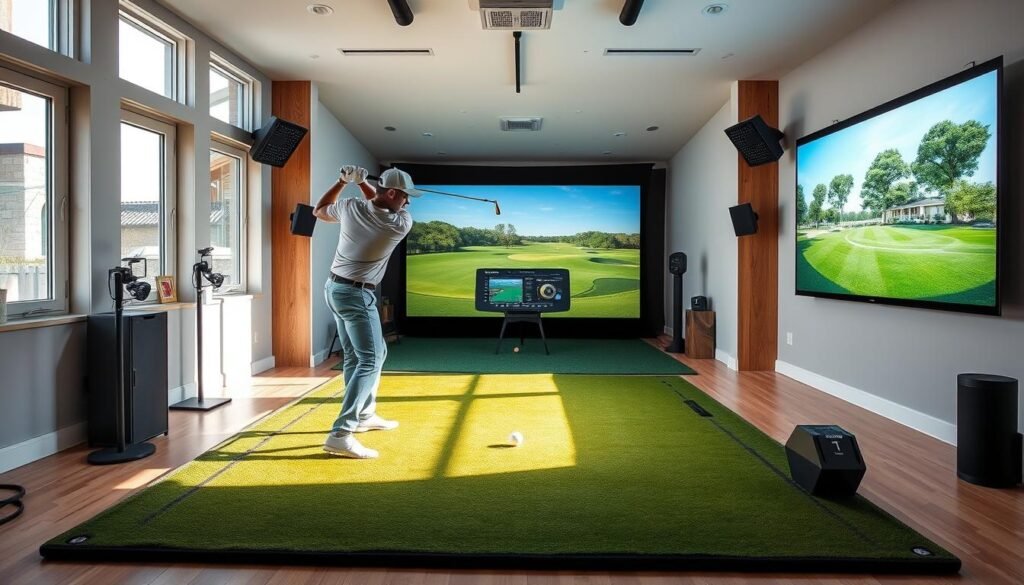
What is a Home Golf Simulator?
A golf simulator combines sensors, software, and projection tech to mimic real-world play. You’ll need four core elements: a launch monitor for tracking ball speed and spin, a projector for course visuals, an impact screen to stop shots, and a turf mat for consistent footing. Together, they turn basements or garages into PGA-worthy training zones.
Key Benefits for Indoor Golf Practice
Why invest in a home setup? First, weather never interrupts your routine. Rainouts vanish. Second, instant feedback on launch angles and shot curves sharpens your technique faster. Third, playing St. Andrews at midnight becomes possible—without jet lag.
Modern systems now rival pro-level tools. Affordable monitors now detect clubface angles and swing paths—details once reserved for tour pros. “You’re seeing data that coaches demanded 20 years ago,” says a golf tech engineer. And all it takes is a 10’x10’ space and willingness to improve.
Understanding the Essential Components
Transform any room into a practice range with key equipment. Five core pieces form your setup’s foundation: tracking tech, virtual course software, visual displays, protective barriers, and turf surfaces. Let’s break down each element’s role and cost implications.
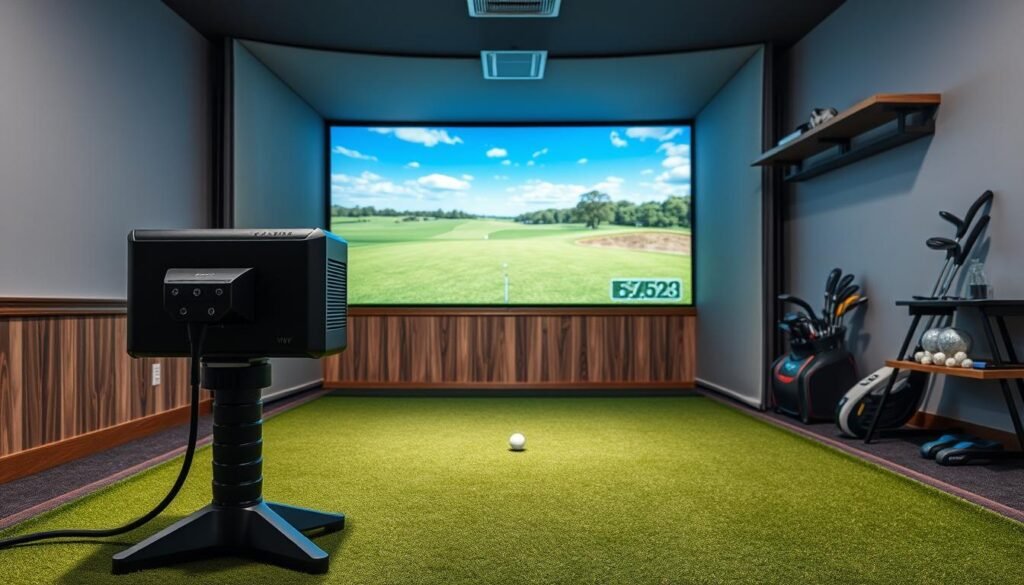
Simulator Software, Launch Monitors, and Projectors
Launch monitors act as your setup’s brain. Budget models like the Garmin R10 ($500) measure basic metrics, while pro-level units like TrackMan 4 ($25,000) track 20+ data points. “You’re buying accuracy, not just features,” notes a golf tech reviewer.
Simulator software turns numbers into playable courses. Free apps offer limited gameplay, but premium platforms like E6 Connect ($600/year) simulate 200+ championship venues. Subscription fees cover updates and new courses.
Projectors determine visual clarity. A $400 model displays 720p grids, while $5,000 4K units show blade-length grass details. Your screen size dictates brightness needs—overspending here wastes lumens.
Enclosures, Impact Screens, and Hitting Mats
An impact screen absorbs 160mph drives without tearing. Budget versions ($200) work for wedges and irons, but $1,000+ polyester blends handle drivers. Pair them with $1,000-$6,000 enclosures to contain shanks.
Hitting mats matter more than you think. Cheap $25 mats cause joint pain over time. Professional-grade options ($500+) mimic fairway lies and reduce elbow strain. Durability separates $700 tournament-grade mats from $100 wear-prone models.
How Much is the Average Home Golf Simulator: A Detailed Cost Breakdown
Price tags tell more than numbers—they map your path from casual practice swings to expert-level analysis. Let’s dissect three tiers of simulator investments and what each unlocks.
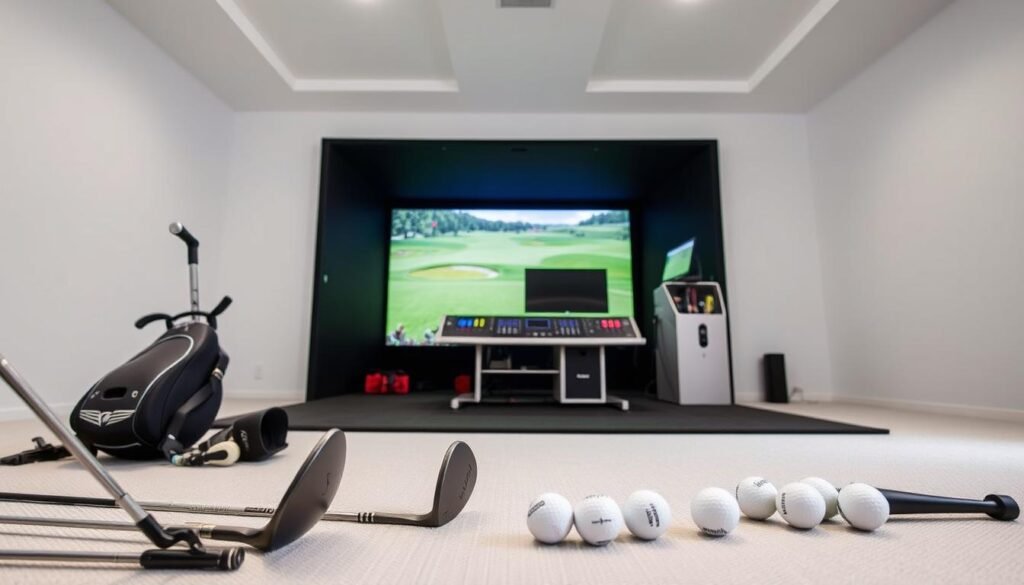
Budget Options vs. Premium Setups
Entry-level systems under $1,000, like OptiShot 2, capture basic swing metrics. But expect gaps in spin rates and club path details. “These setups work for fun, not serious training,” notes a club pro who tested budget tools.
Mid-range choices ($3k-$10k) blend accuracy with affordability. SkyTrak’s camera-based systems track 15+ data points, rivaling coaching tools. FlightScope Mevo+ adds shot-tracing for realistic wedge play. This tier delivers pro-level feedback without six-figure budgets.
Premium installations ($10k+) demand space and cash. Uneekor EYEXO’s overhead sensors analyze ball-and-club data simultaneously. Foresight GCQuad’s quad-view tech suits daily training. These setups mirror studio-grade studios, justifying costs through tournament-grade analytics.
Influential Factors on Cost
- Component quality: Polyester screens last 5x longer than vinyl
- Room prep: 15’x12’ spaces need $2k+ in enclosure upgrades
- Software fees: Annual subs add $200-$600 to ownership costs
“Durability matters most in mats and screens—replacements drain savings from cheap picks,”
Prioritize features you’ll actually use. A $7k setup with 4K projection might thrill, but overspending on unused data drains budgets. Match tech to your goals, not prestige.
Also read: How Much Does A Home Golf Simulator Cost?
Deep Dive into Launch Monitors and Simulator Software
Your launch monitor is the heart of your setup—but which tech delivers championship-level insights? Sensor accuracy and software integration determine whether you’re guessing ball flight or mastering it. Let’s explore how these tools transform raw data into actionable feedback.
Comparing Launch Monitor Technologies
Camera-based systems like SkyTrak capture swing paths in tight spaces, ideal for basements. Radar units like TrackMan need 15+ feet behind you but track ball flight 20+ yards for precision. Budget monitors under $2k (Garmin R10, Rapsodo MLM2PRO) measure basics like speed and spin. Premium options (GCQuad, TrackMan 4) analyze clubface angles and spin rates—details that reshape your swing strategy.
- Camera systems: Compact spaces, 10+ data points
- Radar systems: Large rooms, 20+ metrics, pro-level accuracy
- Mid-tier monitors ($2k-$7k): Combine portability and advanced metrics
Software: More Than Virtual Greens
Your simulator software dictates whether you’re practicing or competing. GSPro ($250/year) offers 4K course visuals rivaling TV broadcasts. E6 Connect’s $600/year plan includes 180+ courses with wind and slope adjustments. “Subscription fees keep courses fresh, but verify compatibility first,” advises a golf tech blogger. Budget platforms like Awesome Golf ($200/year) prioritize quick gameplay over realism.
“Mixing launch monitors and software? Cross-check compatibility like you’d test a new driver.”
TrackMan 4 only syncs with proprietary software, while Mevo+ works with multiple apps. Annual fees add $200-$1k to long-term costs. Prioritize cross-platform flexibility if you’ll upgrade monitors later.
Comparing Home Golf Simulator Packages and DIY Solutions
Ready to transform your space into a personal golf hub? Choosing between pre-assembled systems and custom builds shapes your experience. Complete packages simplify installation, while DIY projects let you handpick components.
Pre-Bundled Simulator Packages
Turnkey solutions remove compatibility headaches. Providers like Carl’s Place and TruGolf test every piece—from impact screens to software. Entry-level bundles ($2k-$4k) include basic monitors and nets. Premium packages ($10k+) feature commercial-grade sensors and 4K projection.
| Features | Pre-Bundled | DIY |
|---|---|---|
| Average Cost | $2,000-$25,000+ | $1,500-$18,000 |
| Setup Time | 2-4 hours | 10-40 hours |
| Customization | Limited | Full control |
Building Your Own Simulator Setup
Custom builds demand research but reward precision. Mix SkyTrak monitors with GSPro software for pro-level metrics under $5k. Verify sensor-projector compatibility first. “Mismatched components waste hundreds,” warns a Phoenix-based installer.
DIY routes suit tinkerers willing to troubleshoot. Budget $500 extra for unexpected upgrades. Prioritize launch monitors and turf mats—these impact performance most. While cheaper upfront, self-built systems lack unified warranties.
Designing Your Indoor Golf Setup for Optimal Performance
Creating an effective practice environment requires balancing spatial logistics with equipment choices. Your setup’s success hinges on two critical elements: room configuration and surface quality. Neglecting either can turn productive sessions into frustrating compromises.
Room Dimensions and Safe Swing Spaces
Ceiling height dictates swing freedom. A 10-foot clearance prevents clubhead collisions during full drives. Left-right spacing matters too—15-foot widths accommodate both handedness stances without wall anxiety.
Depth requirements vary by tracking tech:
- Camera systems (SkyTrak): 15-foot minimum (1′ buffer + 8′ screen gap + 6′ swing zone)
- Radar units (TrackMan): 25-foot+ for accurate ball flight capture
“Measure twice, install once. Undersized spaces force swing alterations that ruin muscle memory.”
Selecting the Right Impact Screen and Turf Mat
High-quality impact screens triple as projection surfaces, safety nets, and noise reducers. Look for 1080p-ready polyester blends—they withstand 150mph drives while maintaining image clarity. Avoid vinyl; it yellows and stretches after 500 shots.
Your hitting mat choice impacts joint health and shot realism. Premium options feature:
- 1-inch nylon/polyethylene turf fibers
- Dual-layer foam/rubber backing
- Replaceable strike inserts
Budget mats wear thin in 6 months, causing fat shots to feel identical to clean strikes. Invest in tournament-grade surfaces—they provide authentic turf interaction and last 5+ years with daily use.
Tips for Maximizing Your Indoor Golf Simulator Experience
Your simulator becomes more than equipment with smart care—it evolves into a lasting training partner. Regular upkeep preserves accuracy, while thoughtful upgrades expand capabilities. Balance immediate needs with future goals to build a system that grows with your skills.
Preserving Performance Through Maintenance
Weekly screen cleaning prevents dust from blurring course visuals. Calibrate launch monitors monthly using manufacturer guidelines—misaligned sensors distort swing data. Rotate hitting mats every 300 shots to distribute wear evenly.
Budget for recurring costs with this 3-year projection:
| Category | Year 1 | Year 2 | Year 3 |
|---|---|---|---|
| Software Subscriptions | $200-$1,200 | $200-$1,200 | $200-$1,200 |
| Screen/Mats | $0-$500 | $300-$1,000 | $0-$500 |
| Accessories | $50-$150 | $50-$150 | $50-$150 |
Tailoring Tech to Your Training Style
Casual players benefit from basic driving range apps, while competitive golfers need tournament-grade analytics. Add these modular upgrades over time:
- High-definition projectors for immersive course play
- Premium software packages with slope-adjusted greens
- Multi-sensor arrays for 360° swing analysis
“Treat your setup like a living system—swap components as your priorities shift.”
Families might prioritize fun features like virtual mini-golf, while instructors integrate video recording tools. Match enhancements to your primary goals, whether lowering handicaps or hosting weekend tournaments.
Conclusion
Your journey to year-round improvement starts with smart choices. Modern golf simulators offer unmatched flexibility—train during thunderstorms or analyze swing mechanics after work hours. Mid-range systems ($5k-$15k) strike the ideal balance, delivering tour-level accuracy without luxury pricing.
Component quality determines long-term value. Prioritize durable impact screens and ergonomic mats over flashy add-ons. As one equipment tester notes: “A $10k setup outperforms $30k models when matched to your actual needs.”
Budget-conscious players can build capable systems under $3k using refurbished monitors. Enthusiasts craving detailed analytics should allocate $12k+ for multi-sensor tracking. Regardless of price, focus on these essentials:
- Accurate ball-flight measurement
- Software supporting favorite courses
- Space for unrestricted swings
Investing in practice tech pays dividends through measurable progress. With proper planning, your setup becomes a career-long training partner—not just another gadget.
FAQ
What equipment is needed for a basic home golf simulator setup?
A basic setup requires a launch monitor (like SkyTrak or Garmin Approach R10), simulator software (such as E6 Connect or The Golf Club), an impact screen or projector, a hitting mat, and enough space for a full swing. Budget-friendly options start around ,000–,000.
How does simulator software affect overall costs?
Premium software like TrackMan or Foresight FSX Pro adds
FAQ
What equipment is needed for a basic home golf simulator setup?
A basic setup requires a launch monitor (like SkyTrak or Garmin Approach R10), simulator software (such as E6 Connect or The Golf Club), an impact screen or projector, a hitting mat, and enough space for a full swing. Budget-friendly options start around $3,000–$5,000.
How does simulator software affect overall costs?
Premium software like TrackMan or Foresight FSX Pro adds $1,000–$5,000+ to your budget. Subscription models (e.g., $200–$500/year) offer updates and multi-course access. Free versions often limit features or course selections.
Can you use a home simulator in small spaces?
Yes. Compact setups need at least 10’W x 10’L x 8.5’H. Retractable screens or short-throw projectors maximize space. Portable launch monitors like Rapsodo MLM2PRO work well for tight areas.
Are pre-built packages better than DIY solutions?
Pre-built kits (e.g., Bushnell Launch Pro Bundle) save time and ensure compatibility but cost 20–40% more. DIY setups let you prioritize components like high-end monitors (GC3) or commercial-grade mats for durability.
What factors increase the price of an impact screen?
Thicker materials (16–20 oz polyester), reinforced stitching, and anti-glare coatings raise costs. Screens from brands like Carl’s Place range from $500–$2,500. Durability and ball-flight accuracy justify higher prices.
Do launch monitors require frequent calibration?
Most modern monitors (FlightScope Mevo+, Uneekor Eye Mini) auto-calibrate. Outdoor use or extreme lighting may need manual adjustments. Regular firmware updates ensure consistent swing and ball-flight data.
How long do hitting mats typically last?
High-quality mats (FiberBuilt, TrueStrike) endure 50,000+ shots with proper care. Budget mats wear faster, showing tears or uneven surfaces within 1–2 years. Replaceable inserts extend lifespan for heavy use.
Can you play real courses on home simulators?
Yes. Software like GSPro offers 300+ licensed courses, including Pebble Beach or St. Andrews. Subscription tiers determine access. Some platforms charge per-course fees ($10–$50) for premium designs.
What room lighting works best for projectors?
Low ambient light reduces glare. Opt for 3,000–4,000 lumens projectors (BenQ TH671ST) in dark rooms. For daytime use, laser projectors (Optoma GT2100HDR) maintain brightness without overheating.
Is a ceiling-mounted monitor worth the investment?
Overhead units (Uneekor QED) capture clubhead data without floor space but cost $7,000–$15,000. Ideal for left/right-handed players sharing the setup. Floor monitors suit most users under $10,000 budgets.
,000–,000+ to your budget. Subscription models (e.g., 0–0/year) offer updates and multi-course access. Free versions often limit features or course selections.
Can you use a home simulator in small spaces?
Yes. Compact setups need at least 10’W x 10’L x 8.5’H. Retractable screens or short-throw projectors maximize space. Portable launch monitors like Rapsodo MLM2PRO work well for tight areas.
Are pre-built packages better than DIY solutions?
Pre-built kits (e.g., Bushnell Launch Pro Bundle) save time and ensure compatibility but cost 20–40% more. DIY setups let you prioritize components like high-end monitors (GC3) or commercial-grade mats for durability.
What factors increase the price of an impact screen?
Thicker materials (16–20 oz polyester), reinforced stitching, and anti-glare coatings raise costs. Screens from brands like Carl’s Place range from 0–,500. Durability and ball-flight accuracy justify higher prices.
Do launch monitors require frequent calibration?
Most modern monitors (FlightScope Mevo+, Uneekor Eye Mini) auto-calibrate. Outdoor use or extreme lighting may need manual adjustments. Regular firmware updates ensure consistent swing and ball-flight data.
How long do hitting mats typically last?
High-quality mats (FiberBuilt, TrueStrike) endure 50,000+ shots with proper care. Budget mats wear faster, showing tears or uneven surfaces within 1–2 years. Replaceable inserts extend lifespan for heavy use.
Can you play real courses on home simulators?
Yes. Software like GSPro offers 300+ licensed courses, including Pebble Beach or St. Andrews. Subscription tiers determine access. Some platforms charge per-course fees (–) for premium designs.
What room lighting works best for projectors?
Low ambient light reduces glare. Opt for 3,000–4,000 lumens projectors (BenQ TH671ST) in dark rooms. For daytime use, laser projectors (Optoma GT2100HDR) maintain brightness without overheating.
Is a ceiling-mounted monitor worth the investment?
Overhead units (Uneekor QED) capture clubhead data without floor space but cost ,000–,000. Ideal for left/right-handed players sharing the setup. Floor monitors suit most users under ,000 budgets.