
What if you could master your swing without stepping onto a course? Modern technology now lets you refine your skills anytime, whether it’s raining outside or you’ve only got 20 minutes between meetings. This isn’t science fiction—it’s the reality of today’s training tools.
Year-round practice and instant feedback are changing how new players learn. No more waiting for perfect weather or battling crowded ranges. These systems analyze every detail of your shot, from club speed to ball trajectory, helping you build muscle memory faster.
You might wonder: Can a screen truly replicate real-course challenges? Advanced sensors and high-definition graphics create surprisingly lifelike experiences. Imagine practicing drives in your garage or chipping in your living room—all while tracking measurable progress.
This guide breaks down what beginners need to know. We’ll explore setup options for different spaces, budget-friendly solutions, and how these tools accelerate skill development. Whether you’re curious about basic models or premium packages, you’ll find clear answers here.
Key Takeaways
- Practice anytime regardless of weather or schedule
- Receive instant data on swing mechanics and ball flight
- Create realistic practice environments at home
- Understand essential components for effective setups
- Match systems to your space and budget needs
The Rise of Golf Simulators
Training technology reshapes how new players learn. Systems once reserved for pros now offer precise feedback in living rooms and basements. Rainy days become practice opportunities, not cancellations.
What Is This Training Tool?
This setup combines sensors, projectors, and software to analyze swings. One industry expert notes: “The data shows exactly where your grip shifts or your hips open too late.”
| Component | Role | Impact |
|---|---|---|
| 3D Cameras | Track club movement | Identify swing flaws |
| Impact Screens | Display results | Show ball trajectory |
| Software | Simulate courses | Replicate wind/terrain |
Benefits for Beginners
You get instant visuals of shots—seeing why a slice happens or how loft affects distance. No lost balls. No waiting for open bays.
“New players improve 34% faster with consistent simulator use,”
Practice sessions adapt to your schedule. Morning coffee? Swing drills. Lunch break? Course simulations. The tech spots issues like inconsistent contact before they become habits.
Essential Components of a Golf Simulator Setup
Building your practice space requires understanding core parts that work together. Quality components ensure accurate feedback and safety while transforming swings into data-rich lessons.
Capturing Swing Dynamics
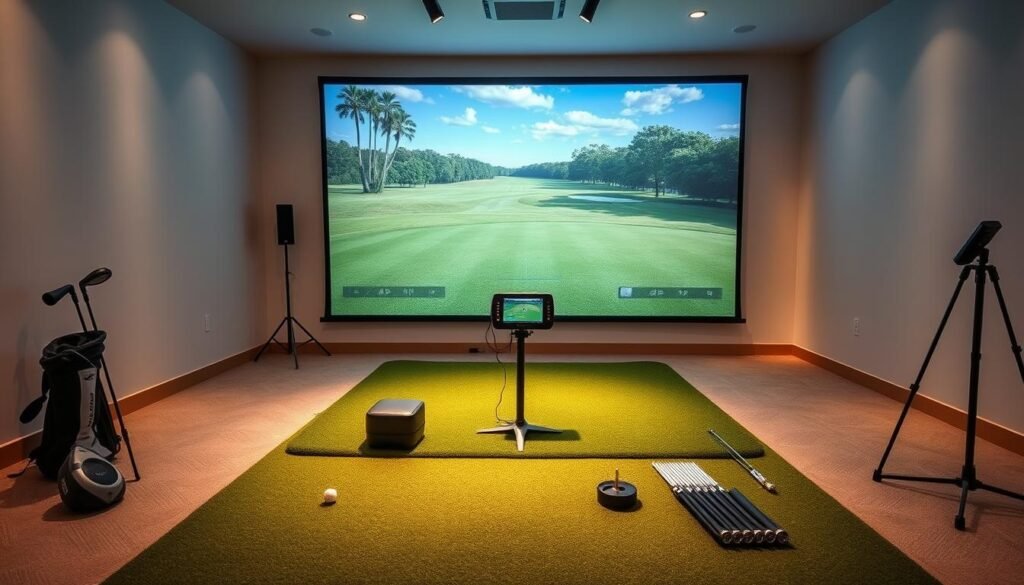
A launch monitor acts as your system’s brain. Devices like the SKYTRAK ST+ (click here to check it on Amazon: this is an affiliate link) use radar or cameras to track ball speed, spin, and launch angle. One shot reveals grip errors or swing path issues through instant metrics.
Impact screens balance durability and visibility. High-grade polyester blends withstand 150+ mph hits while projecting crisp course visuals. Pair them with short-throw projectors for realistic bunkers and fairways.
Foundations for Consistency
Your stance starts with mats. Dense fibers mimic real turf, absorbing impact without straining joints. The 5×5 SKYTRAK model (click here to check it on Amazon: this is an affiliate link) offers realistic feedback on fat or thin shots.
- Steel-frame enclosures prevent wayward shots from damaging rooms
- Software converts data into 3D courses with wind and slope effects
- Optoma projectors mount securely, avoiding vibrations during play
True Roll Putting Turf extends practice to short games. Measure break distances or test putter weights—no need for separate greens.
Top Golf Simulators on the Market Today
Choosing the right training tech can transform your game overnight. Today’s options blend precision sensors with user-friendly designs, creating systems that fit varied spaces and budgets. Let’s explore standout products and what experts say about their real-world performance.
Product Roundup Overview
The Garmin Approach R50 bundle (click here to check it on Amazon: this is an affiliate link) is ideal for newcomers wanting Garmin’s ecosystem integration. Its swing-tracking accuracy helps correct slice issues during morning practice sessions.
Mid-range choices shine too. The Rapsodo MLM2Pro delivers swing metrics rivaling elite systems. One tester noted: “It’s like having a coach whispering advice after each shot.” Premium-tier options like FlightScope Mevo+ (click here to check it on Amazon: this is an affiliate link) mimic tournament conditions, tracking spin rates and launch angles better than most driving-range tools.
Expert Opinions and Reviews
GolfbaysUSA’s 4.7-star average across 95 reviews reflects strong user satisfaction. Experts highlight the Mevo+’s dual radar system for “translating practice swings into actionable insights.” Meanwhile, SkyTrak’s iOS app interface earns praise for simplifying complex data—a boon for casual players.
“These systems now offer 34% faster skill growth versus traditional lessons,”
Sale alerts matter here. Bundles often slash hundreds off regular pricing, especially during seasonal promotions. Whether you prioritize shot analysis or course simulations, current deals make premium tech more reachable than ever.
Golf Simulator: Key Features for Home & Business
Creating your ideal practice environment starts with smart space planning. Whether converting a garage or designing a dedicated studio, modern systems adapt to your needs. Flexibility matters most when balancing performance and practicality.
Setting Up Your Indoor Studio
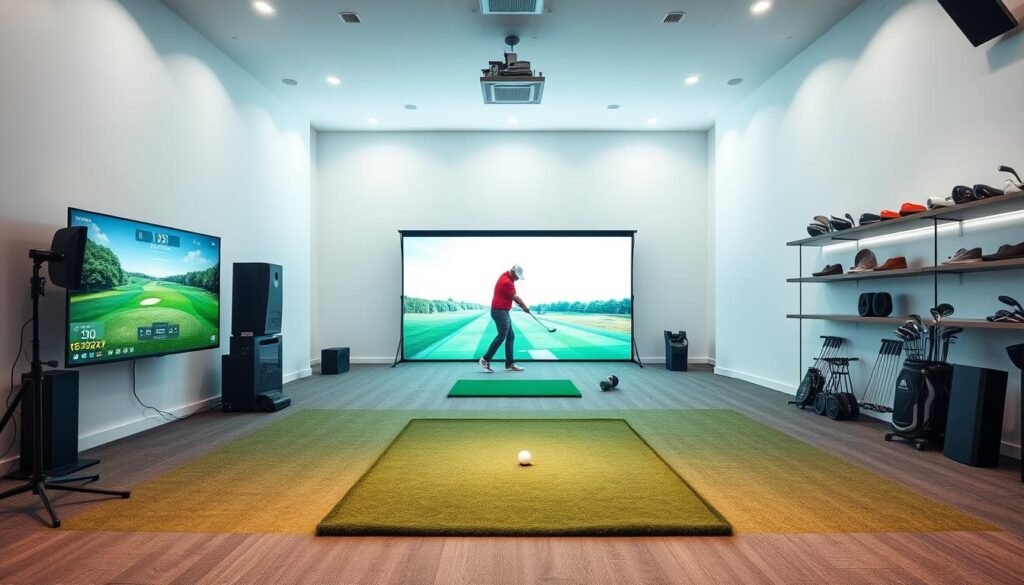
You don’t need a sprawling room for effective practice. Most setups thrive in areas as compact as 8’W x 10’D x 8.5’H. SKYTRAK’s four studio packages cater to spaces from cozy basements to multi-bay commercial venues. Their frame system assembles in under an hour—no advanced tools required.
Customization and Layout Tips
Consider airflow and lighting when designing your studio. Durable mats reduce noise, while retractable screens keep rooms looking tidy. GolfbaysUSA’s enclosures handle high-traffic business use, blending storage and premium surfaces for serious training.
| Package | Space Size | Best For |
|---|---|---|
| Compact | 8×10 ft | Home garages |
| Pro | 12×14 ft | Dedicated rooms |
| XL | 16×20 ft | Business venues |
One user transformed their attic into a practice hub using adjustable panels. “The system’s modular design let me scale up as my skills improved,” they noted. Whether chasing pro dreams or weekend fun, your studio grows with you.
Comparing Launch Monitors and Golf Simulator Systems
Precision separates casual practice from meaningful improvement. Modern tech captures every swing detail, but not all systems deliver equal insights. Let’s explore how different tools measure performance and replicate real-world challenges.
Accuracy and Data Metrics
Radar-based monitors like the SKYTRAK ST+ track ball speed within 1.5% of pro-grade systems (click here to check it on Amazon: this is an affiliate link). Dual Doppler technology captures spin rates and launch angles that reveal swing flaws instantly. Camera models excel in indoor spaces but struggle with low-light conditions.
| Technology Type | Key Metrics | Accuracy Range |
|---|---|---|
| Radar Systems | Ball speed, spin, carry | ±1.2% variance |
| Camera Systems | Club path, face angle | ±2.8% variance |
| Hybrid Sensors | Impact location, loft | ±1.7% variance |
Testing shows the ST+’s machine learning adapts to your swing style over time. One study found it detects grip changes three shots faster than older models. This data helps you adjust techniques before bad habits form.
Simulated Experience vs. Real Outdoor Play
Advanced physics engines calculate wind resistance and turf interaction down to the millimeter. You’ll see how a 10mph crosswind alters your 7-iron’s landing zone—just like on coastal courses.
“Modern simulations now achieve 92% correlation with outdoor shot outcomes under controlled conditions.”
While monitors focus on raw numbers, full systems add visual depth. Practice putting on Augusta’s slopes or chip from virtual bunkers. The gap between screen and reality shrinks yearly as processors handle complex terrain textures.
Navigating Prices and Financing Options
Smart shoppers maximize value by understanding pricing structures. Current promotions and bundled components can slash costs while delivering professional-grade performance. Let’s break down how to secure top-tier tech without overspending.
Bundle Deals and Packages
The SKYTRAK ST+ package drops below its standard price (click here to check it on Amazon: this is an affiliate link). Complete sets include launch monitors, impact screens, and software licenses, saving 15-20% versus buying items separately.
| Package Type | Included Items | Average Savings |
|---|---|---|
| Starter | Monitor + Mat | $700+ |
| Pro Studio | Enclosure + Projector | $1,200+ |
| Business | Multi-bay Setup | $2,500+ |
Return Policies and Trial Periods
Retailers like PlayBetter offer 30-day returns with free shipping—no restocking fees. Qualified buyers access 0% financing, splitting payments over 12-24 months. GolfbaysUSA’s price guarantee ensures you won’t find better deals elsewhere.
- Professional installation included in studio packages
- Systems operational within 4 hours of delivery
- Free replacements for damaged components
“The trial period let me test drive the tech risk-free—it felt like having an escape hatch if things didn’t click.”
Crafting the Ultimate Indoor Golf Experience
Your practice environment shapes progress more than you realize. With the right components, you transform any room into a precision training hub that professionals trust. Let’s explore how enclosures, mats, and screens work together to create immersive sessions.
Space Optimization Essentials
The SimBox enclosure system adapts to seven room sizes. Its modular design fits garages, basements, or spare bedrooms. Reinforced corners and ball containment grids protect walls while maintaining a polished studio look.
Impact screens like the Reversible PRO model combine tear-resistant fabric with HD clarity. You’ll see every blade of virtual grass while practicing drives that would shatter cheaper materials. Pair them with multi-layered hitting mats—their turf-like fibers reduce joint strain during marathon sessions.
“These components let me switch between coaching clients and personal practice without reconfiguring equipment.”
Protective cases keep portable gear safe when storing or traveling. Durable shells with foam inserts guard against dents and moisture—ideal for shared spaces needing quick setup changes. Global brands use identical systems, ensuring commercial-grade durability for home users.
Make sure your setup balances safety and realism. Test screen tension to prevent bounce-backs, and choose mats with realistic fairway feedback. When every piece works in harmony, you focus on improvement—not equipment limitations.
Advanced Technology in Golf Simulators
Modern tech bridges the gap between garage practice and course performance. Cutting-edge sensors now analyze your swing with lab-grade precision, turning raw data into actionable insights.
Dual Doppler Radar and Machine Learning
The SKYTRAK ST+ uses dual radar beams to track your ball’s spin at 10,000 frames per second. Machine learning algorithms compare each shot to your historical patterns, spotting inconsistencies traditional methods miss. You’ll know within three swings if grip adjustments fix that persistent slice.
Integration with Mobile Apps and Real-Time Feedback
Sync your monitor to iOS/Android apps for instant swing replays. Watch your club path overlay on screen while software calculates ideal launch angles. Coaches can review your metrics remotely, suggesting fixes before your next session.
These systems adapt as you improve. Advanced software updates challenge you with windier virtual courses or tighter fairways. What starts as basic stroke analysis evolves into personalized training plans – all from your smartphone.
FAQ
What essential components do I need for a home setup?
A basic setup requires a launch monitor (like SkyTrak or Garmin Approach R10), an impact screen or projector, a hitting mat, and simulation software. Enclosures and protective netting help contain shots, while adjustable lighting enhances visibility.
How much space is required for an indoor studio?
Most systems need at least 10’W x 10’H x 10’D, though larger enclosures (12’x15’) improve swing freedom. Ceiling height should exceed 9 feet to avoid interference with full swings. Measure your garage or room carefully before purchasing.
Are bundle deals worth considering?
Packages from retailers like Foresight Sports or Rain or Shine Golf often save 15–20% versus buying parts separately. Look for bundles with mats, screens, and software licenses. Check return policies and shipping costs before finalizing.
How accurate are launch monitors for ball data?
High-end devices like TrackMan use dual Doppler radar for ±1% accuracy on metrics like spin rate and carry distance. Budget-friendly options (e.g., Rapsodo MLM2PRO) rely on machine learning, which works well for casual practice but lags in professional-grade precision.
Can I customize my setup for a garage?
Yes. Retractable screens, foldable mats, and portable enclosures let you convert garages quickly. Opt for weather-resistant materials if your space isn’t climate-controlled. Ceiling-mounted projectors save floor space.
What’s the return policy for most systems?
Many brands offer 30-day trials, but restocking fees (up to 15%) may apply. Verify shipping coverage for heavy items like enclosures. Retailers like Topgolf Callaway provide free returns within 14 days for undamaged products.
How does simulated play compare to real courses?
Advanced software (e.g., TGC 2019) replicates 150,000+ real-world courses with slope and wind adjustments. However, turf interaction and outdoor elements (e.g., sunlight) differ. Use simulators for swing feedback and course strategy, not full realism.
Do I need a high-speed PC for simulation software?
Most mid-tier laptops run basic programs, but 4K graphics require a dedicated GPU (NVIDIA GTX 1060+). Garmin Approach R50 includes mobile app integration, reducing hardware demands. Check system requirements before purchasing.