
Guide
Golf Simulator 1080P vs 4K: Is the Resolution Worth Your Money?
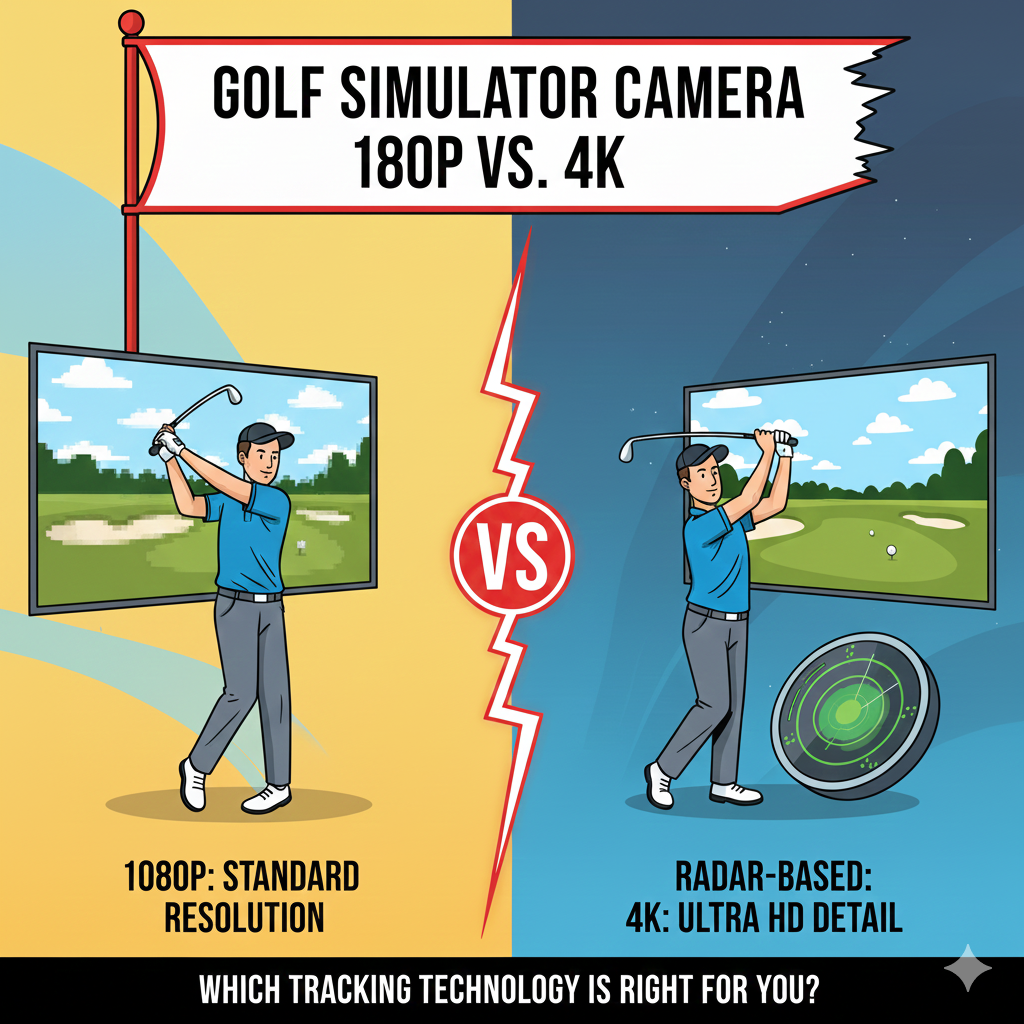
You’ve committed to building a golf simulator. Launch monitor selected, space measured, enclosure planned. Then you start researching projectors and hit the resolution question: 1080p or 4K? The price difference is substantial—$800 for a decent 1080p projector versus $2,000-$5,000 for 4K. That’s an extra $1,200-$4,200 you could spend on better launch monitors, premium software, or quality impact screens.
A 4K projector is great and all, but unless you compare it side by side with a 1080p, you might not notice a big difference, with the texture of a golf impact screen making it more difficult to appreciate the 4K resolution.
This creates genuine confusion. Everyone claims 4K is worth it, manufacturers push premium models, and forum posts rave about clarity improvements. But is the difference meaningful enough to justify the cost, or are you paying for marginal gains most golfers won’t appreciate during actual play?
This guide examines the real performance differences between 1080p and 4K in golf simulator environments, who actually benefits from the resolution upgrade, and whether your money delivers better value elsewhere in your setup.
Key Takeaways
- True 4K projectors output 3840×2160 pixels (8.3 million) while “4K input support” projectors downscale signals to 1080p (2.1 million pixels)—verify native resolution specifications, not marketing labels
- 84% of golf simulator owners prefer TRUE 4K resolution for 16:9/16:10 impact screens, with over 69% upgrading their projector since initial purchase
- 4K provides best performance from 11-20 feet viewing distance with 7-foot screens, while 1080p needs 20+ feet to look its best—matching typical simulator hitting distances
- Your computer must operate at 1920 x 1080 resolution minimum to display 1080p on projector screens, with 4K requiring significantly more powerful graphics cards
- Resolution doesn’t have as large an impact on performance as expected—brightness (lumens) often matters more than pixel count for overall image quality
- Entry-level 4K short-throw models start under $2,000 while high-brightness laser projectors range $4,000-$5,500, making 4K more accessible than ever
- Screen size determines impact: with 8’x12′ screens, pixelation is very noticeable on 1080p while 4K makes it “a whole new sim game”
- Brightness matters more than resolution—a 4K projector with only 2,500 lumens looks washed out, while 4,000+ lumens minimum is recommended
Understanding Resolution: More Than Just Numbers
True 4K projectors output a native resolution of 3840 × 2160 (8.3 million pixels), delivering four times the detail of Full HD (2.1 million pixels), and on a large impact screen this extra detail makes fairways, bunkers, and greens appear much more realistic and immersive.
1080p (Full HD): 1920 × 1080 pixels = 2,073,600 total pixels 4K (Ultra HD): 3840 × 2160 pixels = 8,294,400 total pixels
That’s not a 4x improvement in every direction—it’s 2x wider and 2x taller, resulting in 4x total pixels. When you switch from 1080p to 4K, you’re moving from 2 million pixels to 8 million, translating to a golfing experience that’s so vivid and sharp you might forget it’s a simulation.
The “4K Input Support” Trap
Many golfers get caught by 4K Input Support projectors that accept 4K signals from computers but internally downscale to native 1080p resolution (1920 × 1080), resulting in images sharper than standard HD but not true 4K detail.
This marketing tactic confuses buyers. A projector might advertise “4K Compatible” or “Supports 4K Input” while actually outputting 1080p. In 2025, many modern golf simulator projectors like the BenQ AK700ST and LK936ST offer true 4K, while some budget models only provide 4K input support—always check native resolution in specs, not just “4K” marketing labels.
Look for these specifications:
- Native resolution: 3840 x 2160 (true 4K)
- Native resolution: 1920 x 1080 (1080p, regardless of “4K support” claims)
Computer Requirements Matter
A projector can’t project higher resolution than what your computer can produce, meaning if your computer isn’t operating at at least 1920 x 1080 resolution, you’ll never see 1080p on the projector screen.
Running simulator software like GSPro in 4K requires a much more powerful computer than running the same software in 1080p. A 4K image requires a much beefier graphics card than 1080p.
1080p computer requirements:
- GTX 1660 or equivalent
- 8-16GB RAM
- Budget: $800-$1,200
4K computer requirements:
- RTX 3070 or better (4070 for optimal performance)
- 16-32GB RAM
- Budget: $1,500-$2,500
The computer cost difference adds $700-$1,300 to true 4K system costs beyond just the projector upgrade.
The Real-World Difference
72% of golfers surveyed preferred BenQ’s TK700STI 4K golf sim images vs Optoma’s GT1080 Darbee 1080p, demonstrating measurable preference for higher resolution in blind comparisons.
Where 4K Shines
With 4K you can see the intricacies of each golf course with remarkable clarity, from the fine texture of grass to glistening water hazards, transforming practice into a profoundly immersive experience closely mirroring the feel of actual golf courses.
When standing at the tee box you can see each blade of grass and the sway of trees as intended by software designers, helping you become more familiar with surroundings so when you visit Pebble Beach or Whistling Straits you’ll already be familiar before taking your first shot.
Course detail: Advanced 4K software like GSPro or E6 provides amazing realism displaying minute details like morning fog, pond reflections, and realistic azaleas at Augusta—to render these details you need pixels, a lot of them.
Text clarity: Yardage markers, scoreboards, and menu text appear crisp and readable at 4K. At 1080p, smaller text can appear fuzzy from typical hitting distances.
Depth perception: More pixels create better depth cues, helping you judge distances and slopes more accurately. This matters more than most golfers realize—subtle greens details affect club selection and aim points.
Where 1080p Performs Adequately
Between 4K, WUXGA, and 1080p there wasn’t a huge difference in clarity during testing, with resolution not having as large an impact on performance as expected.
For smaller screens (under 8 feet wide), casual golfers, or those prioritizing entertainment over realism, 1080p delivers perfectly acceptable images. Many users opt to save money on resolution then put those extra funds toward better launch monitors or software, with 1080p projectors still the mainstream choice for home golf simulator projectors as they’re affordable and offer great image quality.
Screen Size: The Critical Factor
With screens of 8’x12′, pixelation is very noticeable on 1080p while 4K makes it “a whole new sim game”.
Research shows most home golf simulators use screens 7-11 feet high with hitting distances of 6-18 feet, and 4K best matches ideal hitting distance of most golf simulators located in their sweet spot.
Viewing Distance Mathematics
To reach “retina” clarity with 1080p you’d need a smaller screen or big screen viewed from farther away—therefore a 4K projector working with 7-foot tall screen provides an image that looks best from 11-20 feet away.
WUXGA and 1080p need 20 feet or more viewing distance to look their best, or twice the distance for 4K—double the distance for a quarter of the pixels.
Screen under 7 feet tall: 1080p adequate for most users Screen 7-9 feet tall: 4K recommended for optimal experience Screen 9+ feet tall: 4K essential to avoid obvious pixelation
Pixel density is a key element for software to render hole details realistically, with 4K UHD delivering highest pixel density ideal for 200-inch diagonal screens popular in DIY setups.
Impact Screen Texture Factor
The texture of a golf impact screen can make it more difficult to appreciate 4K resolution, with many users not noticing big differences unless comparing side by side.
If running an impact screen it will never be as good as a 4K TV, with woven impact screens distorting individual pixels even at high resolutions.
Impact screens introduce texture and weave patterns that somewhat mask resolution differences. A $5,000 4K projector paired with a $200 basic impact screen won’t deliver the clarity improvements you’d expect. Don’t bottleneck a $3,000-$5,000 projector with poor-quality screens—cheap or archery-grade screens have visible holes that bleed light, requiring multi-layer tightly woven polyester screens with bright reflective surfaces to maximize clarity.
Budget screen ($200-$500): Limits 4K advantage significantly Quality screen ($600-$1,000): Shows noticeable 4K improvement Premium screen ($1,200-$2,000): Maximizes 4K potential
Software Support Considerations
It depends on whether your simulator software supports 4K—if it does then yes you should upgrade because 4K technology allows more realistic recreation of environments.
4K-Optimized Software
The most advanced golf simulators have been optimized for use with software supporting 4K outputs—to get the most popular software such as E6 CONNECT or TGC 2019 with latest updates you need a 4K projector.
Full 4K support: GSPro, E6 Connect, TGC 2019 (latest versions), TrackMan Virtual Golf Limited 4K: Older software versions, basic practice modes 1080p only: Legacy software, budget simulation packages
Dropping resolution while maintaining large projection screen results in visuals that appear muddy, soft, and washed out—only true 4K projectors deliver displays faithful to source content therefore most realistic and immersive versions available.
As new versions of golf sim software become available like GSPro V2 they will support higher resolutions such as 4K, with 69% of golf sim owners upgrading projectors after initial purchase as software advances.
Brightness: The Often-Overlooked Priority
Brightness (lumens) is often the deciding factor, with 4K projectors having only 2,500 lumens looking washed out in lit rooms—aim for at least 4,000 lumens or 5,000+ if you’ll have ambient light.
With golf sim lumens would be the priority and then color accuracy, since most of us play with some ambient lighting making contrast and brightness critical.
Lumens Requirements by Environment
Dark room (theater-like conditions): 2,500-3,000 lumens adequate Low ambient light (overhead lights off, some windows): 3,500-4,000 lumens Moderate ambient light (some overhead lights, garage door partially open): 4,500-5,000 lumens High ambient light (full overhead lighting, daylight exposure): 5,500+ lumens
The BenQ LK936ST has 5,100 lumens brightness with 92% Rec. 709 color coverage bringing simulated golf courses to life with vibrant exquisite detail and 3,000,000:1 contrast ratio.
For me I think brighter 1080p may be better than dimmer 4K, with laser projectors at 4,000-5,000 lumens allowing much brighter images without washout.
Reality check: A 4,000-lumen 1080p projector creates better images in bright rooms than a 2,500-lumen 4K projector. Prioritize brightness first, resolution second.
Cost Analysis: Where Your Money Goes
Prices have dropped significantly with entry-level 4K short-throw models starting under $2,000 while high-brightness laser projectors with golf-specific features range $4,000-$5,500.
Budget-Friendly 1080p Options
BenQ TH671ST: $700-900
- 3,000 lumens
- Short throw (0.69:1)
- Reliable performance
Optoma GT1080HDR: $800-1,000
- 3,800 lumens
- Gaming mode (low input lag)
- HDR support
Epson Home Cinema Series: $600-900
- 3,000-3,500 lumens
- Good color accuracy
- Lamp-based (replacement costs)
Mid-Range 4K Options
BenQ TK700STi: $1,500-1,800
- 3,000 lumens
- True 4K (3840 x 2160)
- Short throw (0.90-1.08:1)
- Considered the best short throw 4K HDR projector under $2,000
BenQ TK710STi: $2,000-2,200
- 3,600 lumens
- True 4K
- Enhanced gaming features
Premium 4K Options
BenQ LK936ST: $4,500-5,000
- 5,100 lumens with 4K UHD resolution producing 8.3 million pixels, exclusive Golf Mode correcting purple fringing while accurately reproducing lush greens and vivid blues
- DLP chip operating at peak performance for over 100,000 hours producing best true-to-life image quality
- No lamp replacement ever (laser light source)
BenQ AK700ST: $3,500-4,000
- 4,200 lumens
- True 4K
- Advanced color accuracy
Epson Pro L-Series: $5,000-7,000
- 6,000-8,000 lumens
- Professional installations
- Extreme brightness for commercial use
Total Cost Comparison
1080p complete system:
- Projector: $800
- Basic computer (GTX 1660): $1,000
- Total: $1,800
4K complete system:
- Projector: $2,000-5,000
- Powerful computer (RTX 4070): $2,000
- Premium impact screen: $1,200
- Total: $5,200-$8,200
The 4K upgrade costs $3,400-$6,400 more when accounting for necessary supporting components.
Who Benefits Most from 4K
If you’re an avid golfer or just getting started with golf sims and your simulator software supports it, then yes—you should upgrade to 4K.
Serious Golfers
For serious golfers the realism and high resolution can change how you engage with the game, making every shot more vivid and immersive—not just hitting a ball toward a screen but diving into dynamic environments closely mirroring actual golf courses.
Players working to lower handicaps, those who play expensive destination courses and want to practice them at home, or golfers using simulators as primary practice tools benefit most from 4K’s enhanced realism.
Large Screen Owners
With 8’x12′ screens pixelation is very noticeable on 1080p while 4K delivers remarkable improvement making it a whole new sim game.
If your screen exceeds 8 feet in height or you’re standing 10-12 feet from the impact screen during play, 4K provides measurable clarity improvements that 1080p cannot match.
Multi-Purpose Rooms
With most simulator rooms now used for multiple activities (71% of owners in 2025 use their sim space beyond golf), dual-purpose capability is becoming a key factor in projector selection.
4K projectors serve as excellent home theater systems for movies, sports, and gaming when not used for golf. If your simulator doubles as entertainment space, 4K justifies its premium through multi-purpose value.
Software Enthusiasts
To get the most popular software such as E6 CONNECT or TGC 2019 with latest updates you need a 4K projector, with beautiful graphics and maximum detail ensuring compelling experiences doing justice to efforts developers put into creating software.
Golfers who regularly update to latest software versions, play diverse courses, and value visual authenticity benefit from 4K’s ability to display software as developers intended.
Who Should Choose 1080p
If you want a budget friendly option check out the BenQ TH671ST or LH600ST, with 1080p projectors still mainstream choice for home golf simulators offering affordable great image quality.
Budget-Conscious Builders
When total budget is $8,000-$12,000 for complete simulator setup, spending $2,000+ on projectors leaves insufficient funds for quality launch monitors and software. Many users opt to save money on resolution then put extra funds toward better launch monitors or software.
Casual Players
Golfers using simulators primarily for winter entertainment, social events, or occasional practice don’t need maximum realism. The fun factor remains high with 1080p at substantially lower cost.
Smaller Screen Installations
Screens under 7 feet tall in rooms with 8-9 foot ceilings show minimal visible difference between resolutions. The pixel density at this size makes 1080p perfectly adequate.
Bright Room Environments
Maybe 4K is not worth it if you’re limited to 4:3 impact screen or play in bright room where even 4K won’t shine—in that case bright 1080p laser projector may give better ROI.
Garages with windows, rooms with overhead fluorescent lighting, or spaces where ambient light control is impossible benefit more from bright 1080p (4,000+ lumens) than dimmer 4K alternatives.
Frequently Asked Questions
Is 4K really worth it for golf simulators?
Based on recent studies, yes—with over 84% of golf simulator owners preferring TRUE 4K resolution for 16:9/16:10 impact screens and more than 69% upgrading projectors since initial purchase. Yes a 4K projector comes with higher price tag than 1080p but enhancement in image quality—crisp vibrant incredibly lifelike—makes it worth the investment. However, value depends on screen size, software support, and whether you use the simulator space for multiple purposes. For screens under 7 feet with budget constraints, 1080p remains perfectly adequate.
What’s the difference between true 4K and 4K input support?
True 4K projectors output 3840×2160 pixels (8.3 million) while “4K input support” projectors downscale signals to 1080p (2.1 million pixels)—if you want full detail make sure your projector specifically lists native 4K UHD resolution. Always check specifications for “native resolution: 3840 x 2160” rather than accepting marketing claims about “4K compatible” or “supports 4K input.”
Do I need a special computer for 4K projectors?
Running simulator software like GSPro in 4K requires much more powerful computers than running same software in 1080p. A projector can’t project higher resolution than what your computer produces, so computers must operate at 1920 x 1080 minimum for 1080p display. For 4K you need RTX 3070 or better graphics cards, 16-32GB RAM, and fast SSDs, costing $1,500-$2,500 compared to $800-$1,200 for adequate 1080p computers.
Should I prioritize brightness or resolution?
Brightness (lumens) is often the deciding factor—4K projectors with only 2,500 lumens look washed out in lit rooms so aim for at least 4,000 lumens or 5,000+ with ambient light. Many experts think brighter 1080p may be better than dimmer 4K. If choosing between 3,000-lumen 4K and 5,000-lumen 1080p for rooms with ambient light, the brighter 1080p often delivers superior practical image quality despite lower resolution.
What screen size makes 4K necessary?
With screens 8’x12′ pixelation is very noticeable on 1080p while 4K delivers remarkable improvement. 4K best matches ideal hitting distance of most golf simulators with screens 7-11 feet high and hitting distances 6-18 feet. Screens under 7 feet tall work well with 1080p. Screens 7-9 feet benefit noticeably from 4K. Screens over 9 feet tall essentially require 4K to avoid obvious pixelation from typical hitting distances.
Does my golf software support 4K?
The most advanced golf simulators have been optimized for software supporting 4K outputs—to get most popular software such as E6 CONNECT or TGC 2019 with latest updates you need 4K projector. Check your specific software version: GSPro, E6 Connect, TGC 2019 (current versions), and TrackMan Virtual Golf all support full 4K. Older software versions or budget packages may be limited to 1080p, reducing 4K projector value.
Can cheap impact screens show 4K detail?
Don’t bottleneck $3,000-$5,000 projectors with poor-quality screens—cheap or archery-grade screens have visible holes that bleed light requiring multi-layer tightly woven polyester screens with bright reflective surfaces to maximize clarity. Impact screens with weave patterns distort individual pixels. Budget screens ($200-$500) significantly limit 4K advantages. Quality screens ($800-$1,500) are essential to appreciate 4K resolution improvements.
How much does a good 4K golf simulator projector cost?
Entry-level 4K short-throw models start under $2,000 while high-brightness laser projectors with golf-specific features range $4,000-$5,500. The BenQ TK700STi is considered the best short throw 4K HDR projector under $2,000. Premium options like the BenQ LK936ST cost $4,500-5,000 but include laser light sources requiring no lamp replacements and 5,000+ lumen brightness for any lighting conditions.
Will I notice the difference between 1080p and 4K?
72% of golfers surveyed preferred BenQ’s TK700STI 4K golf sim images vs Optoma’s GT1080 Darbee 1080p in blind comparisons. Unless you compare side by side you might not notice big difference, with impact screen texture making it more difficult to appreciate 4K resolution. Difference visibility depends on screen size, viewing distance, and personal sensitivity to detail. Most golfers notice improvements with screens over 8 feet tall, while smaller screens show minimal obvious differences.
Can I upgrade to 4K later?
69% of golf sim owners upgraded projectors after initial purchase, demonstrating that starting with 1080p and upgrading later is common. Projectors are standalone components easily replaced without affecting launch monitors, enclosures, or software. However, upgrading also requires computer upgrades if your initial PC lacks power for 4K software. Consider whether buying quality 1080p now plus upgrade costs later totals more than investing in 4K initially if your budget allows.
The Verdict
A 4K golf simulator projector with true-4K output and short throw ratio are no longer prohibitively expensive, making them worthwhile if you prioritize realism, plan to use simulator space for golf and entertainment, and have premium impact screens to show off detail.
Maybe not worth it if limited to 4:3 impact screen or bright room where even 4K won’t shine—in that case bright 1080p laser projector may give better ROI.
The right answer depends on your specific situation:
Choose 4K if:
- Screen exceeds 8 feet height
- Budget accommodates $5,000-$8,000 for projector, computer, and quality screen
- Software supports 4K (GSPro, E6, TGC 2019 current versions)
- Room lighting is controlled (dark or low ambient light)
- You use simulator for movies and entertainment beyond golf
- Visual realism significantly enhances your enjoyment
Choose 1080p if:
- Screen is 7 feet tall or smaller
- Budget is limited ($8,000-$12,000 total simulator cost)
- Room has significant ambient light requiring maximum brightness
- You’re casual player prioritizing fun over maximum realism
- You’d rather invest extra money in better launch monitors or software
- You plan to upgrade in 2-3 years as prices drop further
Investing in 4K projectors goes beyond forking over extra dough—it’s about enhancing golfing experience with realism and high resolution changing how you engage with the game. But that enhancement only matters if your complete system—screen, computer, software, and lighting—supports it.
Carl says he would prefer spending extra money on laser projectors that are easier to maintain versus narrowing searches to only 4K projectors. This perspective makes sense: a 4,000-lumen 1080p laser projector often delivers better practical results than a 2,500-lumen 4K lamp-based projector while costing less and requiring no maintenance.
The 4K upgrade makes genuine differences in image quality. Just ensure those differences matter enough in your specific setup to justify $3,000-$6,000 additional investment beyond basic 1080p systems. For many golfers, that money delivers better value through improved launch monitors, premium software subscriptions, or quality enclosures that enhance the complete experience beyond just pixel count.