
Guide
Best Golf Simulators for Every Budget & Space (2025 Guide)
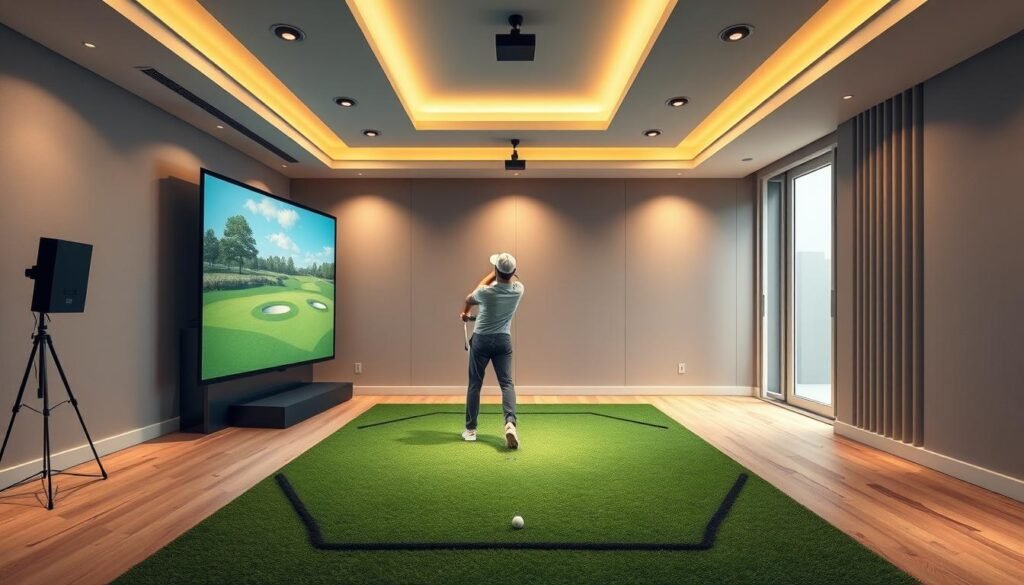
The golf simulator market has exploded over the past few years, and for good reason. What used to be technology reserved for tour professionals and exclusive country clubs is now accessible to everyday golfers who want to practice year-round, regardless of weather conditions or daylight hours.
I’ve spent countless hours researching and analyzing the current simulator landscape to help you find the perfect setup for your home, garage, or business. Whether you’re working with a spare bedroom or a dedicated golf room, there’s a solution that fits your space and budget.
Key Takeaways
- Budget options start around $600 with portable launch monitors like the Garmin R10, while complete mid-range setups cost $5,000-$10,000, and premium systems exceed $15,000
- Minimum space requirements are surprisingly manageable—you can build a functional simulator in a room as small as 10 feet wide by 9 feet deep with 8.5-foot ceilings
- Photometric systems (camera-based) offer excellent accuracy indoors, while radar systems provide versatility for both indoor and outdoor use
- Complete setups require more than just a launch monitor—budget for impact screens ($400-$2,000), projectors ($800-$1,500), hitting mats ($300-$1,500), and a capable computer ($800-$1,500)
- Software subscriptions vary significantly—some platforms like TGC 2019 and GSPro offer one-time purchases ($700-$900), while others like E6 Connect charge annually ($300-$600)
- ROI happens faster than expected—a $5,000 simulator pays for itself in roughly 18 months when replacing regular range sessions and occasional rounds
- Most modern simulators work with regular golf balls—no special equipment needed for accurate tracking
- Year-round practice maintains your swing consistency and can help drop 3-5 strokes off your game through focused winter training
What Makes a Golf Simulator Worth Your Investment?
Before we dive into specific models, let’s talk about what separates a quality simulator from an expensive disappointment.
Accuracy matters most. The best simulators use either photometric technology, radar-based systems, or infrared sensors to track ball speed, spin rate, launch angle, and club path. Premium units can measure dozens of data points per swing, giving you feedback that rivals what PGA pros receive during fitting sessions.
Software brings it all together. The tracking hardware is only half the equation. Quality simulation software like TGC 2019, E6 Connect, or GSPro determines how realistic your virtual rounds feel. The best packages include famous courses, practice modes, and multiplayer options that keep the experience fresh.
Space requirements vary dramatically. Some compact units work in rooms as small as 9 feet wide by 7 feet deep, while high-end systems need 15+ feet of width and 10+ feet of ceiling height. Knowing your space limitations before shopping saves headaches later.
Budget-Friendly Options Under $3,000
Garmin Approach R10
This portable launch monitor punches way above its weight class. The R10 sits behind your ball and uses radar technology to capture swing metrics that golfers actually care about: ball speed, club speed, smash factor, swing path, and face angle.
What impressed me about the R10 is its integration with the Garmin Golf app. You get access to over 42,000 courses, though you’ll need a subscription for the premium course catalog. The unit connects to your phone or tablet via Bluetooth, making setup incredibly simple.
Best for: Golfers who want professional-grade data without breaking the bank, or those who plan to use their simulator both indoors and at the range.
Space needed: 6 feet behind the ball, any standard ceiling height works if you’re using a net.
SkyTrak Launch Monitor
SkyTrak has been the gold standard in the mid-range category for years. This photometric system captures ball data at impact using high-speed cameras, providing accurate readings for carry distance, ball speed, launch angle, backspin, and sidespin.
The SkyTrak ecosystem is mature and well-supported. You can pair it with software like TGC 2019, E6 Connect, or their proprietary game improvement tools. The shot replay feature helps you understand exactly what happened during your swing, which accelerates improvement.
One consideration: SkyTrak requires proper lighting to function optimally. Natural light or consistent overhead lighting works best.
Best for: Serious golfers who want reliable data and realistic course play without jumping to premium pricing.
Space needed: 10 feet wide, 9 feet deep, 8.5 feet high minimum.
OptiShot 2 ($400-$500)
If you’re on a tight budget or just want to have fun playing golf indoors, OptiShot 2 deserves consideration. This infrared system sits under your stance and measures club head speed, face angle, and swing path.
Here’s the reality: OptiShot 2 doesn’t track the actual ball. Instead, it calculates ball flight based on club data. This means it’s less accurate than photometric or radar systems, but it’s still excellent for entertainment and general swing practice.
The included software features 15 courses and various practice modes. While it won’t replace range sessions, it keeps your swing grooved during winter months.
Best for: Casual golfers, families who want golf entertainment, or anyone testing the simulator waters before investing heavily.
Space needed: 8 feet wide, 8 feet deep, 8 feet high.
Mid-Range Systems ($3,000-$10,000)
Bushnell Launch Pro
Based on the same technology as the professional-grade Foresight Sports GC3, the Bushnell Launch Pro delivers exceptional accuracy at a fraction of the cost. This camera-based system tracks ball and club data with precision that competes with units costing twice as much.
The standard package measures ball speed, vertical and horizontal launch angles, backspin, side spin, and carry distance. Upgrading to club data adds swing speed, attack angle, club path, face to path, dynamic loft, and spin axis.
Integration with FSX software gives you access to beautifully rendered courses and practice environments. The screen experience feels premium, which matters when you’re spending hours in your simulator.
Best for: Low-to-mid handicappers who want tour-level data and realistic gameplay.
Space needed: 12 feet wide, 10 feet deep, 9 feet high.
Uneekor EYE XO ($4,500-$5,500)
The EYE XO represents the entry point into Uneekor’s professional lineup. This overhead-mounted unit uses high-speed cameras to capture ball and club data without requiring marked balls or special equipment.
What sets the EYE XO apart is its club tracking capabilities at this price point. Most competing systems at this level focus solely on ball data, but the EYE XO gives you swing path, face angle, attack angle, and dynamic loft measurements that help identify specific swing flaws.
The included Refine software provides instant visual feedback, ball flight overlay, and detailed shot analysis. You can also integrate it with third-party software like GSPro for expanded course selection.
Best for: Golfers who want comprehensive swing data and plan to use their simulator for serious practice sessions.
Space needed: 10 feet wide, 12 feet deep, 9 feet high (ceiling mounted).
Full Swing KIT ($7,000-$9,000)
Full Swing has earned its reputation providing simulators to tour professionals and PGA facilities. Their KIT model brings that technology to home users with impressive results.
The dual-infrared camera system tracks both ball and club simultaneously, providing measurements accurate to within 1% of outdoor performance. The data suite includes everything from spin rates to face impact location, giving you complete insight into each shot.
Full Swing’s software library includes partnerships with E6 Connect and TGC 2019, plus their own practice modes and game improvement tools. The company’s customer support is excellent, which matters when you’re investing at this level.
Best for: Dedicated golfers with the space and budget for a near-professional experience.
Space needed: 16 feet wide, 14 feet deep, 10 feet high.
Premium Systems ($10,000+)
Foresight Sports GC3 ($7,000-$9,000 for unit only)
The GC3 is what you’ll find at high-end club fitting centers and PGA Tour practice facilities. This photometric system captures an incredible amount of data with research-grade accuracy.
Every measurement matters when you’re trying to optimize performance. The GC3 tracks ball speed, launch angle, azimuth, backspin, side spin, total spin, club speed, attack angle, club path, face to path, face angle, and dynamic loft. That’s more data than most golfers know what to do with, which is exactly the point.
The GC3 pairs seamlessly with FSX Play, FSX Pro, and third-party software platforms. Many users consider it the most accurate consumer-grade system available.
Best for: Single-digit handicappers, club fitters, or anyone who demands absolute precision.
Space needed: 15 feet wide, 12 feet deep, 10 feet high.
TrackMan 4 ($20,000-$25,000)
TrackMan is the standard by which all other launch monitors are judged. This dual-radar system is what tour pros use for club fitting, practice sessions, and tournament preparation.
The technology tracks the entire ball flight from impact to landing, measuring 27 different parameters with unmatched precision. TrackMan’s ability to function outdoors and indoors makes it uniquely versatile for serious players.
The included software suite provides video integration, practice modes, skills challenges, and access to famous courses. TrackMan also offers the PGA Tour’s most extensive statistical database, allowing you to compare your performance against professionals.
Best for: Tour-level players, teaching professionals, or dedicated facilities where accuracy justifies the investment.
Space needed: 20 feet wide, 16 feet deep, 12 feet high (indoor use requires proper setup).
Foresight Sports GCQuad ($14,000-$17,000)
The GCQuad represents the pinnacle of photometric technology. Four high-speed cameras capture images of the ball and club at impact, processing information faster than any competing system.
What makes the GCQuad special is its versatility. It works perfectly indoors with limited space, functions flawlessly outdoors for club fitting, and delivers consistent accuracy across all conditions. The unit tracks both ball and club simultaneously, measuring everything from impact location to ball deformation at contact.
Professional club fitters swear by the GCQuad because its data is so reliable it becomes the foundation for equipment decisions worth thousands of dollars. For home use, it’s admittedly overkill—but it’s also future-proof against any advances in the market.
Best for: Professionals, serious amateurs with unlimited budgets, or facilities serving multiple users.
Space needed: 12 feet wide, 10 feet deep, 9 feet high minimum.
Building Your Complete Setup
The launch monitor is just one piece of your simulator puzzle. Here’s what else you need to consider:
Impact screen and housing: Quality impact screens run $400-$2,000 depending on size and material. Carl’s Place, Rain or Shine Golf, and Shop Indoor Golf all manufacture excellent options. You’ll also need a frame to hold the screen taut, which you can build yourself or purchase as a complete enclosure.
Projector: Short-throw projectors work best for simulator setups. Models from Optoma, BenQ, and Epson in the $800-$1,500 range provide sufficient brightness (3,000+ lumens) and resolution (1080p minimum) for clear images. Position matters—ceiling mounting behind your hitting area eliminates shadows.
Hitting mat: A quality mat protects your joints and provides realistic turf interaction. Fiberbuilt, Country Club Elite, and TrueStrike mats range from $300-$1,500. Cheaper mats hurt your wrists and provide poor feedback.
Computer: Modern simulation software demands decent processing power. A mid-range gaming PC with a dedicated graphics card (NVIDIA GTX 1660 or better) handles most software smoothly. Budget $800-$1,500 for a computer that won’t struggle.
Netting: Side netting and ceiling protection prevent errant shots from damaging your space. Heavy-duty golf netting costs $200-$500 depending on coverage area.
Space Planning: Making It Work
Minimum viable simulator: A 10-foot-wide by 9-foot-deep by 8.5-foot-high space can accommodate entry-level systems. You’ll feel cramped with a driver, but it works for practice sessions focused on scoring clubs.
Comfortable single-bay setup: Aim for 12-15 feet wide, 10-12 feet deep, and 9-10 feet high. This allows full swings with all clubs without feeling constrained. Right-handed golfers can position the screen on the left wall, left-handed golfers on the right wall.
Luxury installation: If you’re building dedicated space, go 16+ feet wide, 14+ feet deep, and 10+ feet high. This accommodates multiple players, provides room for seating, and eliminates any feeling of restriction during your swing.
Garage conversions: Many golfers convert two-car garages into simulator bays. This typically provides 18-20 feet of width and 10-12 feet of depth. Ceiling height varies, but most garages offer 9-10 feet. Consider insulation and climate control for year-round comfort.
Software Platforms Worth Considering
TGC 2019: This simulation platform offers 100,000+ user-created courses, including meticulous recreations of famous layouts. The one-time purchase price ($700-$900 depending on package) includes lifetime updates. Graphics lean toward realistic rather than arcade-style, and the multiplayer community is active and welcoming.
E6 Connect: Offers excellent graphics and 90+ licensed courses, including Pebble Beach, St. Andrews, and Pinehurst. The subscription model ($300-$600 annually) includes regular updates and new course releases. Practice ranges and skills challenges add variety beyond just playing rounds.
GSPro: The newest major player in the simulation software space. GSPro provides stunning graphics, accurate physics, and a growing course library. The one-time purchase model (around $700) appeals to golfers tired of annual subscriptions. Integration with major launch monitors is seamless.
Creative Golf 3D: An excellent free option for casual play. While the course selection is limited and graphics are dated, it provides functional simulation for budget-conscious golfers. Works well with entry-level launch monitors.
Return on Investment Considerations
A quality simulator setup costs less than you might think when compared to regular golf expenses:
- Driving range: $20 per session × 2 sessions weekly × 52 weeks = $2,080 annually
- Green fees: $60 per round × 20 rounds = $1,200 annually
- Total annual savings: $3,280
A $5,000 simulator pays for itself in roughly 18 months if it replaces most range sessions and several rounds. Premium systems take longer to recoup costs but provide better long-term value through durability and accuracy.
Additional benefits beyond cost: Year-round practice maintains your game through winter. Evening sessions after work become possible. Family members who wouldn’t visit a range might enjoy home simulator golf. The entertainment value for hosting friends adds non-monetary returns.
Common Mistakes to Avoid
Underestimating space requirements: Measuring your room before purchasing saves disappointment. Account for your height plus club length when calculating ceiling clearance. Remember you need space behind the screen for the projector and netting.
Skimping on impact screens: Cheap screens tear quickly, especially with modern driver speeds. Quality screens last years and maintain tension. This isn’t where you should cut corners.
Ignoring lighting conditions: Photometric systems need consistent, adequate lighting. Radar systems are less sensitive but still perform better with proper illumination. Test your space’s lighting before committing to a specific technology.
Buying outdated models: Golf simulator technology advances rapidly. Research current models rather than settling for older units just because they’re discounted. That three-year-old launch monitor might lack features that are now standard.
Overlooking customer support: When technical issues arise—and they will—responsive customer support makes the difference between a quick fix and weeks of frustration. Companies with established support systems justify slightly higher prices.
Making Your Final Decision
Start by honestly assessing your budget, space, and intended use. A casual golfer who wants winter entertainment needs a different system than a competitive amateur working to reach scratch.
Visit facilities with multiple simulator options if possible. Many golf shops and indoor golf venues offer trial sessions that let you experience different systems before purchasing. The feel and feedback matter more than specifications on paper.
Consider starting smaller and upgrading later. Many golfers begin with a launch monitor and basic setup, then expand their system as they understand their needs better. Launch monitors hold resale value well, making this a viable approach.
Read recent reviews and join online communities like the GSPro Discord or various Reddit golf simulator forums. Real users provide insights that manufacturer specifications never reveal. Pay attention to complaints about customer service and reliability.
Frequently Asked Questions
How much does a complete golf simulator setup cost?
Complete setups range from $2,000 to $30,000 depending on your requirements. A basic system with a portable launch monitor, hitting mat, and net costs $2,000-$4,000. Mid-range installations with quality launch monitors, projectors, impact screens, and software run $5,000-$12,000. Premium systems with professional-grade tracking technology and dedicated rooms start at $15,000 and can exceed $30,000.
The sweet spot for most home users sits between $6,000-$10,000, which provides accurate tracking, quality components, and software that makes practice enjoyable rather than frustrating.
Can I use a golf simulator in a basement with low ceilings?
Yes, but ceiling height determines which clubs you can swing comfortably. Most golfers need 9 feet minimum for full driver swings. If your basement ceiling measures 7.5-8.5 feet, you can still practice with irons, wedges, and even fairway woods by choking down slightly or adjusting your swing.
Some golfers with 8-foot ceilings focus their practice on scoring clubs (7-iron through wedges) where most strokes are gained anyway. Alternatively, consider portable systems like the Garmin R10 that you can use in your basement for short irons and take to a garage or outdoor net for driver practice.
Do golf simulators actually help improve your game?
Absolutely, when used correctly. Simulators provide immediate feedback on ball flight, spin rates, and swing mechanics that help identify specific issues. The ability to practice year-round maintains muscle memory and swing consistency that deteriorates during off-seasons.
However, simulators work best when combined with occasional outdoor play. The feel of real turf, wind conditions, and course management decisions differ from simulator environments. Think of your simulator as a powerful practice tool rather than a complete replacement for on-course experience.
Many golfers report dropping 3-5 strokes after a winter of dedicated simulator practice, particularly in their approach play and short game consistency.
What’s the difference between photometric and radar launch monitors?
Photometric systems use high-speed cameras to capture images of the ball at impact. They measure ball data with exceptional accuracy and work well in enclosed spaces. These systems require consistent lighting and typically cost more. Examples include SkyTrak, Foresight GC3, and GCQuad.
Radar systems use Doppler radar to track the ball throughout its flight. They measure club and ball data and generally work in any lighting condition. Radar units like TrackMan and the Garmin R10 function both indoors and outdoors. They typically need more space behind the hitting area for optimal performance.
For indoor home use, photometric systems often provide better value. For outdoor versatility or teaching professionals who need portability, radar systems offer advantages.
Can I build my own golf simulator or should I buy a package?
Building your own saves money if you’re handy and willing to research components. Many golfers construct custom enclosures, install their own projectors, and select individual components based on specific needs. This approach can save 20-40% compared to pre-built packages.
However, package deals from companies like Rain or Shine Golf or TruGolf include everything you need with compatibility guaranteed. This eliminates troubleshooting issues between components and usually includes professional installation support.
If you enjoy projects and have basic carpentry skills, building your own makes sense. If you want a turnkey solution without hassle, packages provide peace of mind worth the premium.
How accurate are budget golf simulators compared to premium models?
Budget systems like the Garmin R10 or SkyTrak provide ball data accurate within 2-5% of premium models for most metrics. The main differences appear in club data tracking, which budget systems often don’t measure at all, and in edge cases like extremely high or low spin shots.
Premium models like the GCQuad or TrackMan 4 measure more parameters with tighter tolerances (within 1% accuracy) and provide club face data that helps diagnose specific swing flaws. They also handle unusual shots better—shanks, tops, and extreme hooks or slices.
For most recreational golfers, budget and mid-range systems provide sufficient accuracy to improve their game. Single-digit handicappers and professionals benefit from premium system precision during club fitting and swing optimization.
What Internet speed do I need for a golf simulator?
Most launch monitors work offline and don’t require Internet connectivity for basic operation. However, you’ll want reliable Internet for several features:
- Playing online courses requires 10-25 Mbps download speed
- Multiplayer modes work smoothly with 25+ Mbps
- Software updates and cloud features need basic connectivity
- Streaming your simulator sessions requires 5-10 Mbps upload speed
A standard home Internet connection (50-100 Mbps) handles simulator needs easily. If you’re setting up in a garage or basement with weak WiFi signal, consider running an ethernet cable or installing a WiFi extender for consistent connectivity.
Can multiple people use the same golf simulator?
Yes, and this significantly improves the value proposition. Most simulator software includes multiple user profiles that save individual statistics, handicaps, and settings. This makes simulators excellent for families, roommates, or golf groups.
Setup takes seconds to switch between users—just select a different profile and adjust the tee height on your mat. Left-handed and right-handed golfers can both use the same system, though you may need to reposition portable launch monitors.
Many golfers offset their simulator costs by charging friends for sessions or forming simulator leagues where multiple players share expenses.
Do I need special golf balls for simulators?
Most modern simulators work with regular golf balls. Premium systems like Foresight and TrackMan track standard balls without any modifications. Some budget systems like older OptiShot models required marked balls, but current versions work with regular balls.
That said, foam practice balls work fine for some budget infrared systems when you’re practicing swing mechanics rather than tracking ball flight. However, foam balls don’t provide realistic feedback on strike quality or spin.
Stick with the same ball model you play on the course for the most valuable practice sessions. The spin rates and launch characteristics need to match your on-course equipment for data to translate effectively.
How long does it take to set up a golf simulator?
Portable systems like the Garmin R10 set up in 5-10 minutes—just position the unit, connect to your device, and start hitting. These work great if you need to share space with other activities.
Permanent installations take more time initially. If you’re handy, expect 2-3 full days to build an enclosure, mount a projector, install netting, and configure your launch monitor. Professional installation typically takes 1-2 days depending on complexity.
Once installed, permanent setups require no daily setup time. Walk in, turn on your equipment, and start practicing within minutes.
Will a golf simulator damage my house or require structural modifications?
Properly installed simulators don’t damage homes. Impact screens and netting absorb ball energy safely, protecting walls and ceilings. The key is using appropriate materials rated for golf ball impacts.
Most installations don’t require structural modifications. You’re mounting a projector to the ceiling, hanging netting, and positioning an impact screen—similar to hanging heavy curtains or a large TV.
However, consider these factors:
- Concrete floors work better than wood for absorbing impact vibration
- Ceiling-mounted launch monitors require secure attachment to joists
- Soundproofing helps if your simulator space shares walls with living areas
- Climate control maintains comfortable practice conditions year-round
Garage conversions may need insulation and HVAC additions but rarely require structural changes.
Can I take my golf simulator outside?
Some systems work brilliantly outdoors. Radar-based units like TrackMan 4, Garmin R10, and Bushnell Launch Pro function perfectly in outdoor environments. Photometric systems like SkyTrak can work outdoors but perform best in controlled lighting.
Outdoor use offers advantages—real turf interaction, natural lighting, and unlimited space. Many golfers use portable launch monitors at their local range to combine real ball flight with detailed data tracking.
However, permanent installations with projectors and impact screens stay indoors. If outdoor versatility matters to you, prioritize radar-based systems that handle both environments seamlessly.
The Bottom Line
Golf simulators have reached a point where they genuinely improve your game while providing entertainment value that justifies the investment. Whether you’re installing a budget-friendly system in a spare bedroom or building a dedicated golf room with premium equipment, today’s technology delivers experiences that were impossible just five years ago.
The key is matching the system to your actual needs rather than getting swept up in specifications you’ll never use. A properly chosen simulator becomes something you use multiple times weekly, turning wasted time into productive practice and enjoyable rounds regardless of weather or season.
For most golfers, the sweet spot sits in the $3,000-$8,000 range for complete setups. This budget provides accurate ball tracking, quality software, and a comfortable playing environment without venturing into professional territory.
Whatever you choose, you’re investing in more golf, better practice, and year-round improvement. That’s something every golfer can appreciate.